3 ways to balance screen time and keep kids engaged this summer
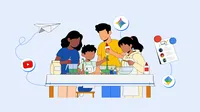
It’s officially mid-summer in Canada, and while there’s still plenty of sunshine and outdoor adventure to enjoy, parents are also facing the familiar holiday challenge of managing screen time. With the right tools and a little creativity, a few minutes online can inspire activities, spark curiosity and get the whole family doing more together — offline.
Here are three ways to use Google and YouTube tools to build healthy digital habits with fun, creative learning activities to keep the summer going strong (find more inspiration in our activity guide for parents!).
1. Set the ground rules with simple parental controls.
Screen time during the summer should be a helpful tool — not a distraction. That’s why it’s important to establish digital guardrails.
Parental controls make it easy for parents to manage their child’s screen time and to find balance between having fun online and offline. With on-device parental controls now rolling out to all Android devices — located within Android settings and protected by an easy-to-set PIN — you can set up screen time limits, schedule downtime to lock your child’s device at night, and control app usage. Android Parental Controls also provide a direct path to set up Google Family Link, offering more capabilities including School Time, location alerts and more.
On YouTube, parents can set the Shorts feed time limit, bedtime reminders, and “take a break” prompts. Summer is also a great time to review your kids’ content settings. For kids under 13, there’s YouTube Kids: a standalone app with a higher bar for safer, family-friendly content. For older kids, there’s Supervised kid and teen accounts on the YouTube platform, each with suggested content settings and age-appropriate experiences.
Check out more tips for managing summer screen time — like building a 'family media contract’ — from YouTube’s Global Head of Health, Dr. Garth Graham.
2. Keep learning and exploring new topics.
Who says learning has to pause when school is out? Summer is a great time for kids to dive deeper into their favorite topics.
AI Quests is a game-based experience that lets kids step into the shoes of real-world researchers, using applied AI literacy to tackle global challenges like flood forecasting and brain mapping. The quests are available in English, French, Spanish, Italian, Portuguese, Arabic and more.
You can also use Guided Learning in Gemini to explore a summer wonder alongside your child — like how a roller coaster works. It provides step-by-step support for topics like math, science and more, making it easy for you to navigate the experience and build their core problem-solving skills together.
With many kids, parents and teachers turning to YouTube to support learning, check out great Canadian educational creators, like Monsieur Steve and The Singing Walrus, to find content that brings learning to life.
3. Turn digital inspiration into real-world adventure.
Video can be a powerful starting point for offline play. Use YouTube Kids to learn how to build an indoor fort or look up a step-by-step paper airplane tutorial. Watch the video together for a few minutes to learn the design, then put the devices away and see whose airplane can fly the furthest.
Stuck indoors on a rainy day? Or need creative inspiration for an outdoor activity? Think of Gemini as your personal summer brainstorm partner. Parents can use Gemini to create a scavenger hunt, identify plants and insects on a family hike, or generate a child-friendly slime experiment using ingredients you already have – turning a quick query into an afternoon of hands-on science.
Accept the Summer Mode Challenge.
We've created a #GoogleSummerMode activity guide packed with simple ways to turn a few minutes of screen time into real-world fun. Whether you're using leftover garden waste to build a bug hotel, conducting kitchen science experiments or learning a new skill, we hope these tools help you use screen time as a launchpad for creativity, exploration and family time all summer long.