Bringing Gemini in Chrome with auto browse to India

Gemini in Chrome, your AI browsing assistant, which was brought to desktops in India earlier this year, is now also available to all Android users in India, making it easier than ever to explore the web on your phone 1 .

Gemini in Chrome lets you summarize long articles, ask questions about web pages, and connect with your favorite Google apps, like Keep and Calendar, without switching between tabs. It even lets you customize and generate images on the go with Nano Banana.
At the same time, we’ve also made Gemini in Chrome’s auto browse feature available on desktop and Android for AI Pro and AI Ultra subscribers in India 2 .
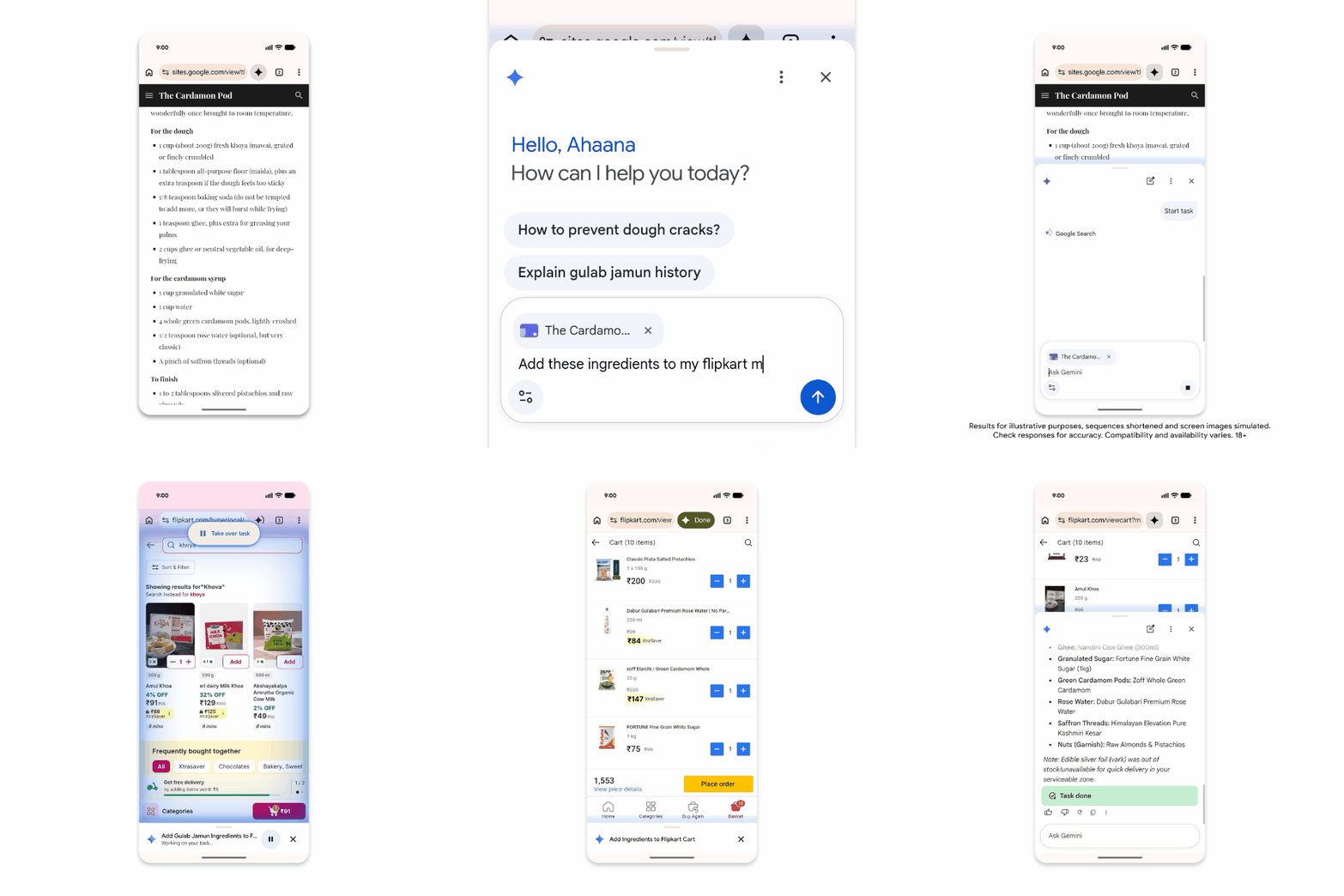
Auto browse can handle tedious everyday tasks for you, helping you do things like book parking for an event, fill out a long form, or order groceries for the week.
These capabilities are built to be secure-by-design, and our models are trained to detect known threats, such as prompt injection. For added control, auto browse is designed to keep you in control by asking for confirmation before completing some sensitive tasks.