Chrome Security
The multi-layered defenses that harden Chrome against abusive notifications
Push notifications are a longstanding part of the open web, allowing developers to engage with users in real-time. However, bad actors have increasingly abused this system, bombarding people with deceptive and unwanted notifications. To combat this, Chrome Security has been on a multi-year journey, in collaboration with Firebase Cloud Messaging (FCM) and Safe Browsing, to significantly reduce notification abuse and improve the security and quality of the web ecosystem for everyone. After achieving a significant reduction in unwanted notification volume, reducing notifications on Android by over 7 billion a day in Q1 alone, today we’re pulling back the curtain on the multi-layered toolkit that secured this critical feature for billions of users.
Rather than relying on a single silver bullet, we have built a "Swiss cheese" model of defense-in-depth, where overlapping protections cover the entire notification lifecycle. Our goal is to ensure that if abuse slips through one layer, another is there to catch it. This approach allows us to halt abuse at the source, preventing deceptive content from reaching users while maintaining a healthy balance between utility and security.
Revocations based on user interactions
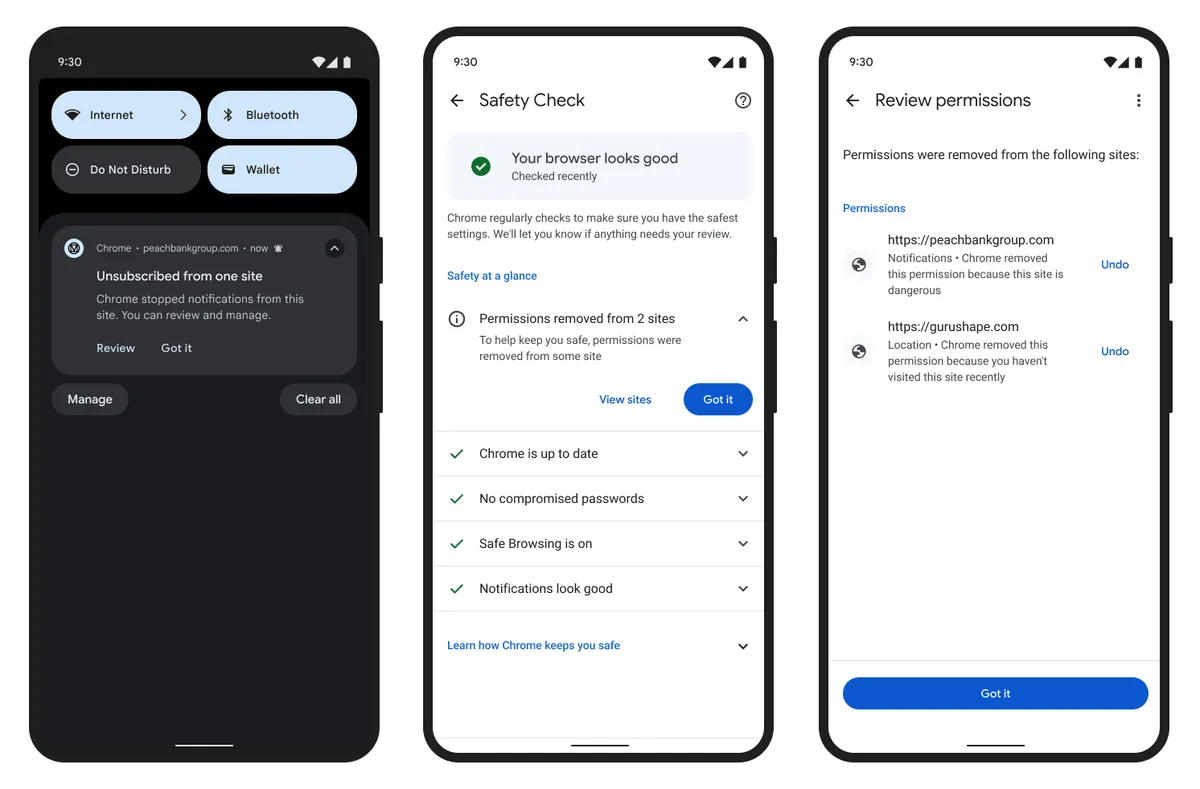
Chrome automatically revokes notification permissions for sites with which you haven't recently engaged. We also revoke notification permissions from sites that have repeatedly received suspicious notification warnings. As with all automatically revoked permissions, people can review and regrant them in the Safety Hub if they choose.
Detection of abuse networks
We’ve built advanced behavioral detection to more quickly identify and remove permissions from networks of sites that coordinate and send abusive notifications. By analyzing signals such as service worker activity — specifically looking for coordinated behaviors — we can now pinpoint networks that serve malicious content, like malware, or scams. This enables us to proactively revoke permissions from these persistent bad actors, protecting users from deceptive notifications even when the site content might not seem inherently malicious.
Server-side throttling
On the FCM server side, we've implemented message rate limits for the Push API to combat high-volume notification abuse. We now evaluate sites based on key factors, including message volume relative to user time spent on the site, the frequency of permission prompts, and general engagement levels. Disruptive domains are limited to 1,000 messages per minute and will receive HTTP 429 responses if they exceed this threshold. This enables us to limit the impact of disruptive traffic while giving a safety valve for legitimate sites to adjust their usage patterns. These limits scale with repeat offenses and reset only after a period of non-disruptive behavior, significantly increasing the cost and reducing the efficacy of large-scale abuse campaigns.
Streamlined notifications permission model
We have also fundamentally improved the notifications permission model to prioritize user agency while making it harder for abusive actors to acquire and retain permissions.
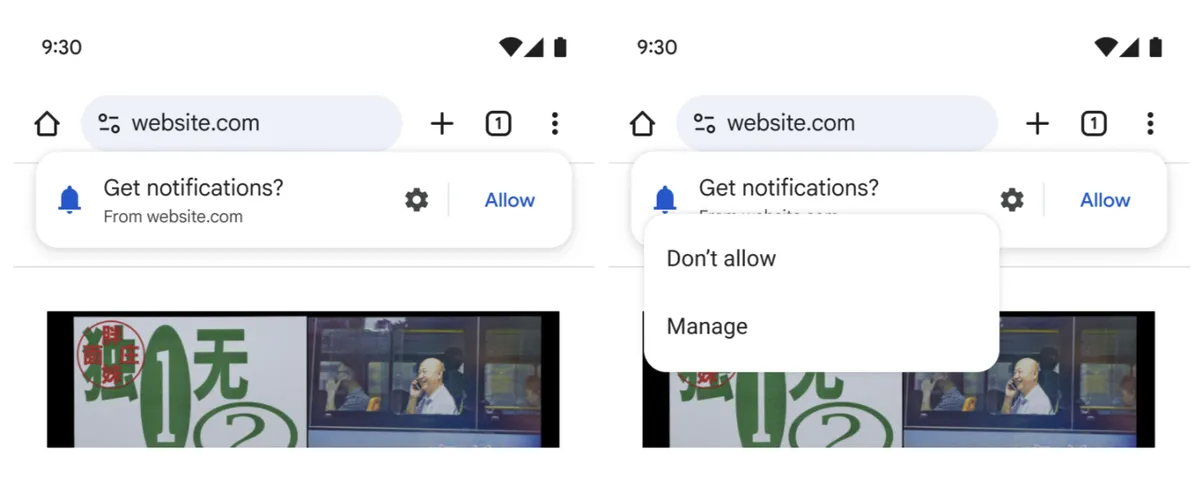
For example, we recently announced an updated notification grant experience for Android phones. This updated UI maintains full functionality while significantly reducing notifications prompt fatigue, by letting people make an informed choice about allowing sites to send notifications without disrupting their journey.
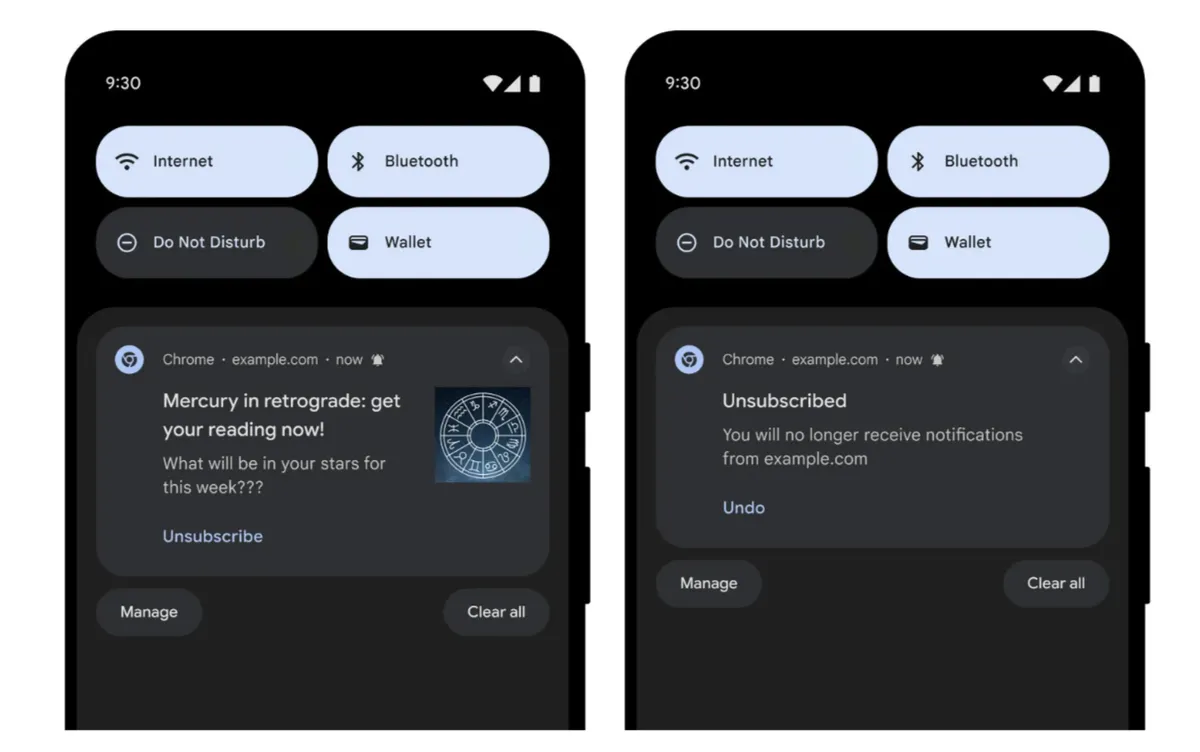
This builds on previous work to add one tap unsubscribe to Android, which made it easier for people to remove permissions from sites sending unwanted notifications.
Defense-in-Depth
These integrated efforts effectively shield users from sophisticated scams that leverage notifications to distribute malware, harvest personal information, or solicit fraudulent payments. And beyond security enhancements, this strategy has substantially decreased unnecessary background activity, reduced user device battery consumption, and transformed the notification lifecycle so users receive only the content they find truly valuable.
By unifying these diverse initiatives into a single, cohesive strategy, we have forged a significantly more resilient Chrome experience. Consequently, Chrome’s protections against notification abuse are demonstrably more robust, providing a safer and more secure environment for users to navigate the web.
What you can do
While Chrome continuously works behind the scenes with this defense-in-depth approach, you can also directly control how website notifications work at any time in Chrome settings:
- On Desktop, navigate to Settings > Privacy and security > Site Settings > Notifications, or open chrome://settings/content/notifications in the omnibox
- On Android, tap More (⋮) > Settings > Notifications
Double-checking these settings ensures that the notifications you receive continue to align with your preferences, keeping your web experience safe, relevant, and clutter-free.