Chrome Security
Chrome Now Warns Before Insecure HTTP Connections

Insecure HTTP traffic exposes Chrome users to risks of malware, phishing, eavesdropping, and other threats to their private data. While the overwhelming majority of connections made by Chrome now use HTTPS and are thus safe from network attackers, any unprotected HTTP request offers an opportunity for an attacker to inject malicious content into the users' browsing experience, often without the user having any idea that they were at risk.
As promised last year, we have now rolled out a change where Chrome explicitly asks users for permission before making an insecure HTTP connection. Earlier this year we enabled this feature for users enrolled in Chrome's Enhanced Protection mode of Safe Browsing, and now we extended this protection to all users by default.
In a world with significant HTTP traffic, labeling insecure pages as "Not Secure" was the strongest warning that a browser could provide without breaking the user's experience. However, badging alone has substantial limitations:
- Research shows that such passive warnings can go unnoticed by users.
- Browsers never have a chance to show a "Not Secure" badge on short-lived HTTP traffic, like redirects, despite the user's data still being put at risk.
- Most critically, "Not Secure" badging only notifies the user after their data and connection has been exposed; it can not give the user an opportunity to prevent that exposure from occurring.
By asking users to permit Chrome to proceed before the connection occurs, Chrome gives users the tools they need to stay safe.
The “Always Use Secure Connections” setting warns users before accessing a site without HTTPS
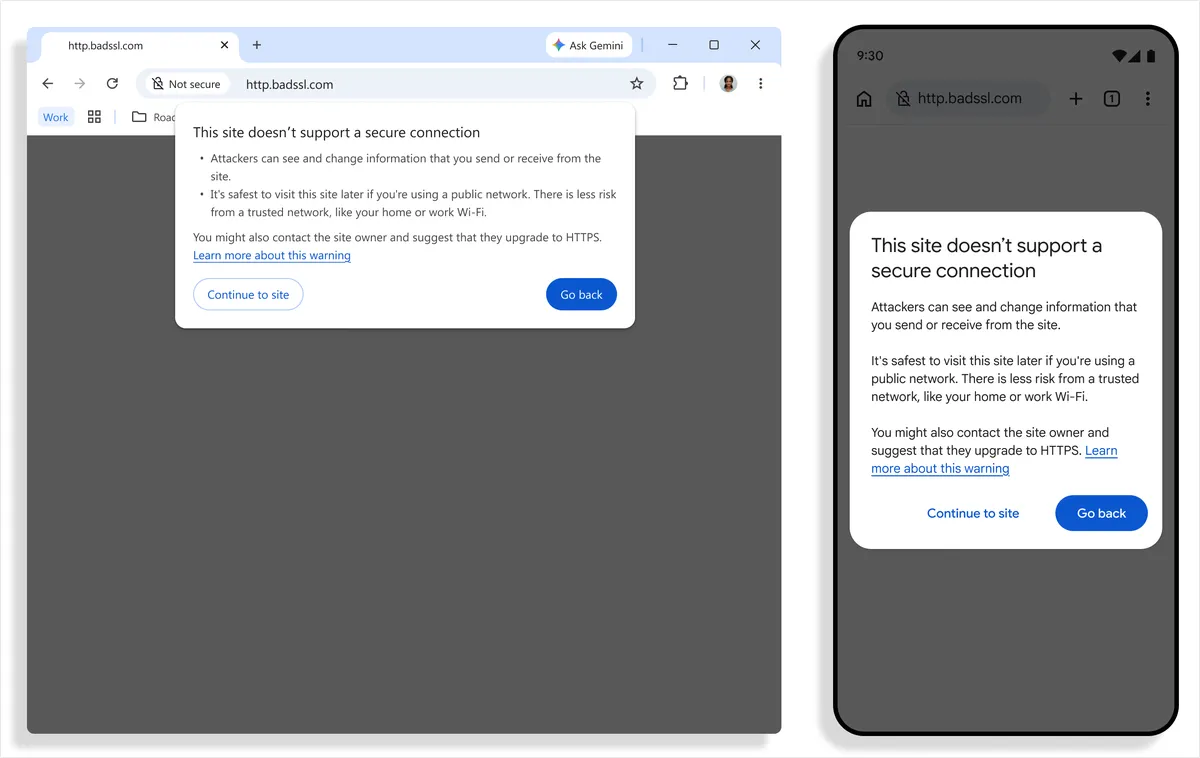
While we believe that 100% of web traffic should be HTTPS, we also acknowledge that even now, HTTPS adoption is not universal, and some users need to regularly access some HTTP sites. To address this, Chrome will ask the user to approve the use of HTTP the first time they visit the site. Once the HTTP use is approved, Chrome will not warn again until the user has not visited the site for at least two weeks. By default, warnings are also not shown on sites that cannot get a publicly-trusted HTTPS certificate. For instance warnings are not shown on single-label hostnames like intranet/, or local IP addresses like 192.168.0.1, which are often used when configuring home wifi routers or similar devices. This also reflects that these hosts typically are at lower risk of attackers, as the attacker must be on your local network to tamper with this traffic.
This change is made possible by the web achieving high HTTPS adoption, which means that enabling warnings no longer risks warning fatigue to our users -- early rollout data shows that nearly 95% of Chrome users on Desktop don't see any HTTP warnings in a given week, with less than 1% seeing 3 or more. Warning rates on mobile are even lower, and as more sites adopt HTTPS for their sites, we expect warning rates to keep dropping.
Chrome asking the user before making an HTTP request is the culmination of more than a decade of work from countless people and organizations. We are grateful to everyone who has helped get us to a point where we can Chrome truly safe-by-default from network attackers. While we are the first browser to make this change, we hope that other browsers will join us in enabling these protections to make the web safer for everyone.