New teaching and learning features in Google Workspace for Education
Editor’s note: This week we’re joining thousands of educators and students at ISTE, the United States’ biggest educational technology exhibition. Visit us on Level 2 in the Grand Hall, where you can check out new Chromebooks and features in Google Workspace for Education, plus sign up for our deep-dive workshops. Follow along on Twitter and Facebook for the latest updates.
Every day, students and teachers around the world rely on Google Workspace for Education to plan lessons, get their homework done and more. Today, we’re sharing updates that make these tools even more accessible, collaborative, engaging and secure.
Enhanced personal learning in Google Classroom
- Help students build literacy skills: Read Along is an interactive, speech-based reading tool that helps students independently build their reading skills. With Classroom’s new Read Along integration, educators can support differentiated learning with reading activities assigned based on the story’s Lexile® measure 1 or selected grade level. Educators can measure students’ progress and see metrics on accuracy, speed and comprehension. Express interest in the early access program, available in English.
Available with the Teaching and Learning Upgrade or Education Plus:
- Deliver more relevant student intervention: As teachers add questions to their practice set, they see learning skills, suggested with the help of AI, that map to each question. Students receive hints when they need help based on the skills selected by teachers. Teachers will soon be able to review suggested hints, and add their own resources, like text hints or videos. Practice sets are available in English and will be rolling out to Spanish and Japanese in the coming weeks.
- Save time with suggested questions: When educators create an assignment with a YouTube video attached, they’ll be able to add interactive questions to help students check their understanding as they watch. Educators can create their own questions or, available in English, select and edit questions that are suggested with the help of AI. Express interest in the beta, which is available in English, Spanish, Portuguese, Japanese and Malay.
With Google Classroom’s Read Along integration, educators will be able to measure progress and see metrics on accurary, speed and comprehension for individual students and the class overall.
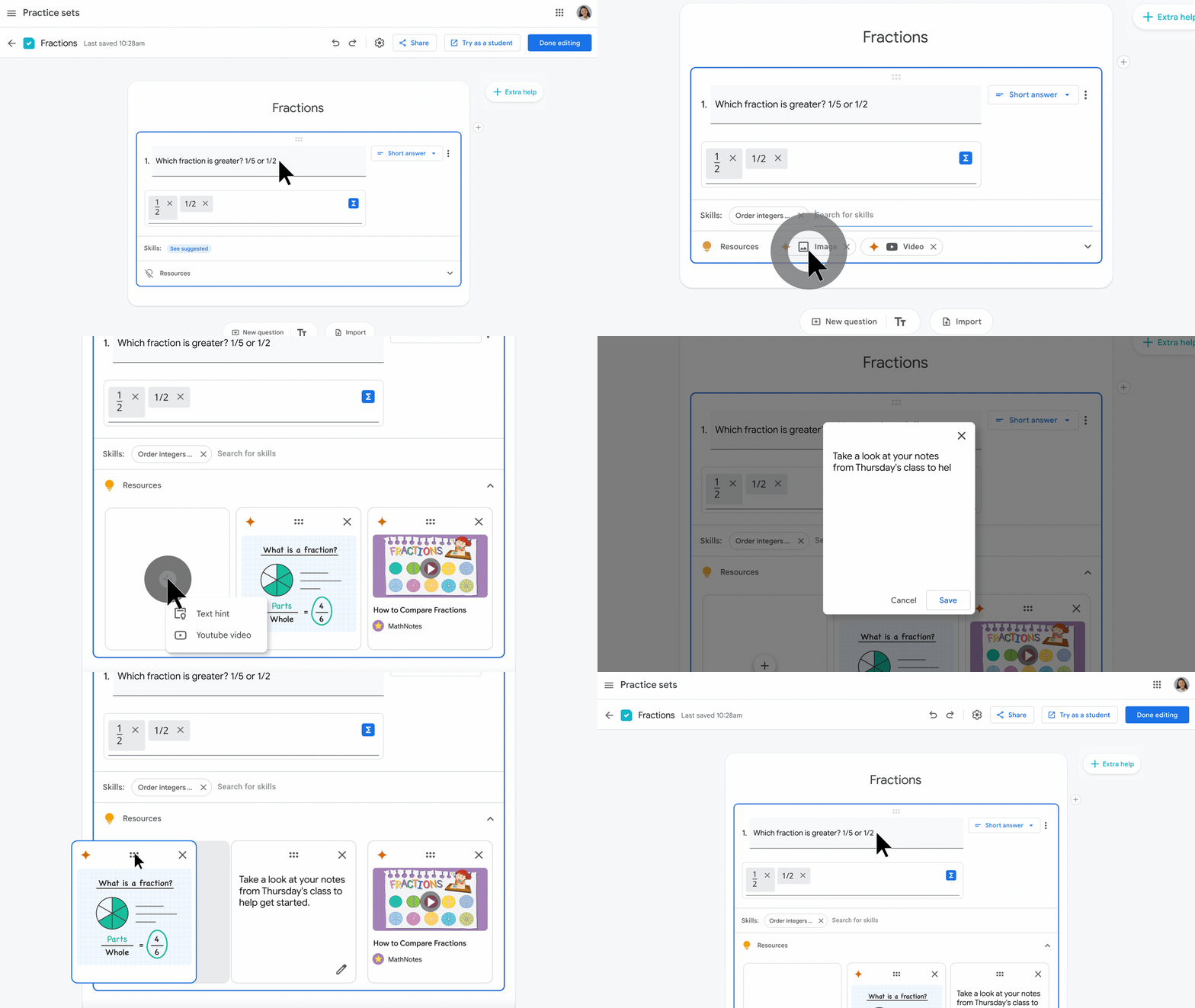
With practice sets in Classroom, educators will soon be able to review suggested hints shown to students, and add their own resources, like text hints or videos.
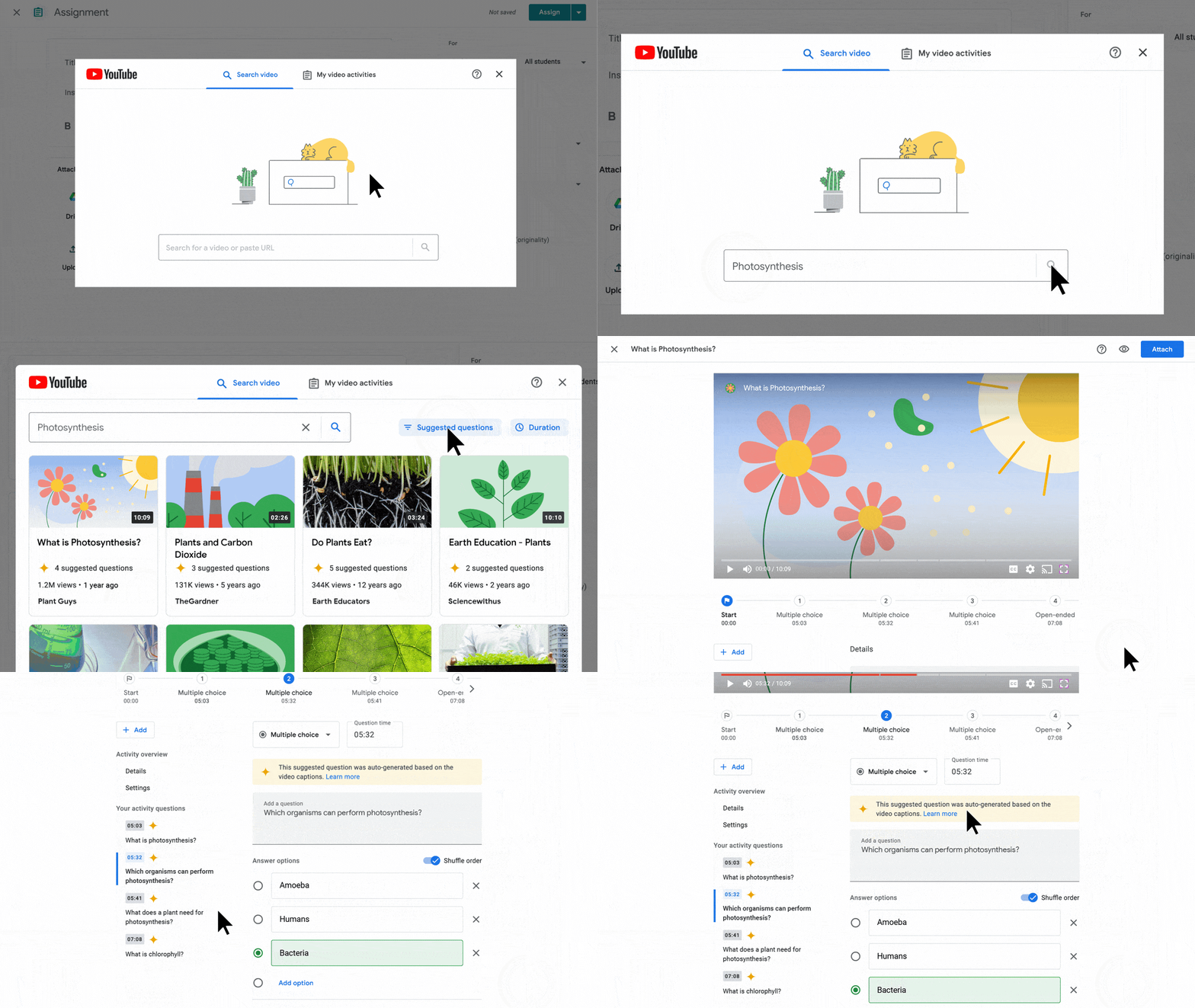
When educators create an assignment with a YouTube video attached, they’ll soon be able to add interactive questions to help students check their understanding as they watch. Educators can create their own questions or, coming soon in English, select and edit questions that are suggested with the help of AI.
Collaborative school and class management in Google Classroom
Available with Google Workspace for Education Plus:
- Visit a class to provide support: Get temporary class access to support educators, manage substitute teachers, see information for guardian conversations, and more — all without needing to be a co-teacher. To support transparent collaboration, visitors notify the educator with the reason for their visit. Admins must enable this feature for designated users or groups.
- Make informed decisions: Designated education leaders and staff will be able to gain visibility into student performance and engagement, including if assignments are being completed, how grades are trending, and how Classroom is being adopted. Educators will be able to view similar information for their own classes, too. This feature is currently being piloted and will launch in the coming months.
- Simplify lesson planning: Curriculum leaders and verified teachers can share links to class templates and classwork to see up-to-date content, or instructional design ideas, without needing to be a co-teacher. Express interest in the beta, available in English, Spanish, Portuguese and Japanese.
- Tailor grading to your needs: Plan, organize and analyze assignments and grades based on grading periods (quarters, semesters, terms). Soon, customize your grading scales to align to your grading system, whether letter, numeric or custom. These features will be available for the Teaching and Learning Upgrade as well.
Available with all Google Workspace for Education editions:
- Disable assignment submissions: Teachers will have the option to stop accepting submissions for an assignment after the due date or other specified date.
- Communicate more efficiently: Enhance comments by formatting text to be bolded, italicized, underlined or laid out as bullet points. And reply to notifications right within your email.
Get temporary class access to support educators, manage substitute teachers, see information for guardian conversations, and more — all without needing to be a co-teacher. To support transparent collaboration, visitors notify the educator with the reason for their visit.
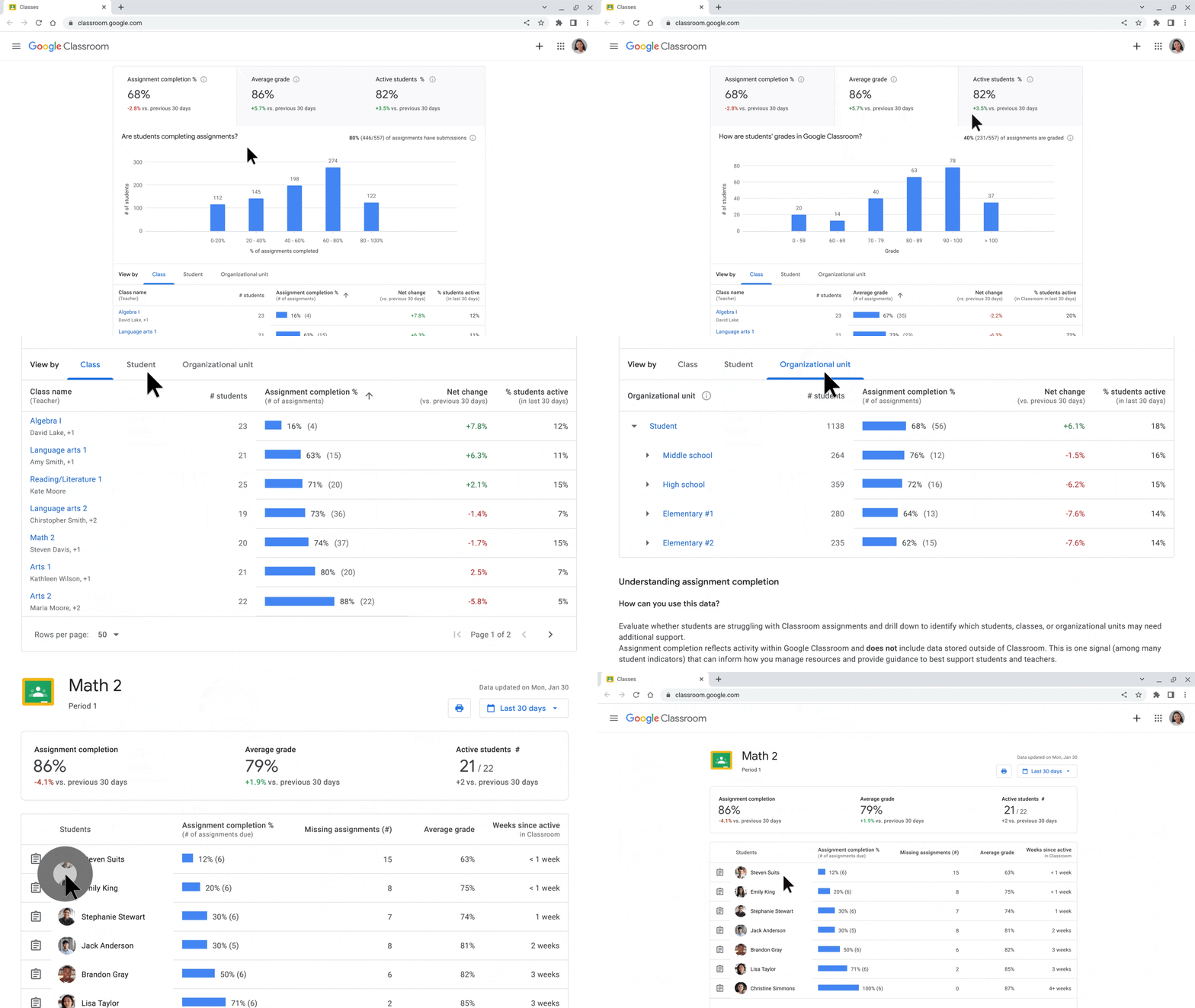
Classroom analytics will make it possible to gain visibility into student performance and engagement, including if assignments are being completed, how grades are trending, and how Classroom is being adopted. Educators will be able to view similar information for their own classes, too.
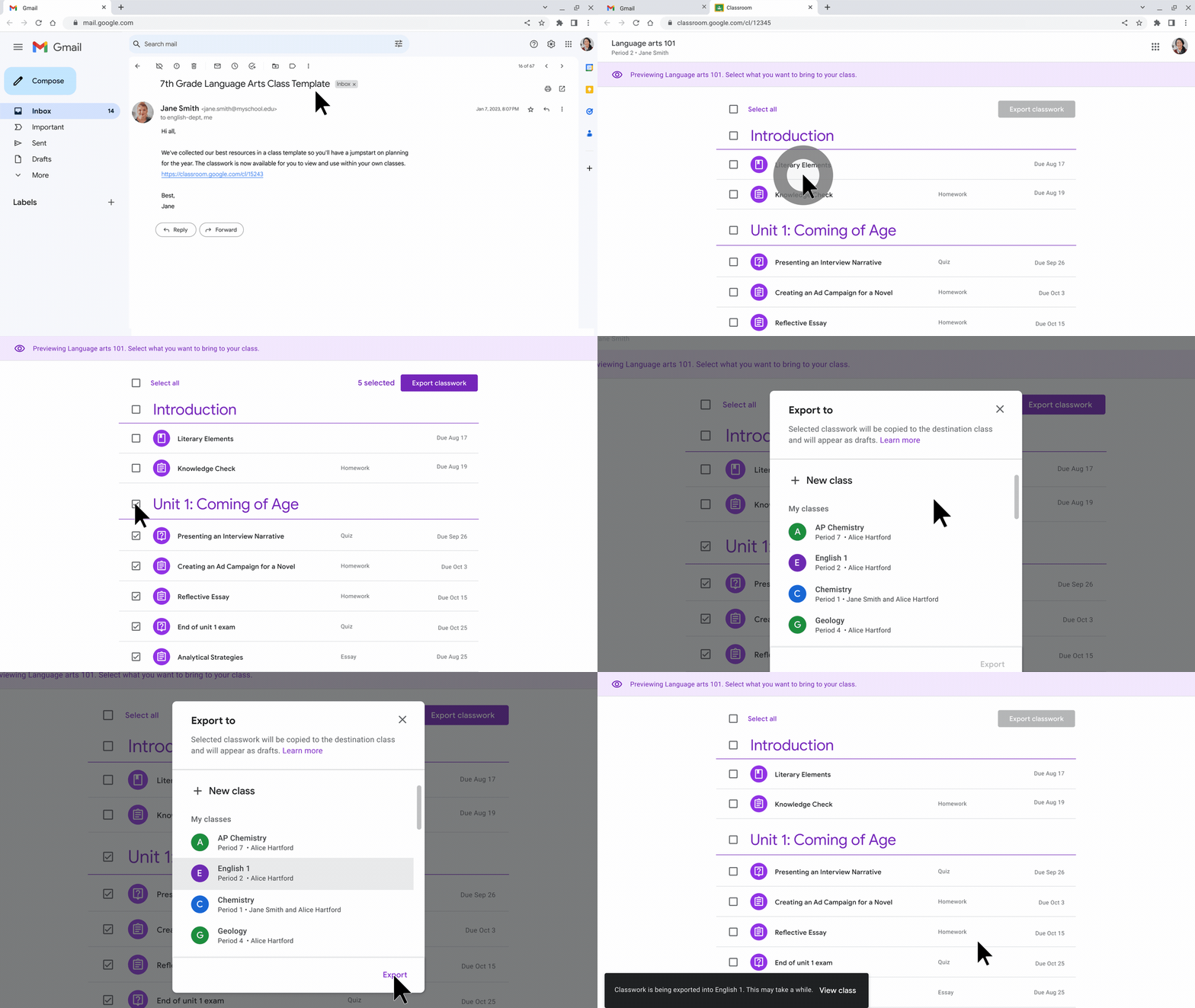
Curriculum leaders and educators can share links to class templates and classwork so educators can import classwork into their classes.
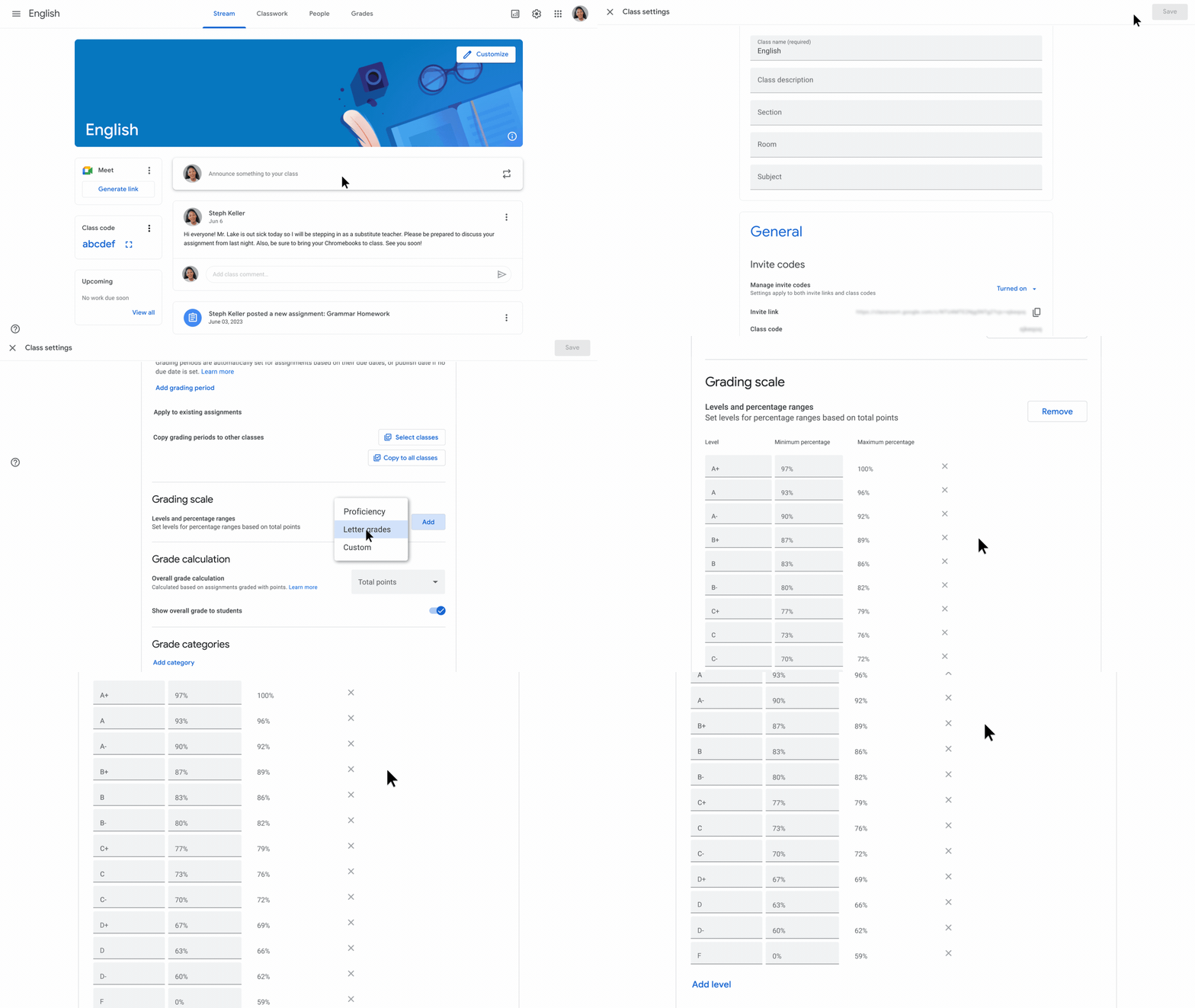
Customize your grading scales to align to your grading system, whether letter, numeric or custom.
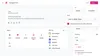
Educators can soon have the option to stop accepting submissions for an assignment after the due date or other specified date.
Improved accessibility and engagement in Google Meet and Fonts
- Make meetings more inclusive: In the coming months you’ll be able to pair your tile with someone else’s so if one of you speaks, you’re both highlighted. This can make meetings more inclusive when using voice or sign-language interpreters or when two people are presenting together.
- Make your text more accessible: Google Fonts offers a number of new fonts that make reading easier in the Arabic, Cyrillic, and Latin writing systems. These fonts optimize a number of typeface attributes that improve their accessibility. For example, optimizing a font’s optical size enhances readability and comprehension for individuals with visual impairments or reading difficulties.
- Increase live stream engagement: Educators use polls and Q&A in Meet to engage their students, solicit feedback and more. These capabilities are now rolling out in livestreams, which are available with the Teaching and Learning Upgrade or Education Plus.
- Connect larger audiences: Students and educators with Education Plus can now have up to 1000 attendees in meetings: for example, 500 contributors and 500 viewers. Whereas contributors can fully participate in meetings, viewers can interact with polls and Q&A but can’t share audio or video, helping reduce meeting distractions and giving the meeting host more control.
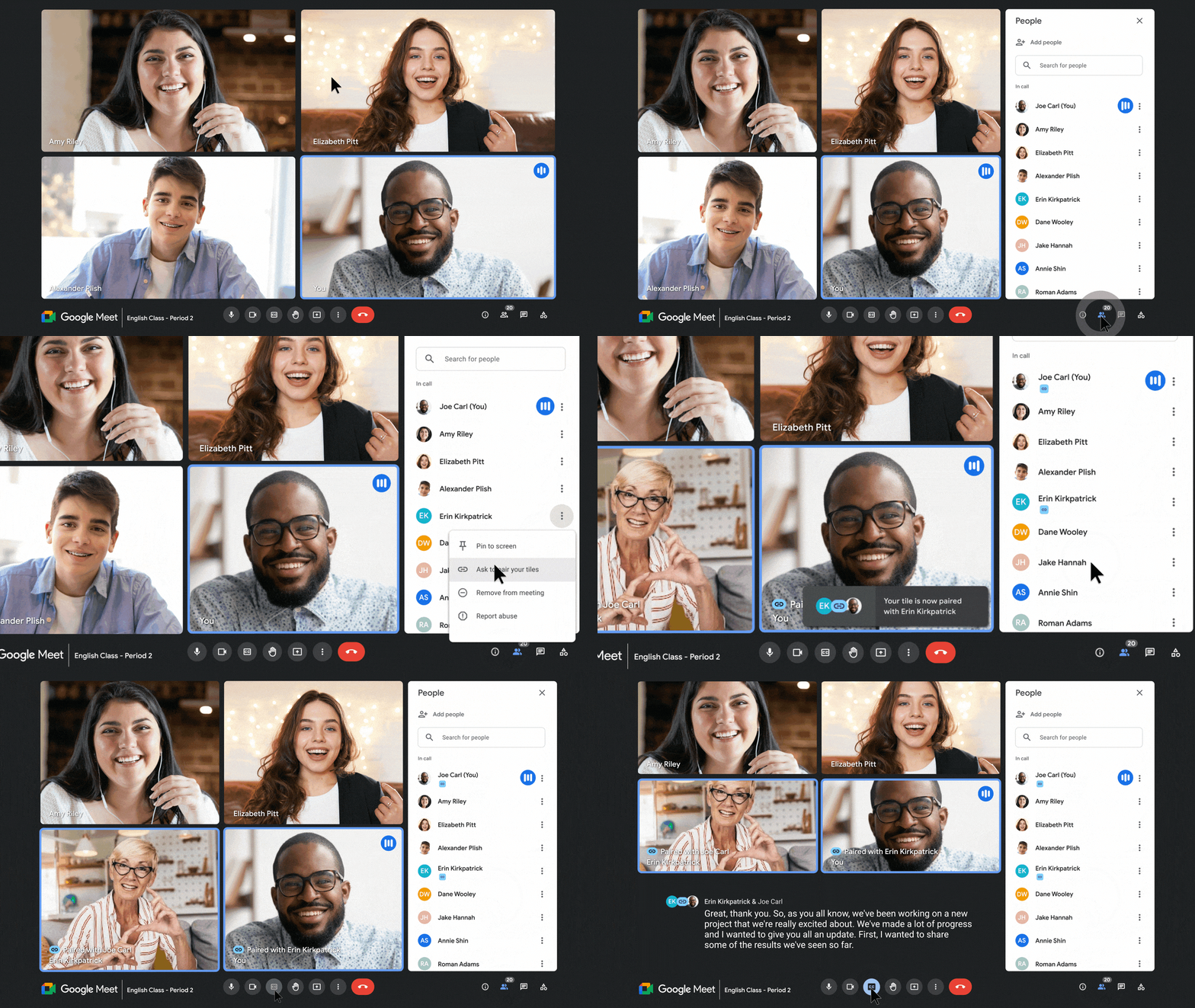
Make class more accessible by pairing a sign language interpreter to whomever is speaking
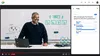
Increase engagement during live streams with Q&A and polls
Connect with up to 1000 live participants in Meet
Helping keep your digital learning environment safe
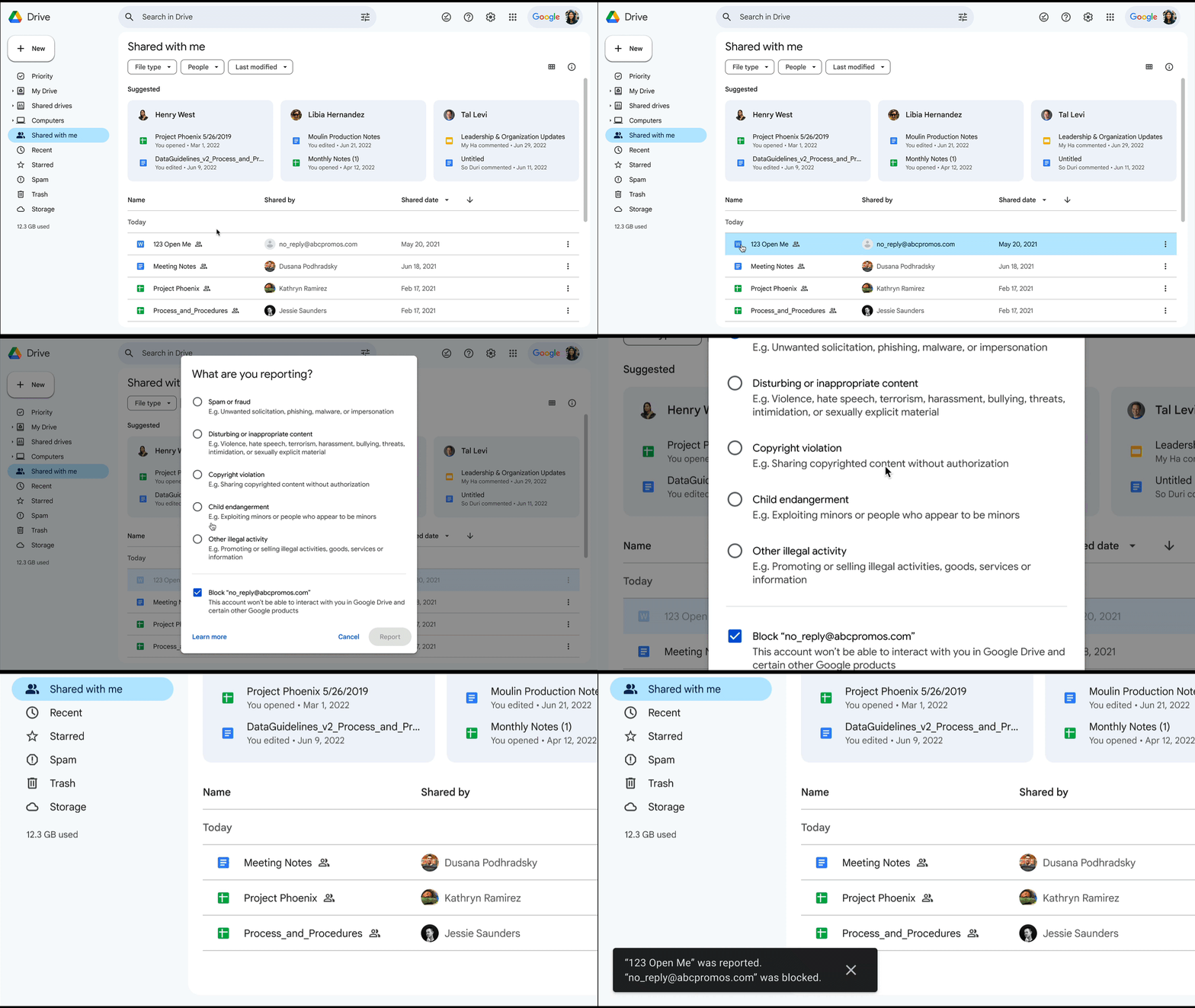
- Expanding spam protections: We recently introduced a new view in Drive that makes it easier to separate and review your files, decide what you might view as spam, and stay safe from potential unwanted or abusive content. Now, Drive automatically classifies content into a spam view just like Gmail does today, protecting you from seeing dangerous or unwanted files.
- Strengthen security with access controls: Earlier this year we announced improvements to context-aware access, like the ability for admins to set rules for apps that are accessing Workspace data via APIs, which is now available in Education Standard and Education Plus. Later this year, context-aware access will become even more helpful by surfacing critical security gaps and recommended context-aware settings that can be deployed with a few clicks.
Gain greater visibility with Spam view in Google Drive
To read more about how we’re building for the future classroom, check out our latest announcements about Chromebooks and the new Google for Education App Hub.