This Father’s Day, helping families build safer digital habits together
Ask any parent about their daily negotiations at home, and screen time will probably top the list. As a father and someone who works on safety at Google, I see both sides of this. The internet gives children access to incredible ideas and skills. It can be a library, a creative studio and a tutor. But as a father and someone who leads safety at Google, I know parents need the baseline confidence that their children are exploring it safely. Because every household is different, our focus is on building flexible guardrails and safer defaults to help families establish healthy routines.
This Father’s Day, here is how Google is putting parents firmly in the driver’s seat.
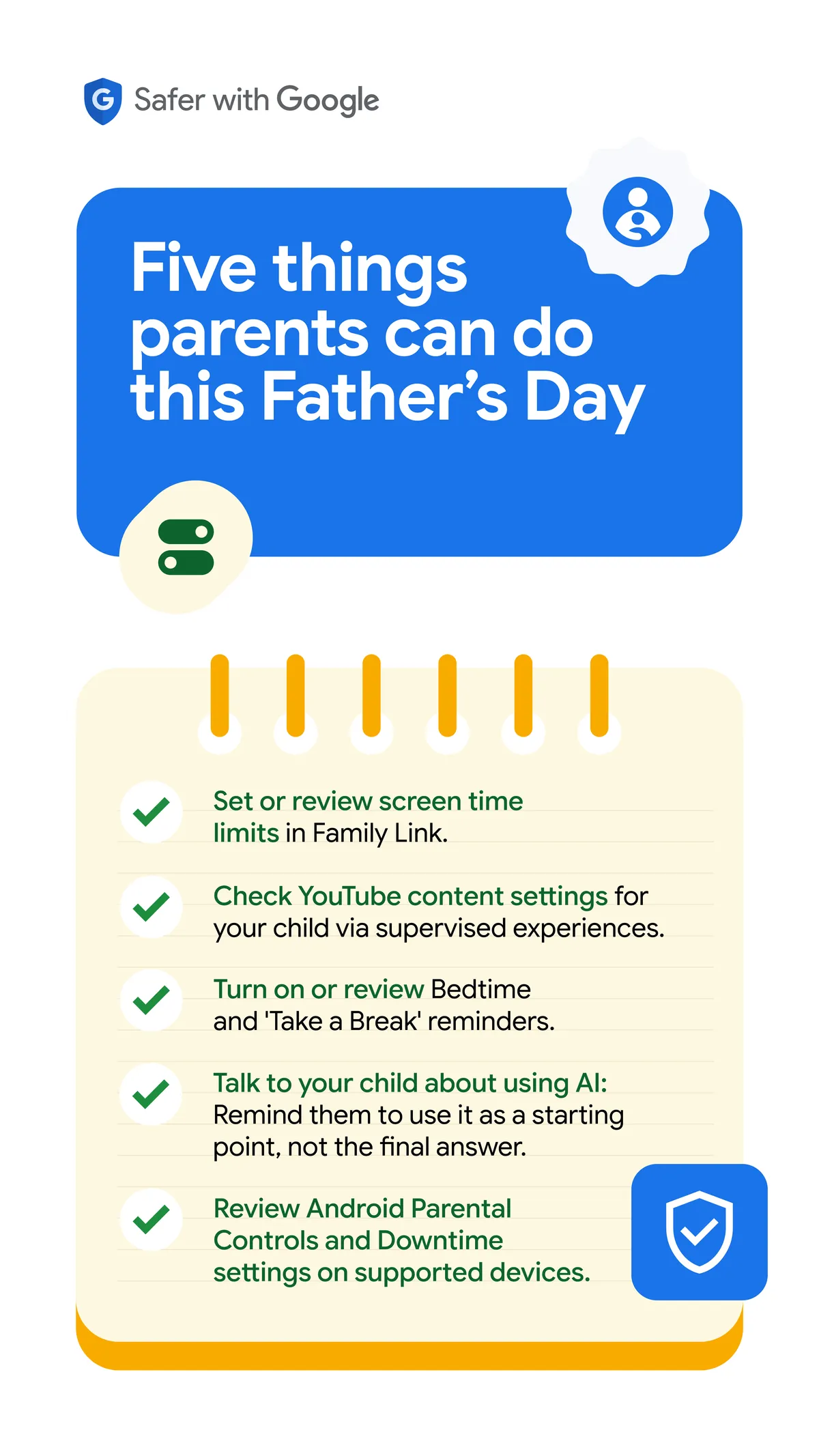
1. Set digital ground rules with your device settings
Good habits start with clear boundaries. We are expanding built-in Android Parental Controls to all Android devices. Located directly within your phone's Settings and protected by a PIN, this centralized hub allows parents to set daily screen limits, block specific apps, and manage Google Play content filters.
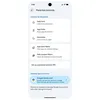
Expanding android parental control
Set daily screen limits

These controls sync seamlessly with the Google Family Link, where you can schedule Downtime routines or enable School Time to minimize classroom distractions. Android 17 also adds deep privacy protections: you can now grant apps access to only specific contacts. And, soon, kids will have access to features in the Personal Safety app like displaying their medical information, setting emergency contacts on their device’s lock screen, and turning on car crash detection. (footnote)
2. Choose age-appropriate spaces to explore
What works for a seven-year-old rarely suits a teenager.
That’s why YouTube Kids offers a highly contained sandbox for younger children, while YouTube supervised experiences let parents choose custom content settings for older kids and teens. YouTube’s "Who’s Watching" feature allows for seamless account switching on shared devices.
This feature allows for seamless account switching for shared devices
Additionally, SafeSearch on Google filters explicit web results automatically for signed-in minors, and Google Messages blurs explicit imagery for users under 18 by default.
3. Build healthier digital habits
“Just 5 more minutes,” is a common refrain from most children. Digital wellbeing is about intentional balance and YouTube’s built-in tools, such as Take a Break and Bedtime reminders, help self-regulate. Parents can set daily time limits for scrolling the Shorts Feed, including setting it to zero minutes to turn the feed off entirely. And, Autoplay is turned off and uploads are private for YouTube users under 18.
Additional controls for mindful viewing

Financial confidence for the next generation

We are also helping the next generation build real-world financial confidence safely. Building on our UPI Circle framework, we have rolled out Pocket Money, which enables parents to grant children supervised access to digital payments. While children gain the independence to pay for things on their own, parents retain full oversight and approval control.
4. Equip your children to learn with AI
AI is fundamentally changing how students learn, and our generative tools are engineered to support critical thinking. Gemini is built with strict persona protections. It is programmatically barred from pretending to be human, claiming to have feelings, or simulating intimacy, protecting young users from forming artificial emotional dependencies.
Under the hood, we deploy multi-layered safety guardrails from prompt to response to block inappropriate content. If conversation patterns ever signal an acute mental health crisis, the AI surfaces a "Help is available" module, providing a one-touch connection to professional, real-world human support.
Providing better access to crisis support
For education, Guided Learning in Gemini acts as a Socratic tutor, breaking down complex problems step-by-step to build deep understanding. Gemini also features a "double-check" tool to cross-reference facts across the web, training youth to evaluate AI outputs critically.
5. Foster a family habit of verifying first
In an era of sophisticated AI, building the instinct to pause and ask, “Is this real?” protects the entire household. With Circle to Search, users can simply circle an image or text on their phone to get immediate context on Google Search, without switching apps.
Circle to Search
In India's multi-generational households, the Circle to Search feature is vital for the youth not only in navigating trends, but also helping the elders stay alert of sophisticated online scams.
Behind the scenes, we are reinforcing this trust with SynthID, Google’s imperceptible watermarking technology for AI-generated content. By providing early access to the SynthID Detector to Indian publishing partners like Jagran, PTI, and India Today, we help verify content authenticity before it spreads—backed by device-level protections like Android 17's Live Threat Detection to proactively block scam apps. On YouTube, we’re moving the disclosure label for photorealistic and meaningfully AI altered or generated content to a more prominent position, so viewers get the context they need at a glance.
Helping children become confident digital citizens
There is no perfect manual for parenting. While childhoods have evolved, the essence of parenting remains unchanged: protecting our kids while giving them the confidence to grow. By combining open conversation with the right technology, we can build a secure runway for the next generation.
To all fathers, father figures, parents, and caregivers helping children build healthy digital habits: Happy Father’s Day.
What parents can do