Transform teaching and learning with updates to Gemini and Google Classroom
Editor’s note: At this year’s British Educational Training and Technology (BETT) conference, we announced new AI solutions designed to help every learner and educator. Here’s a closer look at what’s new.
This year at Bett 2026, we're announcing updates to Gemini and Google Classroom, designed to simplify educators' workflows and give students tools to achieve their full potential.
Here’s how our tools help educators and students:
Save time and do your best work this academic year with Gemini
- Help students prepare for the SAT: Study with full-length, no-cost, on-demand practice SATs in Gemini. Practice tests are grounded in rigorously vetted content from leading education companies, including The Princeton Review.
- Tackle time-consuming tasks with the Google Classroom app in Gemini: In the coming weeks Gemini will be able to collaborate with your Google Classroom, using context from your classes to inform its outputs or help complete tasks, like drafting assignments or summarizing student progress. Explore some favorite tips and examples from our pilot program participants.
- Do your best work with state-of-the-art AI models: Gemini for Education provides expanded access to Gemini 3 Pro, our most intelligent model, free of charge. It is also powered by Gemini 3 Flash and Nano Banana Pro, which uses Gemini’s reasoning and real-world knowledge to visualize information better than ever before.
- Save time and bring learning to life with infographics and slide decks: Recap lessons, illustrate topics and explain concepts visually with stunning AI-generated infographics and presentations in Gemini and NotebookLM.
- Take your notebooks further by adding NotebookLM as a source in Gemini: Educators and students can now use the powerful content-creation capabilities of Gemini — creating documents, web applications, images, videos and more — while remaining grounded in their trusted NotebookLM content.
- Save time on lesson prep and personalize learning with Gemini in Moodle: Gemini LTI will soon support Moodle, bringing AI-tools like the Gemini app and NotebookLM directly into the Learning Management System.
Prep for the SAT with with full-length, no-cost, on-demand practice tests in Gemini.
Gemini can collaborate with your Google Classroom, using context from your classes to inform its outputs or help complete tasks, like drafting assignments or summarizing student progress.
Take your notebooks further by adding NotebookLM as a source in Gemini.
Save time on lesson prep and personalize learning with Gemini in Moodle.
Supercharge your instruction with Google Classroom
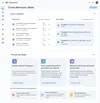
- Start your day with a revamped Google Classroom homepage customized for education leaders, educators and students: The Classroom homepage is transforming into an actionable dashboard with student engagement metrics for school leaders, class insights for educators, and upcoming deadlines for students to help them stay organized. Express interest in the pilot
- Get insights on how students are interacting with teacher-led Gems and NotebookLM: Educators will soon see actionable insights, providing opportunities for a transparent, reflective approach to AI learning experiences. Express interest in the pilot
- Reimagine meaningful assessment with seamless audio & video recording: Educators and students can now record and attach audio, video, and their screen directly in Classroom for assignments, announcements, and feedback.
- Tag assignments with learning standards to track student progress and understanding: To support data-driven instruction, we partnered with 1EdTech and Common Good Learning Tools to bring standards to Classroom. Pilot participants will have access to learning standards from the UK, Australia, Canada, Japan, Brazil, Mexico, and soon Italy. Express interest in the pilot
- Get help from Gemini throughout Google Classroom with expanded tools: A revamped educator experience makes it even easier to collaborate with Gemini from within Classroom, with a refreshed design for the Gemini tab and access via Classroom’s mobile app coming soon. Building on the 30+ no-cost AI tools launched last year, educators can now create an audio lesson, instantly convert a file into a Classroom-ready rubric, or soon get suggested feedback for writing assignments.
The Classroom homepage is transforming into an actionable dashboard with student engagement metrics for school leaders, class insights for educators, and upcoming deadlines for students to help them stay organized.
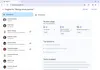
Get insights on how students are interacting with teacher-led Gems and NotebookLM.
Educators and students can now record and attach audio, video, and their screen directly in Classroom for assignments, announcements, and feedback.
Educators will be able to tag Classroom assignments with learning standards from the US, UK,Australia, Canada, Japan, Brazil, Mexico, and soon Italy – and get insights into student progress against those standards. Express interest in the pilot
Educators can create an audio lesson from a central destination in Classroom.