This content is generated by Google AI. Generative AI is experimental
[[duration]] minutes

We’re bringing new features to help you share and connect with the people that matter — while helping you stay focused on the task at hand. See the emotion behind speech in captions, send new emoji combos and let friends know when your call is important. Here’s what’s new.
Expressive Captions on Android creates real-time captions that show the full emotion of how someone is speaking — whether it is INTENSITY or ambient sounds like [cheers and applause]. Now, emotion tags will also show when someone is [joyful] or [sad]. Get the full context of what’s being said when the sound is off, whether it’s a video message from a friend, a live stream or a story on social media.
Feel what someone is saying, even with the sound off.
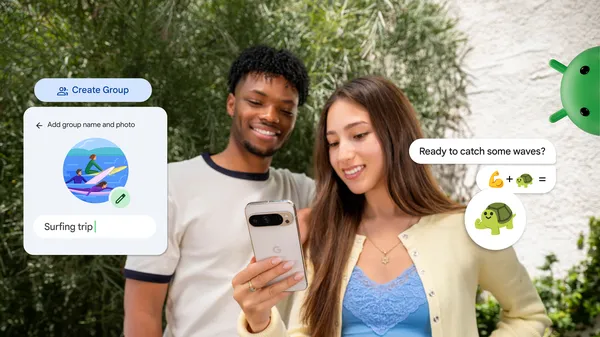
Send bigger hugs with Emoji Kitchen sticker combos — just in time for the festive season. Whether you’re signing off for the year (⛄️ + ✒️) or sending holiday well-wishes (🫂 + ⛄️), mix and match your favorites and share them with friends in Gboard for more ways to express yourself.
Express yourself better with new combinations in Emoji Kitchen.
Whether you’re locked out or concert tickets are about to go on sale, let your friends know which conversations can’t wait. With Call Reason (in beta), coming soon to the Phone by Google app, you can flag a call to a saved contact as “urgent.” They’ll see this on their incoming call screen and know it’s time-sensitive. If they miss it, the “urgent” note stays in their call history, prompting them to get back to you quickly.
Get your important calls answered faster.
Easily spot and leave unwanted group chats in Google Messages. If an unknown number invites you to a group, you'll get an alert that shows key information about the group and tips to stay safe. This lets you quickly decide whether to reply or use one-tap actions to leave the chat, block the number and report it as spam.
Receive alerts on unknown group chats as soon as you’re added.
Get peace of mind on suspicious chats or texts. With Circle to Search, you can quickly find more information about what you see on your screen, including when you suspect a scam. You’ll see a helpful AI Overview, backed by information from across the web, letting you know if the message is likely a scam. The AI Overview also provides relevant guidance and suggested next steps.
Avoid scams in chats and texts.
Pin the tabs you can't afford to lose in Chrome on your Android phone. Whether it's your daily reads or vacation research, keep important pages saved and ready for you to jump back in, just like on your desktop. Pinned pages stay saved at the front of your browser, letting you pick up right where you left off.
Pick up where you left off, even if you close Chrome.
Learn about these features and more at android.com/updates and explore what’s new for Android 16 in the latest blog.