Here’s where you can use Nano Banana Pro

General summary
Nano Banana Pro is here, and it uses Gemini 3 Pro to create detailed images. You can access it through the Gemini app, AI Mode in Search, NotebookLM, and Workspace tools like Slides and Vids. Also, Nano Banana Pro is available in Flow and Mixboard, with developer access through Vertex AI, AI Studio, Stitch, Ads, Firebase and Antigravity.
Summaries were generated by Google AI. Generative AI is experimental.Bullet points
- "Here’s where you can use Nano Banana Pro" introduces Google's new image generation and editing model.
- You can access Nano Banana Pro in the Gemini app, AI Mode in Search, and NotebookLM.
- Workspace users can use Nano Banana Pro in Slides and Vids for better visuals.
- Nano Banana Pro is also available in Flow for filmmaking and Mixboard for presentations.
- Developers can access Nano Banana Pro through Vertex AI, AI Studio, and other platforms.
Explore other styles:
We recently launched Nano Banana Pro, our latest image generation and editing model. Nano Banana Pro uses Gemini 3 Pro to better understand what you want to visualize and generate it with higher precision, more depth and nuance and incredible detail.
1. The Gemini app
Nano Banana Pro is available globally in the Gemini app on desktop or via the mobile app. You can simply select “Create images” and choose the “Thinking” model to use it. There are limits for free-tier users, and the app will go back to using the original Nano Banana after you reach them (Google AI Plus, Pro and Ultra subscribers receive higher quotas).
2. AI Mode in Search
You can also access Nano Banana Pro through AI Mode in Search. While signed into your account, just head to AI Mode, select “Thinking with 3 Pro” from the dropdown menu, click the plus sign icon and choose “Create Images Pro.” Describe your image and Nano Banana Pro will take it from there! Image generation in AI Mode is available in select countries in English.
3. NotebookLM
Nano Banana Pro is available to all NotebookLM users globally, so you can turn sources and ideas into visually compelling narratives with Slide Decks and Infographics. Slide Decks allow you to instantly convert trusted documents or even just high-level notes into fully styled decks, suitable for both reading and presenting. The feature is especially powerful for synthesizing new information: For example, you can run a Deep Research query, create a Slide Deck and visualize complex topics without wading through dense reports. And if you have an existing draft of a deck, just ask NotebookLM to create more visually appealing slides, even in a certain style of color palette.
4. Workspace tools
Workspace customers can now use Nano Banana Pro in Google Slides and Google Vids. In Slides, when you open up the Gemini sidebar and select the “Help me visualize” option, it will use the upgraded model to help create infographics, images, charts and more. There’s also a new “Beautify this slide” feature that uses Nano Banana Pro and takes in the context of a slide you created and build on the design. If you like what Nano Banana Pro came up with, select “insert as new slide” to add it to your presentation.
In Google Vids, Nano Banana Pro’s upgraded AI generates images with more precision: Now when you choose the “Image” option with the banana icon from the sidebar, if you’re a Workspace customer, you’ll be using Nana Banana Pro — and if you generate a video from scratch, all the visuals will be made using the latest model.
5. Flow
Now you can use Nano Banana Pro when you create images in Flow, our AI filmmaking tool. You can expect higher precision and control over frames and scenes, as well as state-of-the-art text rendering. This is particularly helpful for creatives, who might want to make tweaks like adjusting camera angles, changing focus to create depth or applying sophisticated color grading to set the perfect mood.
Nano Banana Pro is available in Flow for all paid plans.
6. Mixboard
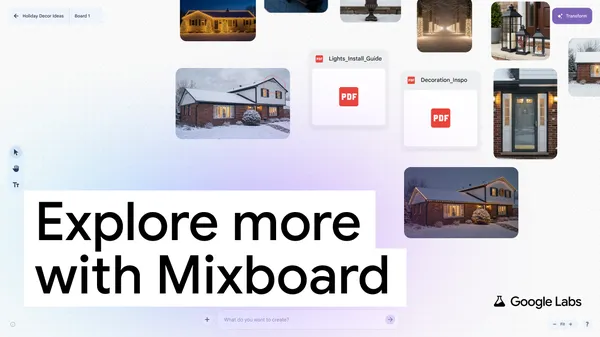
Mixboard is an experiment from Google Labs to help you explore, expand and refine ideas. With Mixboard’s canvas, you can visualize different ideas using images or text for all kinds of projects, whether that’s a DIY project, a product design or the menu and decor for your holiday party. Nano Banana Pro is available in Mixboard’s newest presentations capability, which transforms your boards into beautifully designed presentations.
And for developers, there are even more places to access Nano Banana Pro, including Vertex AI, AI Studio, Stitch fand Firebase. There’s also Antigravity — our new agentic development. Business and brands can access it in Google Ads as well (you can check out our guide now). Learn more about building with Nano Banana Pro today.