Gemini introduces Personal Intelligence
The best assistants don't just know the world; they know you and help you navigate it. Today, we’re answering a top user request: you can now personalize Gemini by connecting Google apps with a single tap. Launching as a beta in the U.S., this marks our next step toward making Gemini more personal, proactive and powerful.
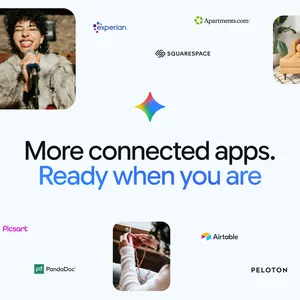
Personal Intelligence securely connects information from apps like Gmail and Google Photos to make Gemini uniquely helpful. If you turn it on, you control exactly which apps to link, and each one supercharges the experience. It connects Gmail, Photos, YouTube and Search in a single tap, and we’ve designed the setup to be simple and secure.
How people are using it
Personal Intelligence has two core strengths: reasoning across complex sources and retrieving specific details from, say, an email or photo to answer your question. It often combines these, working across text, photos and video to provide uniquely tailored answers.
Since connecting my apps through Personal Intelligence, my daily life has gotten easier. For example, we needed new tires for our 2019 Honda minivan two weeks ago. Standing in line at the shop, I realized I didn't know the tire size. I asked Gemini. These days any chatbot can find these tire specs, but Gemini went further. It suggested different options: one for daily driving and another for all-weather conditions, referencing our family road trips to Oklahoma found in Google Photos. It then neatly pulled ratings and prices for each. As I got to the counter, I needed our license plate. Instead of searching for it or losing my spot in line to walk back to the parking lot, I asked Gemini. It pulled the seven-digit number from a picture in Photos and also helped me identify the van's specific trim by searching Gmail. Just like that, we were set.
I’ve also been getting excellent tips for books, shows, clothes and travel. Just this week, it’s been exceptional for planning our upcoming spring break. By analyzing our family’s interests and past trips in Gmail and Photos, it skipped the tourist traps. Instead, it suggested an overnight train journey and specific board games we could play along the way.
How it works, and our approach to privacy
We built Personal Intelligence with privacy at the center. Connecting your apps is off by default: you choose to turn it on, decide exactly which apps to connect, and can turn it off anytime. 1 When enabled, Gemini accesses your data to answer your specific requests and to do things for you. And because this data already lives at Google securely, you don't have to send sensitive data elsewhere to start personalizing your experience. This is a key differentiator.
You also won’t have to guess where an answer comes from: Gemini will try to reference or explain the information it used from your connected sources so you can verify it. If it doesn’t, you can ask it for more information. And if a response feels off, just correct it on the spot ("Remember, I prefer window seats"). You can also easily regenerate responses without personalization for a particular chat, or use temporary chats to have a conversation without personalization.
We also have guardrails for sensitive topics. Gemini aims to avoid making proactive assumptions about sensitive data like your health, though it will discuss this data with you if you ask.
Our goal is to improve your experience while keeping your data secure and under your control. Built with privacy in mind, Gemini doesn’t train directly on your Gmail inbox or Google Photos library. We train on limited info, like specific prompts in Gemini and the model’s responses, to improve functionality over time.
Here’s what this means in my minivan example. The photos of our road trip, the license plate picture in Photos and the emails in Gmail are not directly used to train the model. They are referenced to deliver the reply. We train the model with things like my specific prompts and responses, only after taking steps to filter or obfuscate personal data from the conversation I have with Gemini. In short, we don't train our systems to learn your license plate number; we train them to understand that when you ask for one, we can locate it.
You can read more about our privacy approach here. At any time, you can adjust settings, disconnect Google apps, or delete your chat history.
How you can help us improve
We’ve tested this beta version of Personal Intelligence extensively to minimize mistakes, but we haven't eliminated them. You may encounter inaccurate responses or “over-personalization,” where the model makes connections between unrelated topics. When you see this, please provide feedback by giving the response a “thumbs down.”
Gemini may also struggle with timing or nuance, particularly regarding relationship changes, like divorces, or your various interests. For instance, seeing hundreds of photos of you at a golf course might lead it to assume you love golf. But it misses the nuance: you don’t love golf, but you love your son, and that’s why you’re there. If Gemini gets this wrong, you can just tell it ("I don’t like golf").
These areas and more continue to be under active research and improvement. For a deeper look at our methodology, current limitations, and how we’re working to fix them, read this paper.
How to get Personal Intelligence with Connected Apps
Starting today, access is rolling out over the next week to eligible Google AI Pro and AI Ultra subscribers in the U.S. 2 Once enabled, it works across Web, Android and iOS and with all of the models in the Gemini model picker. We’re starting with this limited group to learn, but we will over time expand to more countries and to the free tier. It's also coming to AI Mode in Search soon. This beta feature is available for personal Google accounts and not for Workspace business, enterprise or education users.
If you don’t see an invitation to try it on the home screen of Gemini, you can turn it on in Settings by following these instructions:
- Open Gemini and tap Settings
- Tap Personal Intelligence
- Select Connected Apps (Gmail, Photos, etc.)
We look forward to hearing how you use it.