This content is generated by Google AI. Generative AI is experimental
[[duration]] minutes
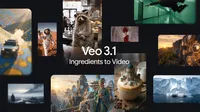
Today, Veo is getting more expressive, with improvements that help you create more fun, creative, high-quality videos based on ingredient images, built directly for the mobile format. We’re excited to bring new creative possibilities for everyone from casual storytellers to professional filmmakers.
We’re releasing:
Whether you are looking for livelier movement, better control over visual elements or broadcast-ready resolution, these updates give you the tools to bring your vision to life. These updates are launching in the Gemini app, YouTube, Flow, Google Vids, the Gemini API and Vertex AI.
Even with short prompts, you can generate dynamic and engaging videos based on ingredient images. You’ll now see richer dialogue and storytelling, making your videos feel more alive and expressive.
Identity consistency is better than ever with Veo 3.1 Ingredients to Video. Keep your characters looking the same even as the setting changes, making it easier to tell a full narrative by having the same character appear across multiple scenes.
Control the scene by maintaining the integrity of your setting and the objects within it. You can also reuse an object, backgrounds or textures across scenes.
Combine disparate elements — like characters, objects, textures and stylized backgrounds — into a cohesive, high-impact clip.
Pro tip: use the new Nano Banana Pro (Gemini 3 Pro Image) in the Gemini app or Flow to create your ingredient images, which you can then use to create stunning videos with Veo 3.1 Ingredients to Video.
With Veo 3.1’s new capabilities, we are introducing mobile-optimized outputs and professional-grade quality options.
For the first time, "Ingredients to Video" supports generating videos in a native 9:16 aspect ratio. Whether you are creating for YouTube Shorts or other platforms, you can now produce high-quality, full-screen vertical storytelling without cropping or quality loss.
Generate videos 1080p and 4K with state-of-the-art upscaling. Our improved 1080p resolution offers a sharper, cleaner video perfect for editing. For even more detail, choose 4K to capture rich textures and stunning clarity — ideal for high-end productions and large screens.
Across our products and services, you can now access these new capabilities tailored to your workflow:
We’re committed to providing tools to make it easier to determine if content is AI-generated. This is why videos generated by Google’s tools are embedded with our imperceptible SynthID digital watermark.
In December we expanded our powerful verification tool in the Gemini app to include video. You can now upload a video and simply ask if it was generated with Google AI. This builds on our existing image verification tools, helping to foster a more transparent ecosystem for everyone.
You can find out more about how we’re increasing transparency in AI content with SynthID in our blog post.
Upscaling to 1080p and 4K is only available in Flow, the Gemini API and Vertex AI