Frame this: 10 tips for getting great portraits on Pixel 2

With portrait mode on the Pixel 2 and Pixel 2 XL, you can take pictures of people, pets and even objects like flowers that keep what’s important sharp and in focus, but softly blur out the background. Portrait mode is powered by computational photography and machine learning, which identifies what to keep in focus and what to blur out. We’ve put together some tips to help you make the most of the new feature. Check it out—you’ll be a master portraitist in no time!
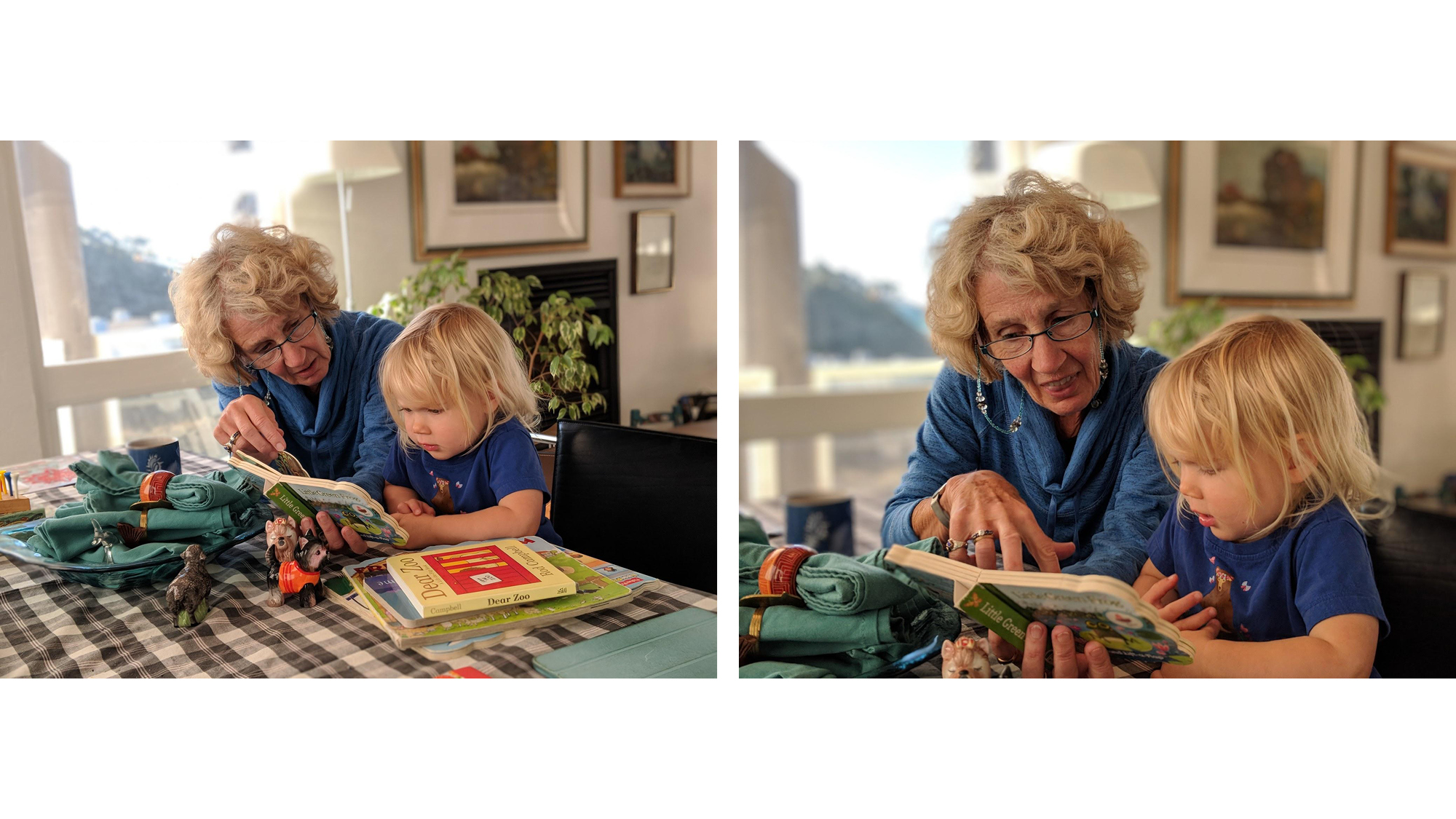
Get closer. This is the most important tip for getting great portraits. The less distance between you and your subject, the more likely your photos will have beautiful blur. Compare the photos on the right, below, with those on the left which are taken from farther away.


Increase distance between your subject and the background. The farther your subject is from the background, as on the image on the right below, the more the background will be blurred. In the left image, the background isn't far enough away.

Tap that. For the best results, tap to focus the Pixel 2 on your subject, whether a person’s face or an object. Tapping also tells the Pixel 2 what’s most important to you in the photo and adjusts the exposure to prioritize your subject. This is especially useful when your subject has strong light (the sun or windows) behind them. Remember—you can always adjust the exposure by tapping on the screen and dragging your finger up or down.
Put the subject in the front. Seems obvious, right? But you’ll get more blur and beautiful bokeh if your main subject stands out, is prominent, and is clearly located in the foreground, like the image on the right below, not the middleground, as on the left.

Change your perspective. A unique angle adds visual interest to your photos, as in the examples below. Get low to match the eye level of a child or an animal, or shoot from above to emphasize shapes and graphic components in an object.

Remember the rule of thirds. Pixel 2 makes it easy to follow this classic photography recommendation. Tap the grid icon in the camera app to activate the 3x3 grid on your Pixel 2’s screen. Placing the subject along one of the lines or where the lines intersect can improve your composition.

Keep it simple. A photo’s success can be compromised if too many details compete for attention with your subject. You can avoid this fate by filling the frame and shooting in front of clean backgrounds. And don’t forget to check the outside edges of your photo before you press the shutter button to prevent clutter from protruding into the sides of your picture.



Get in line! This is one of our favorite tips. Look for lines, like bricks or tiles, staircases, or a building’s grid. Lines can enhance the sense of depth in photos and emphasize your subject.

Lighting is everything. You can’t always control lighting conditions, but you can find better light. Outdoors, find better light by changing your location or the camera’s orientation, repositioning subjects, or taking photos in the shade (especially at midday). Clouds are your friend, creating a more soft, diffuse light. At night, try lighting up your subject from the side with a friend’s phone in flashlight mode.


Find lights at night. If you can’t find it in your surroundings, try creating a spotlight with the flashlight app on a second cell phone placed off to the side. Try to avoid the LED flash, which creates harsh lighting and shadows.

Ditch the crowds. Portrait mode works best when all your subjects are the same distance from the camera. This is easier with small groups of people.

We’d love to see how you put these tips to work. Share your Pixel 2 portraits on social media with #teampixel—we may feature them in one of our upcoming posts!