This content is generated by Google AI. Generative AI is experimental
[[duration]] minutes
We’re introducing major updates to Gemini in Chrome 1 for MacOS, Windows and Chromebook Plus that help you get the most out of the web. Built on Gemini 3, our most intelligent model, we’re integrating powerful new AI features in Chrome that help you multitask across the web with a new side panel experience. We’re also bringing deeper integrations across our most popular Google Apps so you can be more productive, helping on complex multi-step workflows with auto browse and, in the coming months, you’ll get more contextually relevant help with Personal Intelligence. The new Gemini in Chrome is like having an assistant that helps you find information and get things done on the web easier than ever before.
We're launching a new side panel experience so Gemini in Chrome users can always have a browsing assistant at your side, no matter what tab you're in. This can help you save time and multitask without interruption. You can keep your primary work open on one tab while using the side panel to handle a different task. Our testers have been using it for all sorts of things: comparing options across too-many-tabs, summarizing product reviews across different sites, and helping find time for events in even the most chaotic of calendars.
Gemini in Chrome now opens in a side panel, for easier multitasking.
We’re also bringing the creative power of Nano Banana directly into Chrome, allowing you to transform images on the fly without needing to download and re-upload images or open another tab. Available to all Gemini in Chrome users, just type a prompt in the side panel to explain what you’re trying to do. Use it to get creative inspiration for a living room redesign or transform research data into stunning infographics.
No need for copy-pasting or re-uploading; Gemini in Chrome uses Nano Banana to transform images in your current browser window.
Gemini in Chrome supports Connected Apps, like integrations to Gmail, Calendar, YouTube, Maps, Google Shopping and Google Flights. These deeper integrations help you get things done, quickly. For example, if you’re traveling to a conference and need to book a flight, Gemini can dig up that old email with event details, reference context from Google Flights to provide some recommendations, and later draft an email letting your colleagues know your arrival time. These features can be enabled in the Connected Apps section of Gemini Settings.
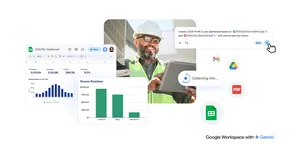
Gemini in Chrome works with other Google apps, such as Gmail.
People have found it helpful to have Personal Intelligence in the Gemini app, and in the coming months we’ll bring it to Chrome. With Personal Intelligence, you’re always in control. You can opt-in and choose whether to connect your apps and disconnect them at any time.
Chrome will remember context from past conversations so you get uniquely tailored answers to whatever you're looking for across the web and you can already add specific instructions to Gemini to get more tailored responses. Personal Intelligence in Chrome transforms the browsing experience from a general purpose tool into a trusted partner that understands you and provides relevant, proactive and context-aware assistance.
For years, Chrome autofill has handled the small stuff, like automatically entering your address or credit card, to help you finish tasks faster. Today, Chrome is advancing beyond simple tasks to helping with agentic action, allowing you to offload complex travel logistics or get help with professional workflows. For AI Pro and Ultra subscribers in the U.S., we're introducing Chrome auto browse 2 — a powerful agentic experience that handles multi-step chores on your behalf.
Auto browse can help you optimize your vacation planning by doing some of the mundane work, like researching hotel and flight costs across multiple date options, so you can find a budget-friendly time to travel. Our testers have used it for all sorts of things: scheduling appointments, filling out tedious online forms, collecting their tax documents, getting quotes for plumbers and electricians, checking if their bills are paid, filing expense reports, managing their subscriptions and speeding up renewing their driving licenses — a ton of time saved.
You can use it for more complicated things too: Let’s say you’re planning a Y2K theme party and find inspiration in a photo that perfectly captures that era. Auto browse, with the multimodal capabilities of Gemini 3, can identify what’s in the picture, search for similar items and add them to your cart — staying within budget and even applying discount codes. And if you give auto browse permission, it can use Google Password Manager to handle tasks even if a sign-in is required.
Understanding your creative vision, Gemini in Chrome can help you look up very specific party decorations and put them into the cart.
Gemini in Chrome with new agentic capabilities — auto browse — can fill in forms for you, for example, with information from a PDF.
Gemini in Chrome can recommend the best weekend for your stay based on your criteria for hotels and flights.
Gemini in Chrome can help you find the right apartment, filtering results for you based on your criteria.
Finally, Chrome will support Google’s Universal Commerce Protocol (UCP), a new open standard for agentic commerce co-developed with industry leaders including Shopify, Etsy, Wayfair and Target. This new open standard ensures that AI agents can take actions on a user's behalf seamlessly in Chrome.
We’ve built Gemini in Chrome with rigorous security standards and introduced entirely new defenses to help protect you from new types of online threats. And for added control, auto browse is designed to pause and explicitly ask for your confirmation or prompt you to complete some tasks like making a purchase or posting on social media.
Auto browse capabilities are designed to keep you in the loop and ask for confirmation of sensitive actions.
We’re just beginning to explore the possibilities of an agentic web, and we can’t wait to see how these new features help you stay inspired and get more done in Chrome.
The new Gemini in Chrome is available on Windows, MacOS and Chromebook Plus in the U.S.
Auto browse is currently rolling out in preview in the U.S. for Google AI Pro and Google AI Ultra subscribers.