New education features to help teachers save time and support students
This week we’re joining thousands of educators and education leaders at Bett, the world’s biggest ed-tech exhibition. There, we're showcasing 15 new Chromebooks and more than 30 new Google for Education features that help tackle some of the biggest challenges and opportunities facing education today, including using AI in the classroom.
Read on for what's new and reference this guide for each feature’s availability, including the Google Workspace for Education edition required.
Giving educators time back to invest in themselves and their students
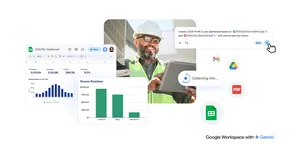
- Boost productivity and creativity with Duet AI: Educators can get fresh ideas and save time using generative AI across Workspace apps. With Duet AI, they can get help drafting lesson plans in Docs, creating images in Slides, building project plans in Sheets and more — all with control over their data.
- Create, manage and share lessons in Google Classroom: The new Resources tab in Classroom allows educators to more easily create, manage and share interactive lessons, like practice sets and video activities, from one place. Soon, it’ll be possible to share links to class templates and Classwork pages to simplify lesson planning.
- Get actionable insights: Classroom analytics give educators visibility into assignment completion, grade trends and Classroom adoption — with the ability to drill down to the student level to help provide support.
- Easily collect electronic signatures: Built directly into Google Workspace, eSignature makes it easy for educators to draft contracts, request signatures in Docs and PDFs in Drive, and manage contract templates all in one place.
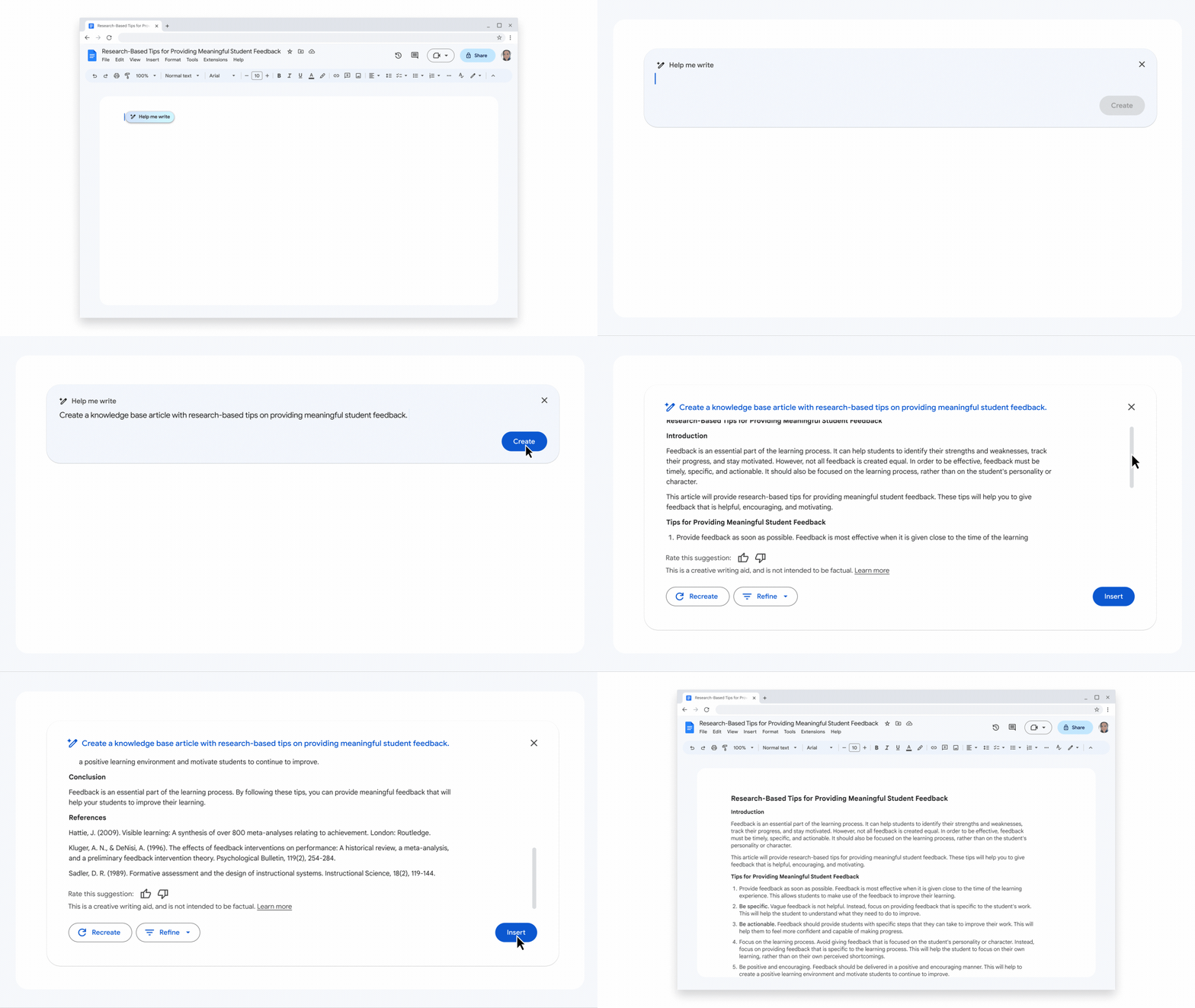
Go from a blank page to a first draft in seconds with Duet AI in Docs.
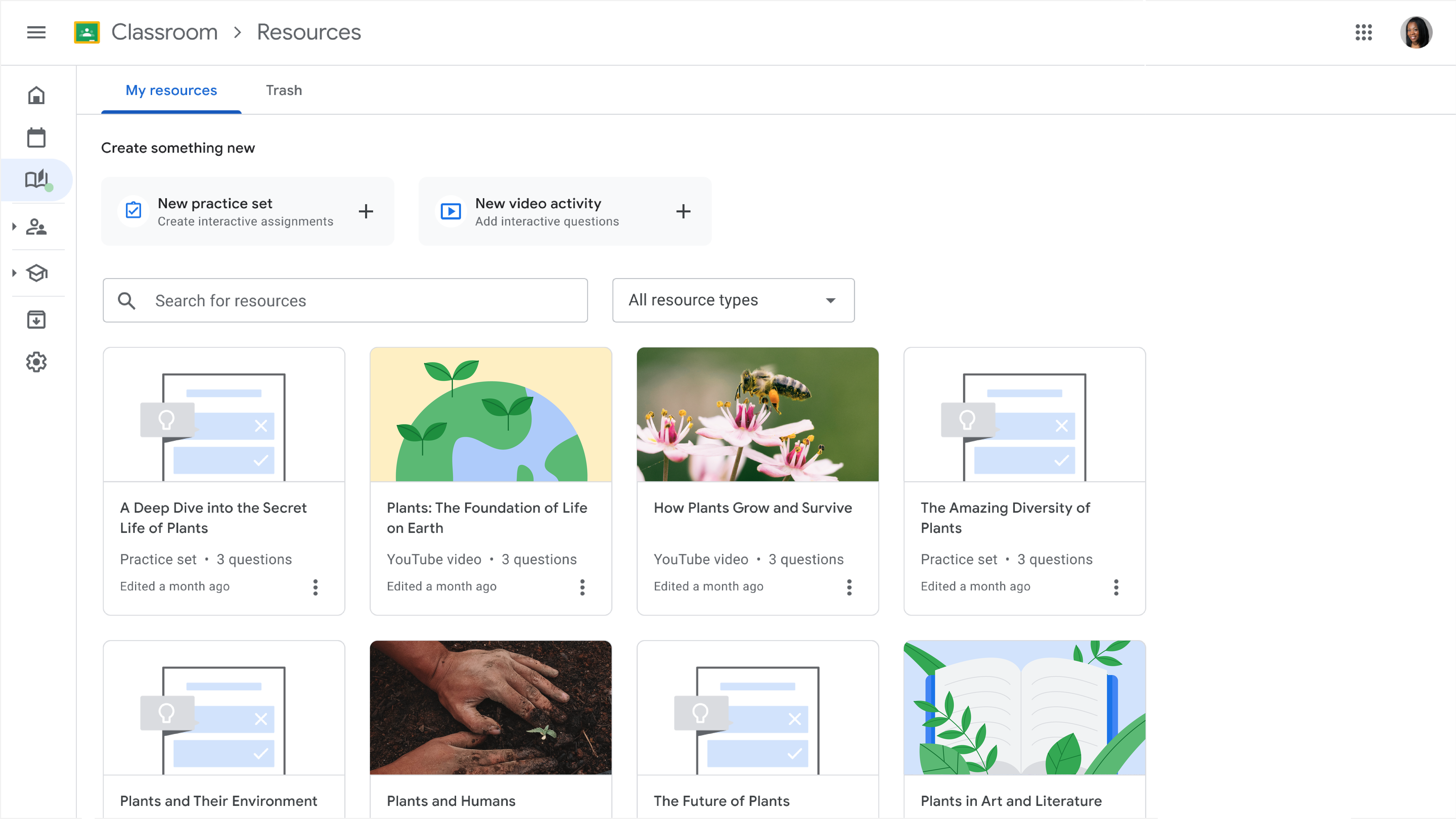
The new Resources tab in Classroom allows educators to more easily create, manage and share interactive lessons, like practice sets and video activities, from one place.
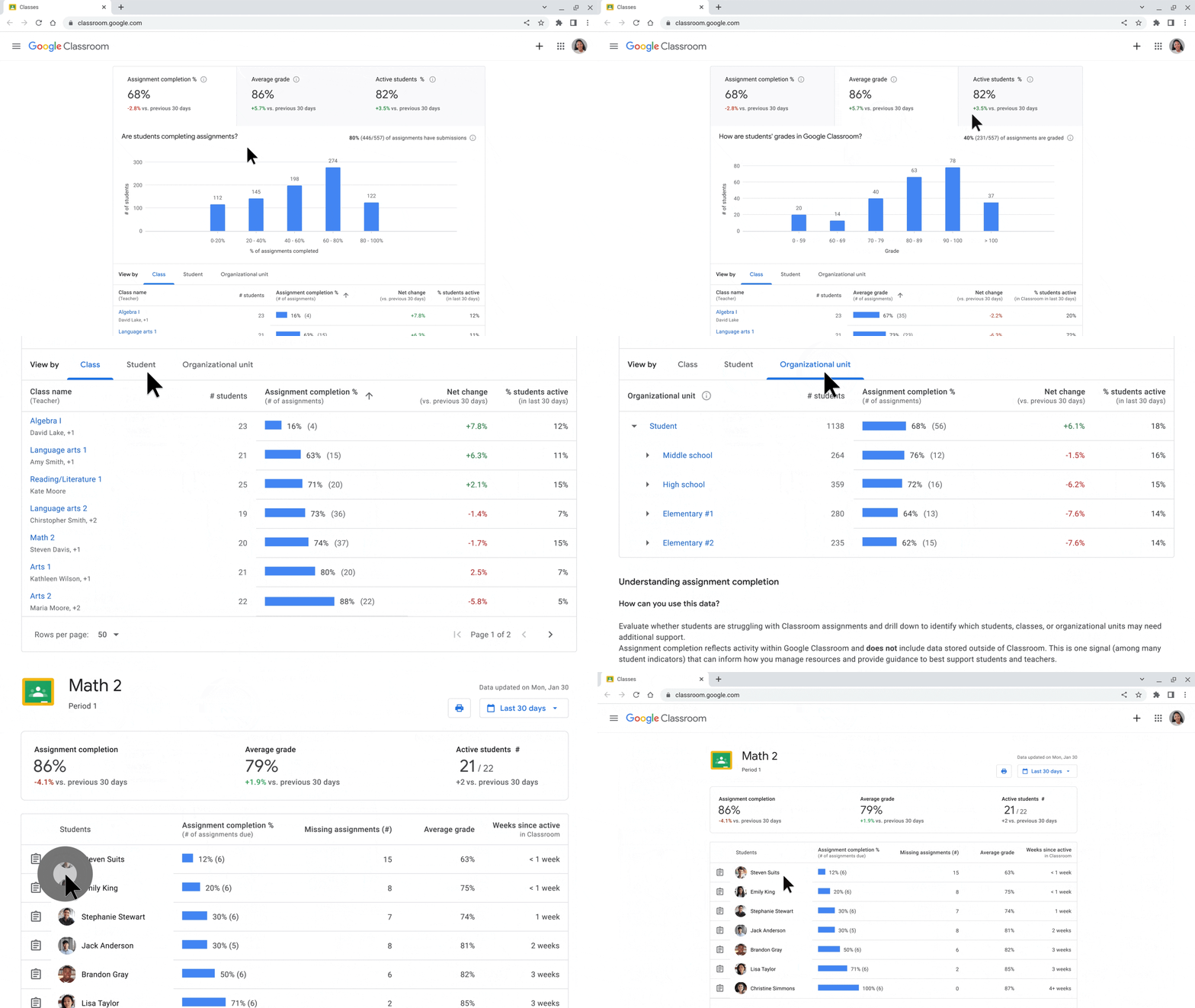
Classroom analytics give educators visibility into assignment completion, grade trends and Classroom adoption — with the ability to drill down to the student level to help provide support.
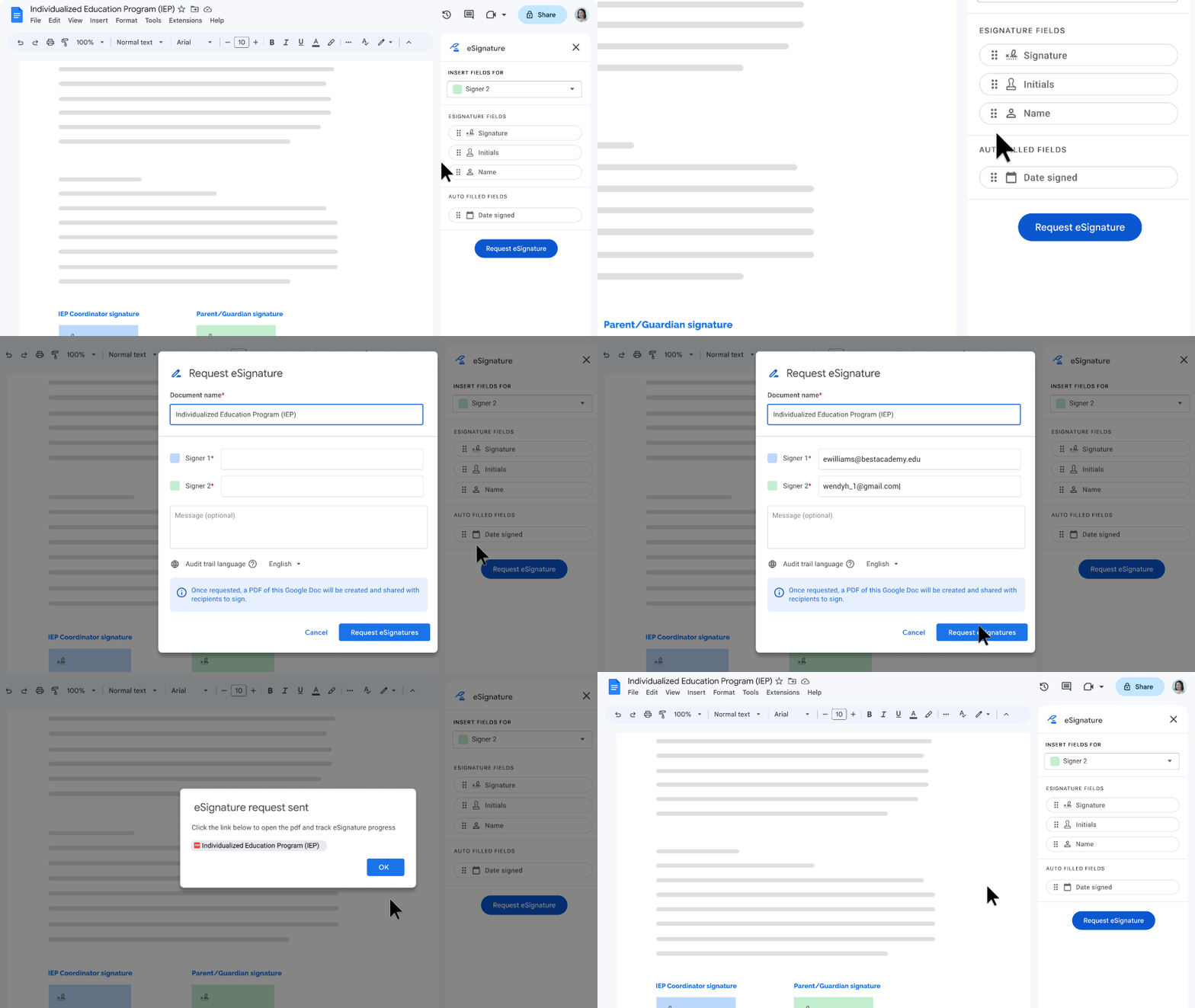
Easily collect electronic signatures in Docs and PDFs in Drive.
Making learning more personal with tools that engage and assess
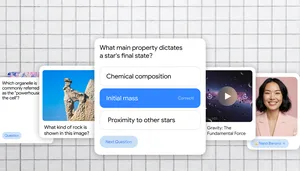
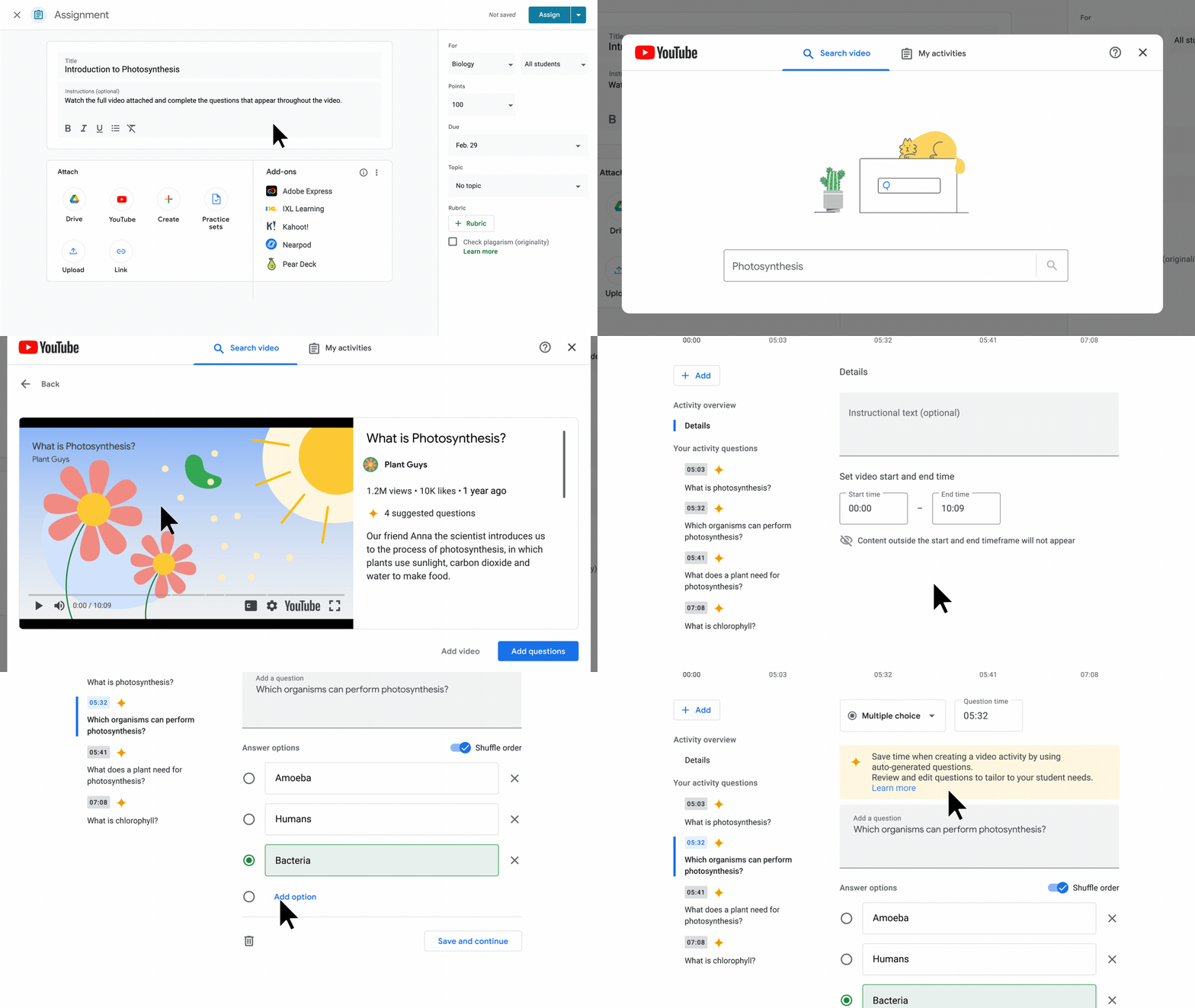
- Create interactive video activities: Educators can add questions to YouTube videos assigned within Classroom to encourage active learning. Students get real-time feedback as they answer questions, and educators get detailed insights to provide more targeted support to students who need it. Soon, educators will be able to test out AI-suggested questions.
- Provide real-time support: Practice sets use AI to help educators create interactive lessons, allowing students to show their work, get real-time feedback and access teacher-approved resources when they get stuck — all while providing insights for educators. Educators can also now transform a Google Form into an interactive practice set. Practice sets are available in more than 50 languages, with fully localized learning resources in English, Spanish, Japanese, Portuguese, Italian, Malay and Korean.
- Support differentiated learning in Classroom: Later this year, educators will be able to define groups of students in Classroom — a top-requested feature from educators. Teachers can easily assign different content to different students based on each group’s specific needs.
- Record engaging presentations: Educators can use speaker spotlight and recordings in Slides, or the enhanced editing tool in Screencast on Chromebooks, to record engaging content and send it to students ahead of class to increase time for discussion, Q&A and more.
Soon, educators will be able to test out AI-suggested questions to more quickly create interactive video activities.
Enabling greater connectivity across platforms and products
- See assignments at a glance: Soon, students will be able to see upcoming Google Classroom assignments right on their Chromebook home screens.
- Get access to Workspace with no-cost Learning Tools Interoperability (LTI) tools: Launching later this year, students and educators who use Canvas and PowerSchool Schoology Learning will be able to access Google Meet directly from their Learning Management System (LMS). Educators who use Canvas have already been using Google Assignments LTI 1.3 to better distribute, analyze and grade student work. We’ve now partnered with PowerSchool Schoology Learning to make Assignments LTI 1.3 available in their LMS, too.
- Save time with student information system (SIS) integrations: Coming later this year to Education Plus and the Teaching & Learning Upgrade, in addition to educators being able to export grades from Classroom to SIS gradebooks, educators will be able to set up classes with OneRoster SIS partners, including Aspen, Infinite Campus, Skyward and soon PowerSchool.
- Explore and connect apps with add-ons and app licensing: The App Hub will be available in more than 10 languages later this year, so educators can see relevant apps, add-ons and student information systems that integrate with Chromebooks and Google Workspace. That includes new add-ons coming from partners like Kami, Quizizz and Boom Learning. Any developer will be able to build an add-on later this year (express interest today). New partners — like Bloxels, Padlet, ThingLink, SnapType and Texthelp — are also coming to our app licensing program this year to help admins easily manage and provision apps from Google Admin console.
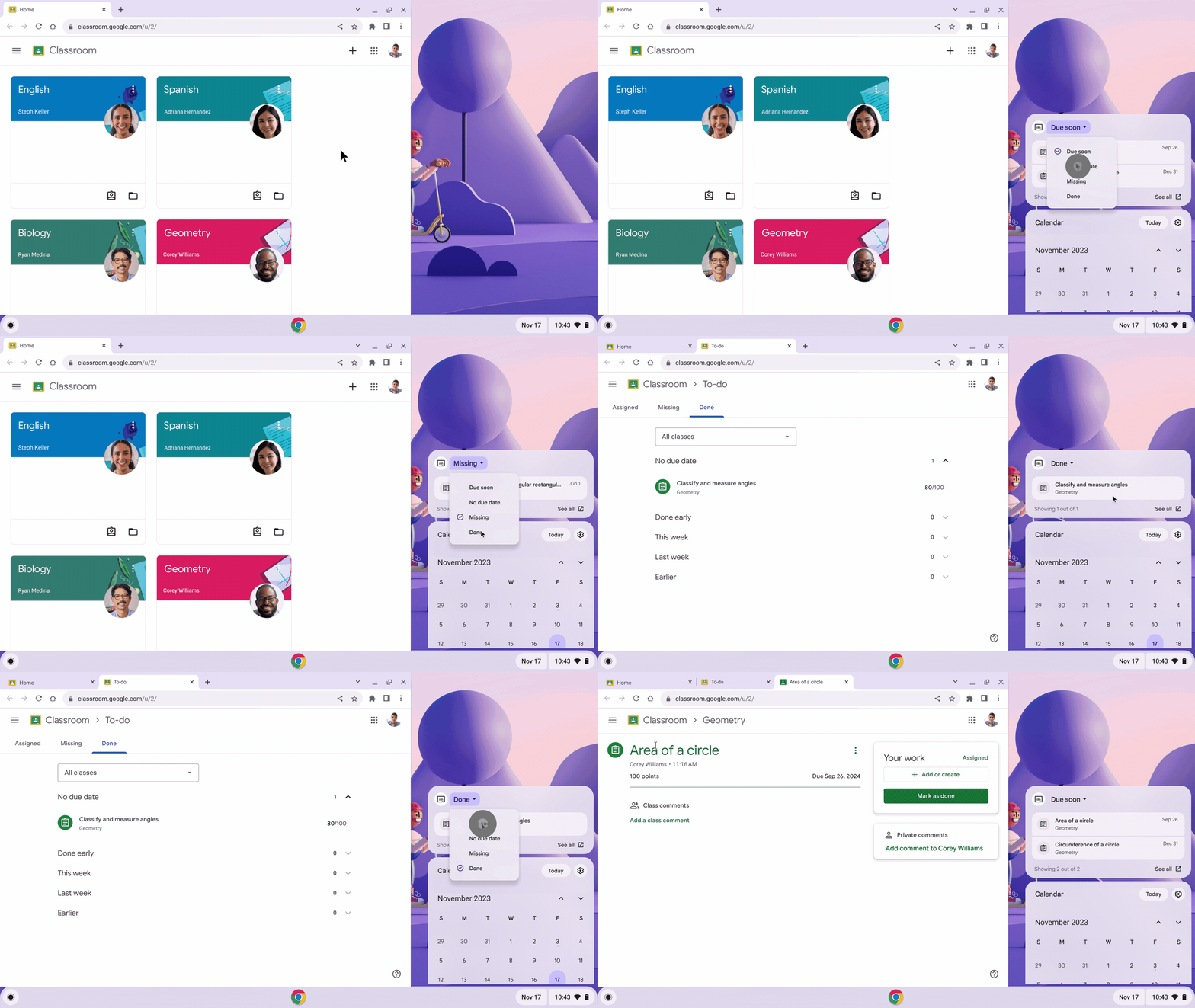
Soon, students will be able to see upcoming Google Classroom assignments right on their Chromebook home screens.
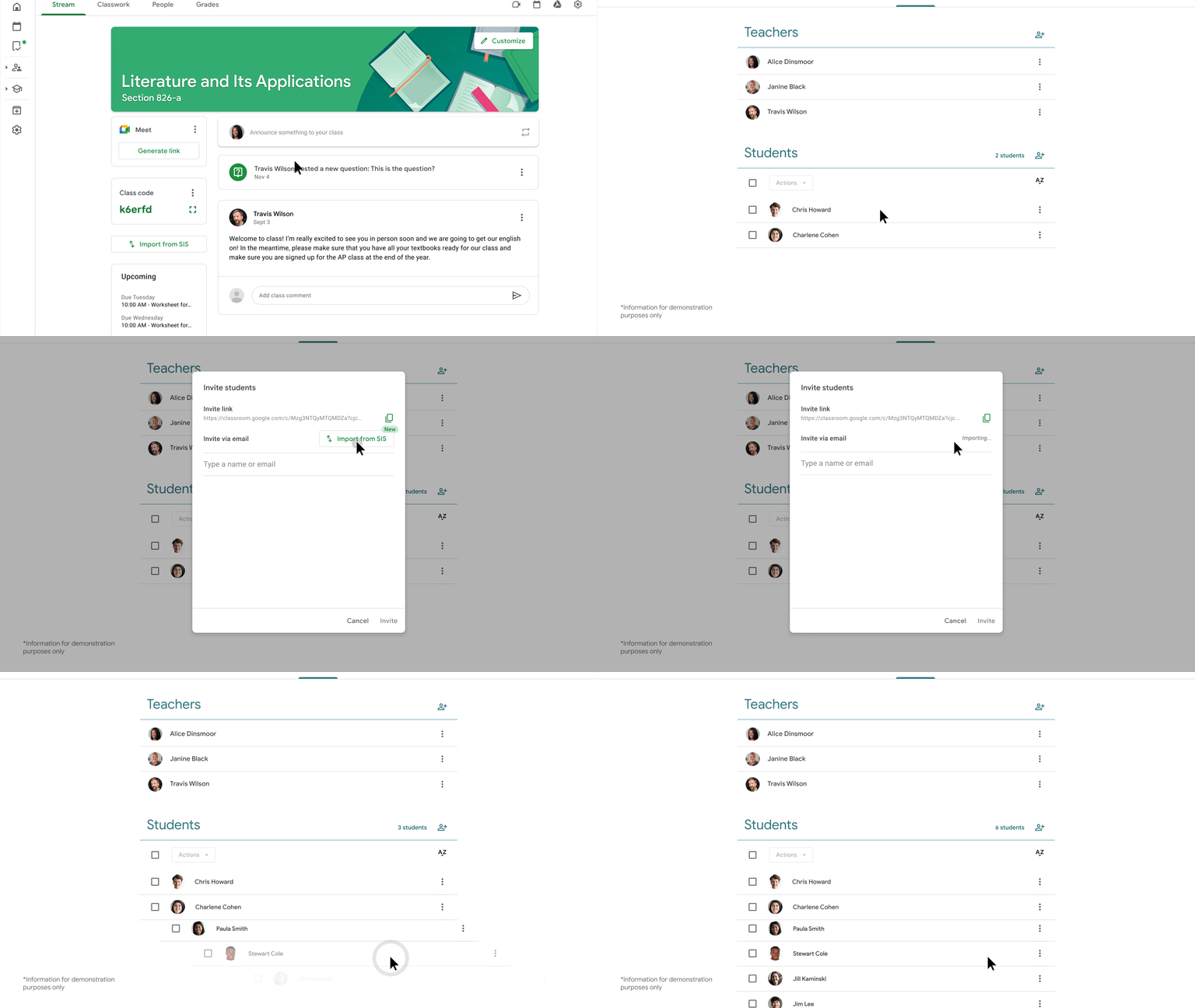
Set up classes with the click of a button with Classroom integrations for OneRoster student information system (SIS) partners.
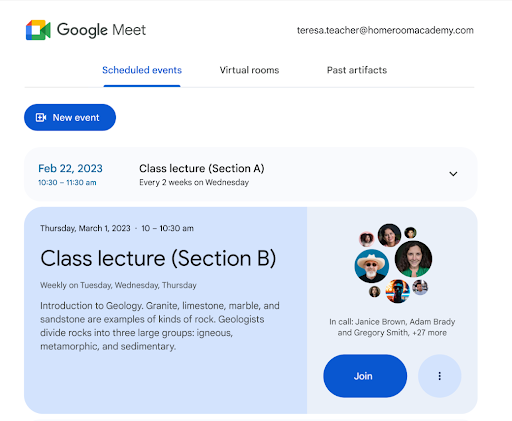
Access Google Meet directly from Canvas and PowerSchool Schoology Learning with Google Meet LTI.
Creating inclusive, sustainable and safer learning environments
- Make teaching and learning more accessible: Screen reader users can now extract text from PDFs using Optical Character Recognition (OCR) on ChromeOS. Reading mode on Chrome browser is also getting new features, like the ability to highlight and read text aloud, along with natural-sounding text-to-speech voices that can help improve student comprehension. And in Google Meet, we’re adding closed captions in 30 additional languages, and giving hosts the ability to pin multiple video tiles for everyone else in the meeting, which can be especially helpful when presenting with a sign language interpreter.
- Invest in sustainable, innovative devices: We recently announced a number of improvements to Chromebooks, like 15 new devices for educators and students and 10 years of automatic updates starting in 2024. We’re also extending our device and account management portfolio with Endpoint Education Upgrade to help manage Android and iOS devices with more advanced and proactive device management and security controls.
- Protect data with improved controls in Admin console: Admins can safeguard sensitive data with enhanced data loss prevention controls across Chromebooks, Gmail and Drive. Provide an extra layer of security with multi-party approval, which allows admins to require additional approval by another admin to complete a sensitive action, such as changing two-step verification settings. Meanwhile, new controls provide educators and admins with an easier way to request and approve access to third-party apps.
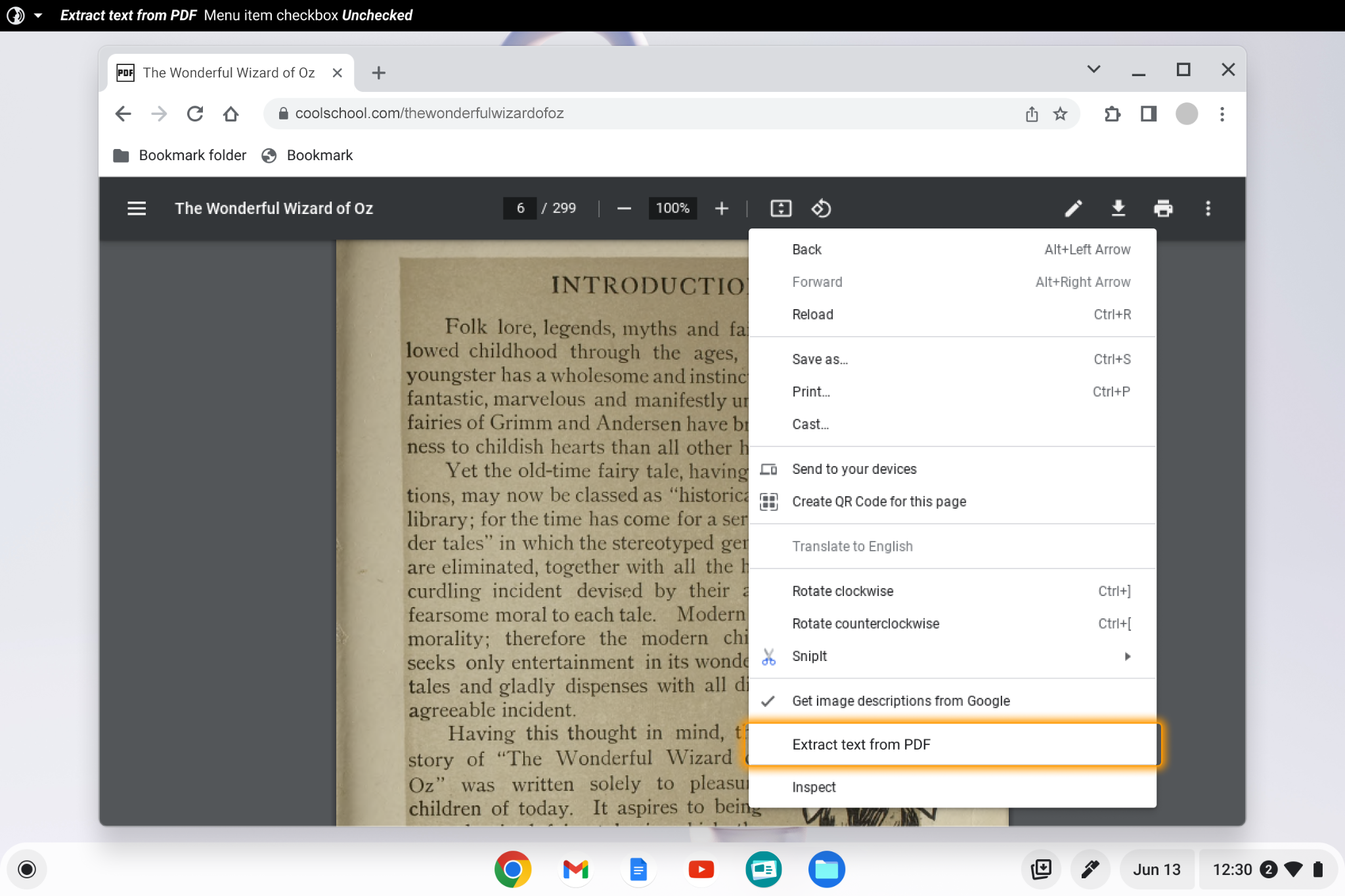
Screen reader users can now extract text from PDFs using Optical Character Recognition (OCR) on ChromeOS.
Reading mode now has new features including read aloud and line focus.
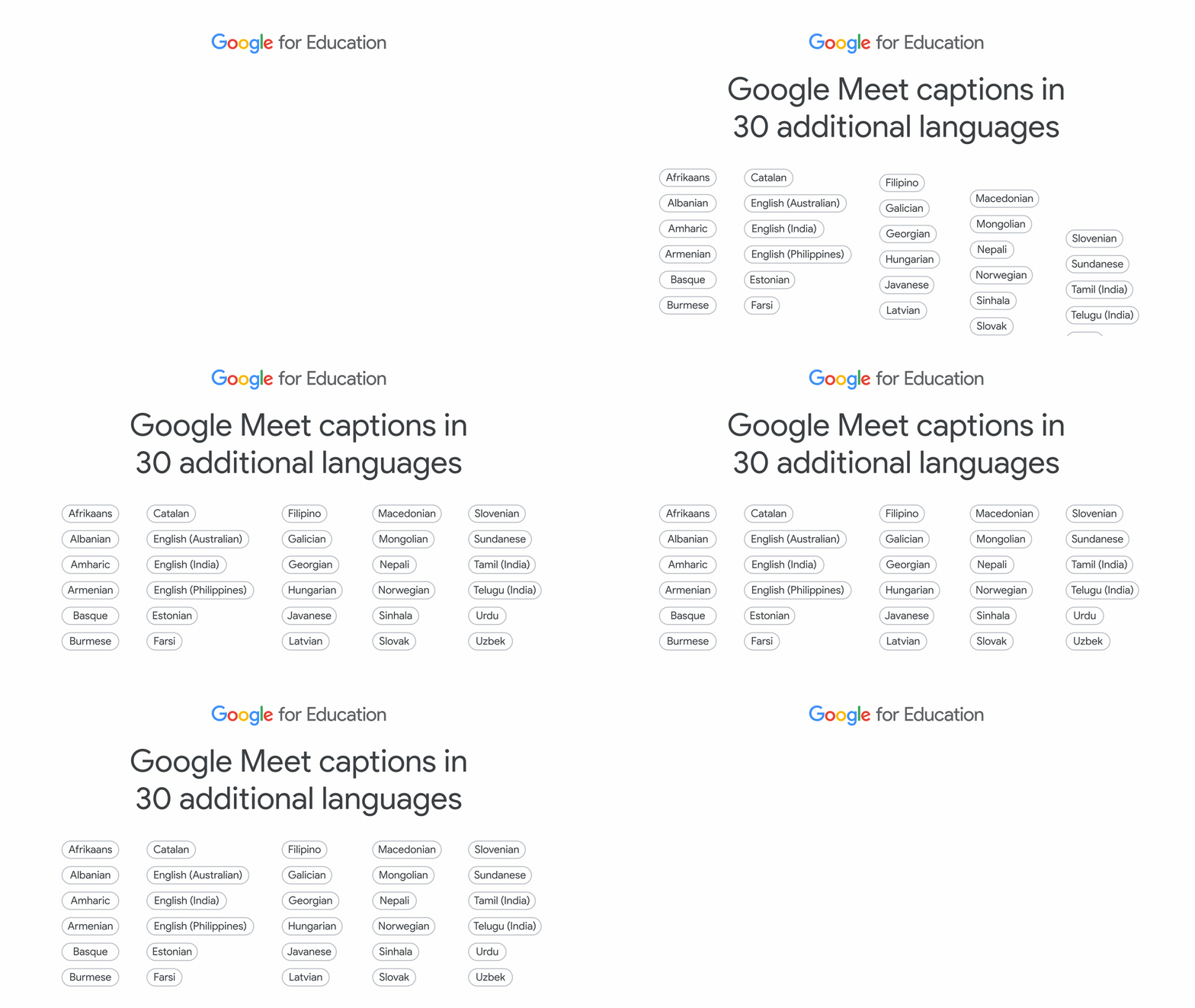
Make your meetings more accessible in Google Meet with closed captions in 30 additional languages.
All of these new features were designed to help both teachers and students save time, get the support they need and adapt to today’s learning environments. When it comes to AI specifically, we’ve been listening to and working with millions of educators to understand how to best bring this technology into the classroom. Learn more about our new AI track of the Google for Education Pilot Program and our approach to bringing this to the education world responsibly.