How we’re building accessibility into our Chromebooks around the world
Global Accessibility Awareness Day is a time for our teams at Google to honor, celebrate and drive awareness of people with disabilities. As a member of the Products for All Accessibility team at Google, I work with emerging markets on accessibility and disability inclusion to create broader awareness and availability of Google’s assistive technology. A core part of my role is working with the disability community to solicit feedback on how we can ensure our technology works well across different locations and cultures. The work we do in emerging markets underscores what we mean when we say "Respect the Opportunity."
Providing Chromebooks for schools for the Blind in Kenya
In 2023, in partnership with InAble, we provided 480 Chromebooks for teachers and students in grades 4 to 6 across four schools for children who are blind or have low vision in Kenya. Previously, these students had limited access to paper and braille, and only had access to a shared computer lab up to one hour per day. A group of Googlers traveled to Kenya and watched students open up their Chromebooks for the first time. They were dancing, and crying with excitement — and so were we. With access to more technology and training, a whole new world would become available to them.
We also funded a brand new computer lab, providing Chromebooks for people with and without disabilities in the village of Kairi in Kenya. Thanks to inAble, children and adults who had limited or no access to computers, now receive digital skills training. The lab also brings together students from different areas, abilities and backgrounds, aiming to reduce the stigma surrounding people with disabilities who are often hidden from society in this region.

A student opening his new Chromebook in Kenya

The students in Kenya were so excited about their new devices!
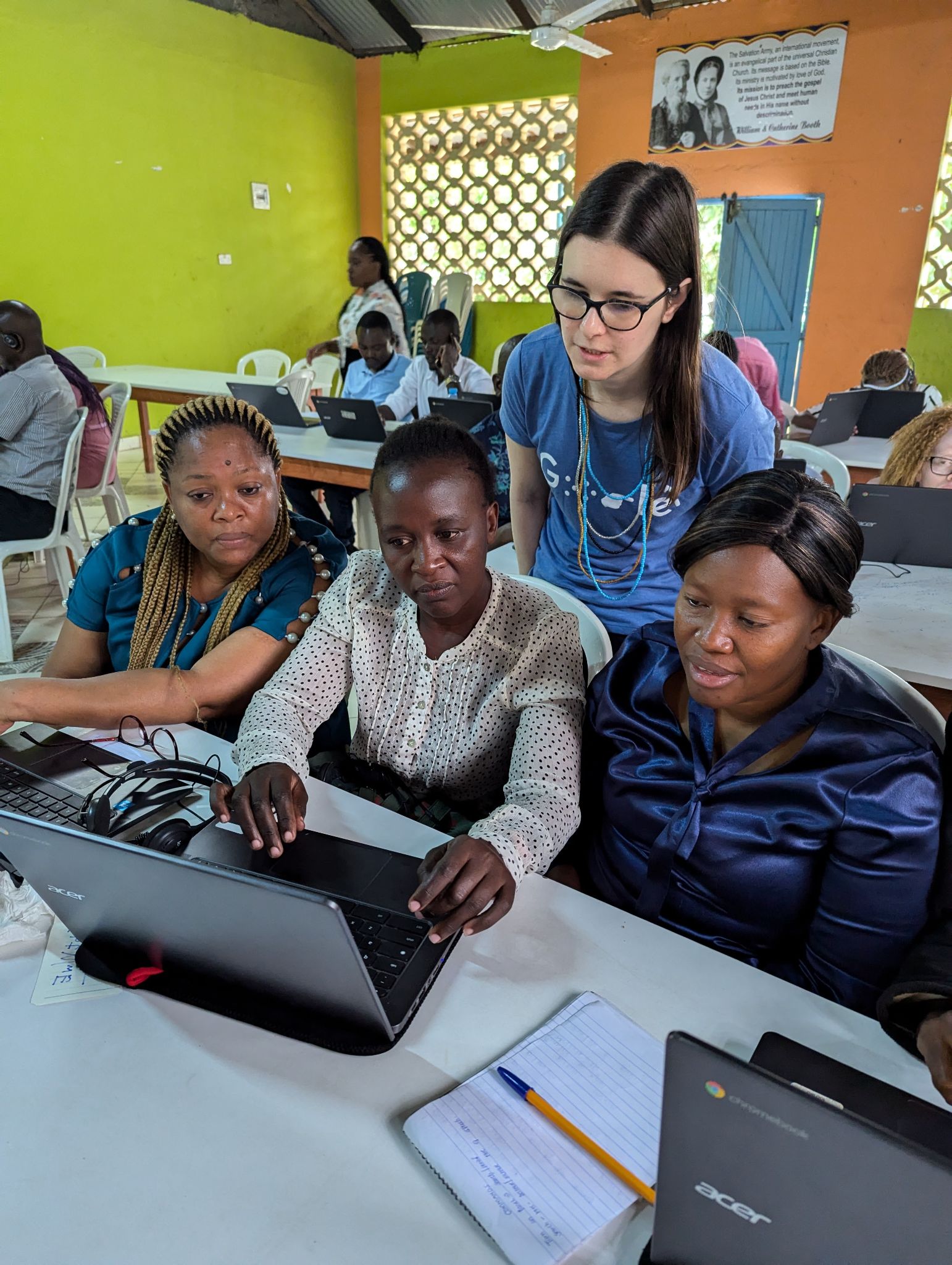
A fellow Googler teaching Chromebook Accessibility to teachers at the Likoni School for the Visually Impaired, in Mombasa, Kenya.
Building with and for people with disabilities globally
Working with people with disabilities helps us understand their needs and enables us to incorporate their feedback back into our products to improve them for everyone. InABLE and Google Accessibility UX Research teams have shared surveys with students and teachers to understand their experiences before and after using Chromebooks with Google Workspace for Education.

Members of the Google Accessibility Team with teachers at the Likoni School for the Visually Impaired, in Mombasa, Kenya May 2024.

Googlers teaching Chromebook Accessibility to teachers at the Likoni School for the Visually Impaired, in Mombasa, Kenya.

Here I am teaching Chromebook accessibility skills to the teachers in Kenya
Members of the team are currently in Kenya, and last week they trained 25 teachers at the Likoni School for the Visually Impaired. Teachers came from all over Kenya to attend this session to learn more about the assistive technology built into Chromebooks. Early feedback is very positive and tells us that students are able to access much more content than was locally available in paper and braille. The students are able to customize their experience with the assistive technology features that work best for them and they’re enthusiastic about learning. Watch the video below with audio description.
New Chromebook and Google Workspace accessibility features
Chromebooks already have great screen reading capabilities built in, including ChromeVox and Select-to-speak, and they’re compatible with Braille devices. Here are some new features we’re adding in the coming weeks to make Chromebook and Google Workspace accessibility even better.
- Adjust your Screen magnifier on your Chromebook: In the next few months, when you read text aloud using Select to Speak, the screen magnifier will automatically follow the words, so you don’t lose your place. To try this out, enable both Magnifier and Select to Speak in your settings, then zoom in to your preferred zoom level using Ctrl + Alt + Brightness up and Ctrl + Alt + Brightness down. Select the text you want to read and press the Select to Speak play button, or Search + S.
- Change your Chromebook mouse cursor size: For those with low vision or those who want a larger mouse cursor, you can adjust the mouse cursor size even larger or smaller to your exact needs with a slider in settings.
- Turn off the blinking text cursor on Chromebook: And to help people with photosensitive seizure triggers and cognitive differences, in the next few months we’re adding the ability to turn off the blinking text cursor under Settings > Accessibility > Keyboard and text input > Text cursor blink rate.
- Updated keyboard shortcuts and first-letters navigation in Google Drive: You can now use first-letters navigation in Google Drive to locate files more efficiently, which can be especially beneficial for people who use a keyboard, screen reader, braille device, or screen magnification.. Users can move focus within a file list in Drive by pressing the first letter(s) of the file's name. Pressing the same letter again will navigate to the next item starting with that letter.
- Dark mode in Google Drive: To reduce eye strain, or to help when reading content, you can now choose dark mode on Google Drive on the web to make the background dark with light text, instead of the reverse.
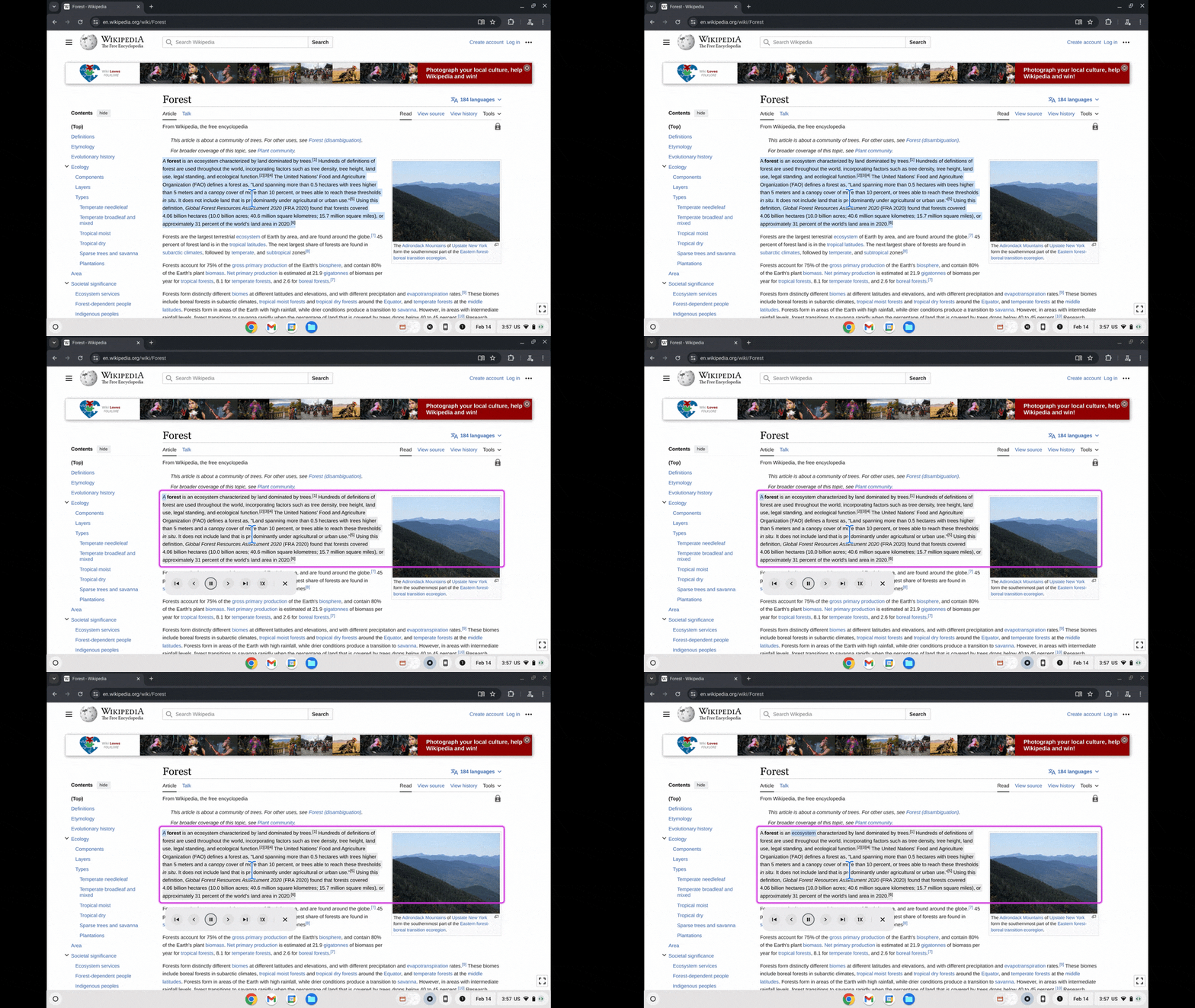
Using Select to Speak, the screen magnifier will automatically follow the words so you don’t lose your place.
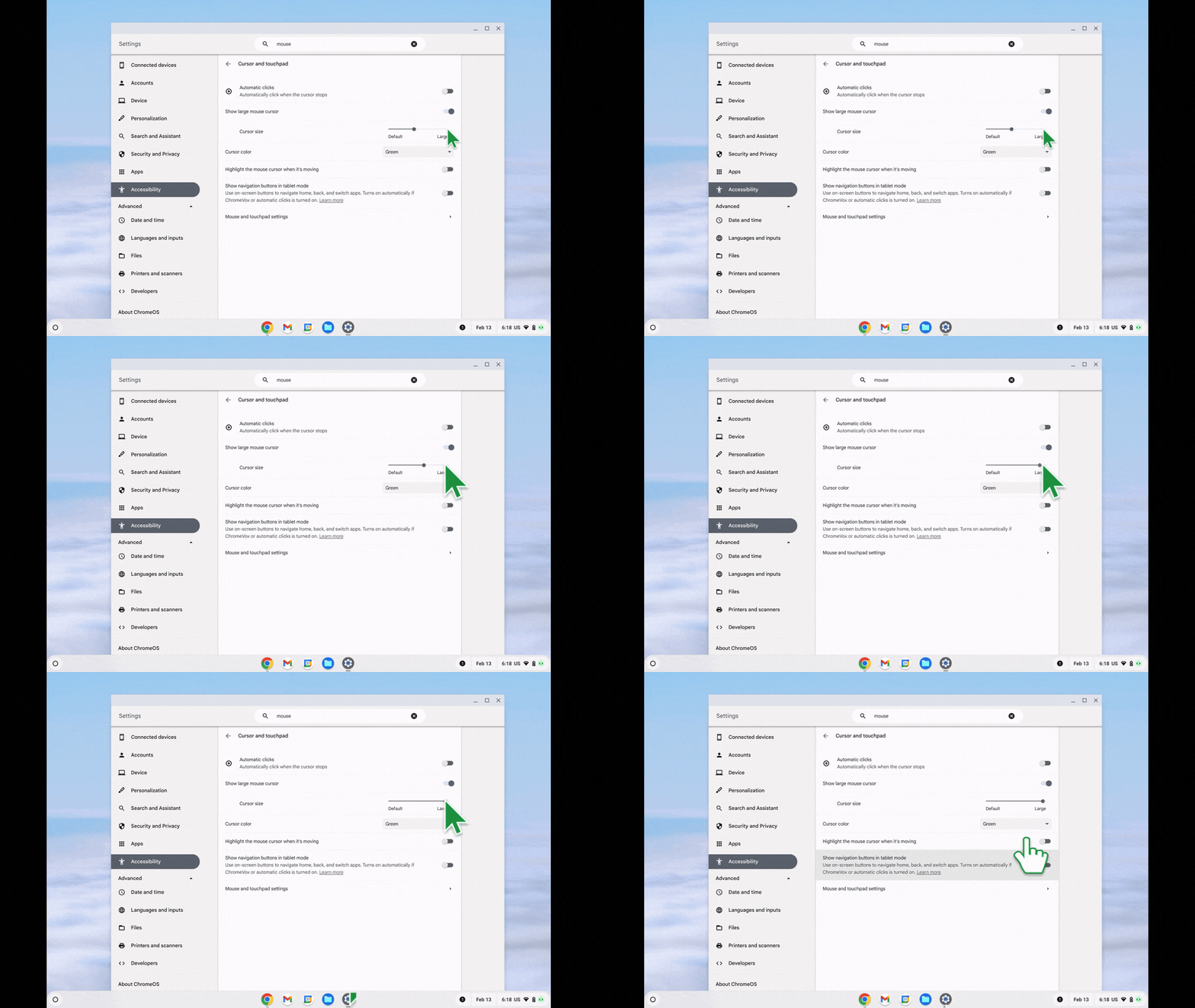
Change your Chromebook mouse cursor size
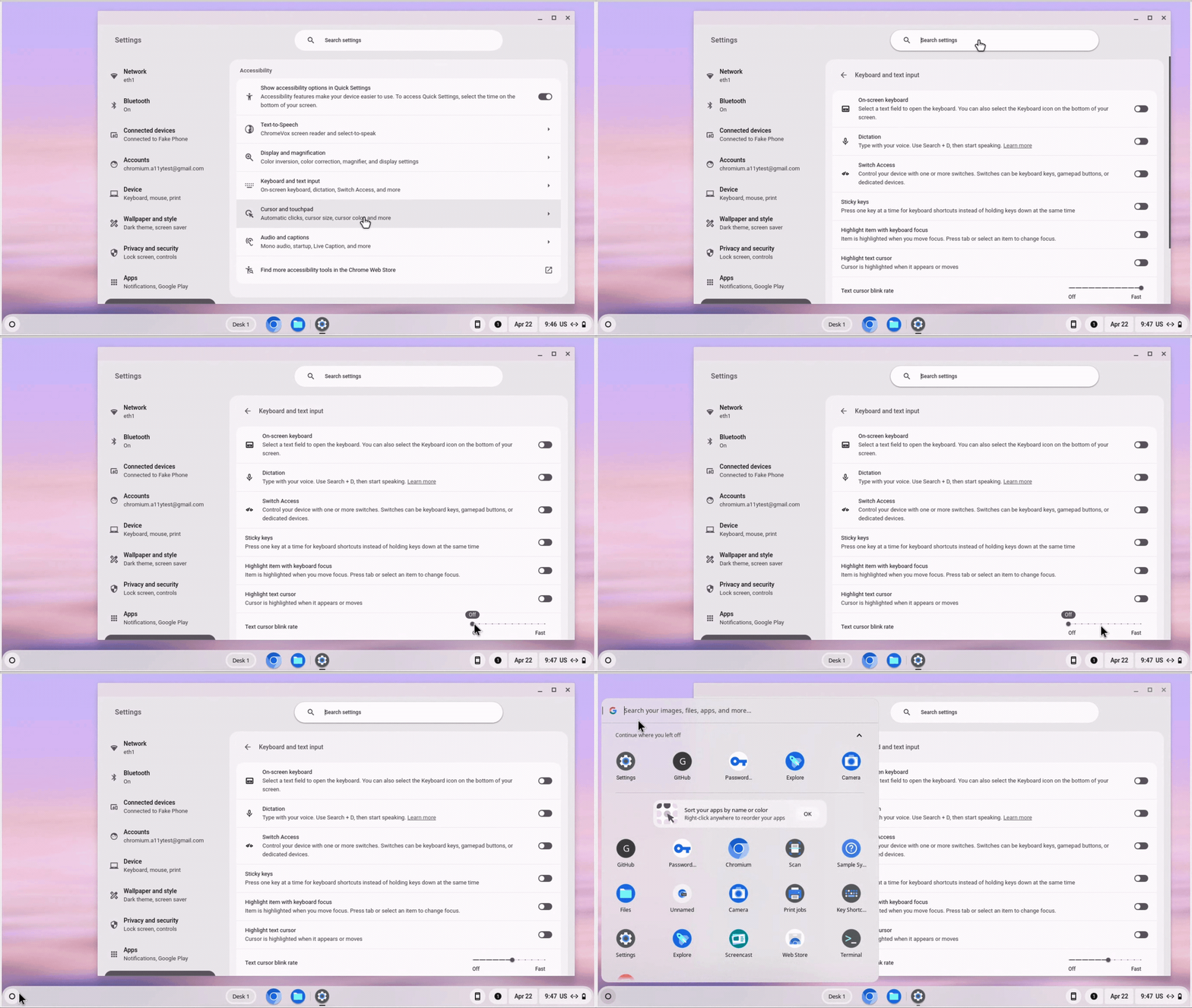
We’re adding the ability to turn off the blinking text cursor
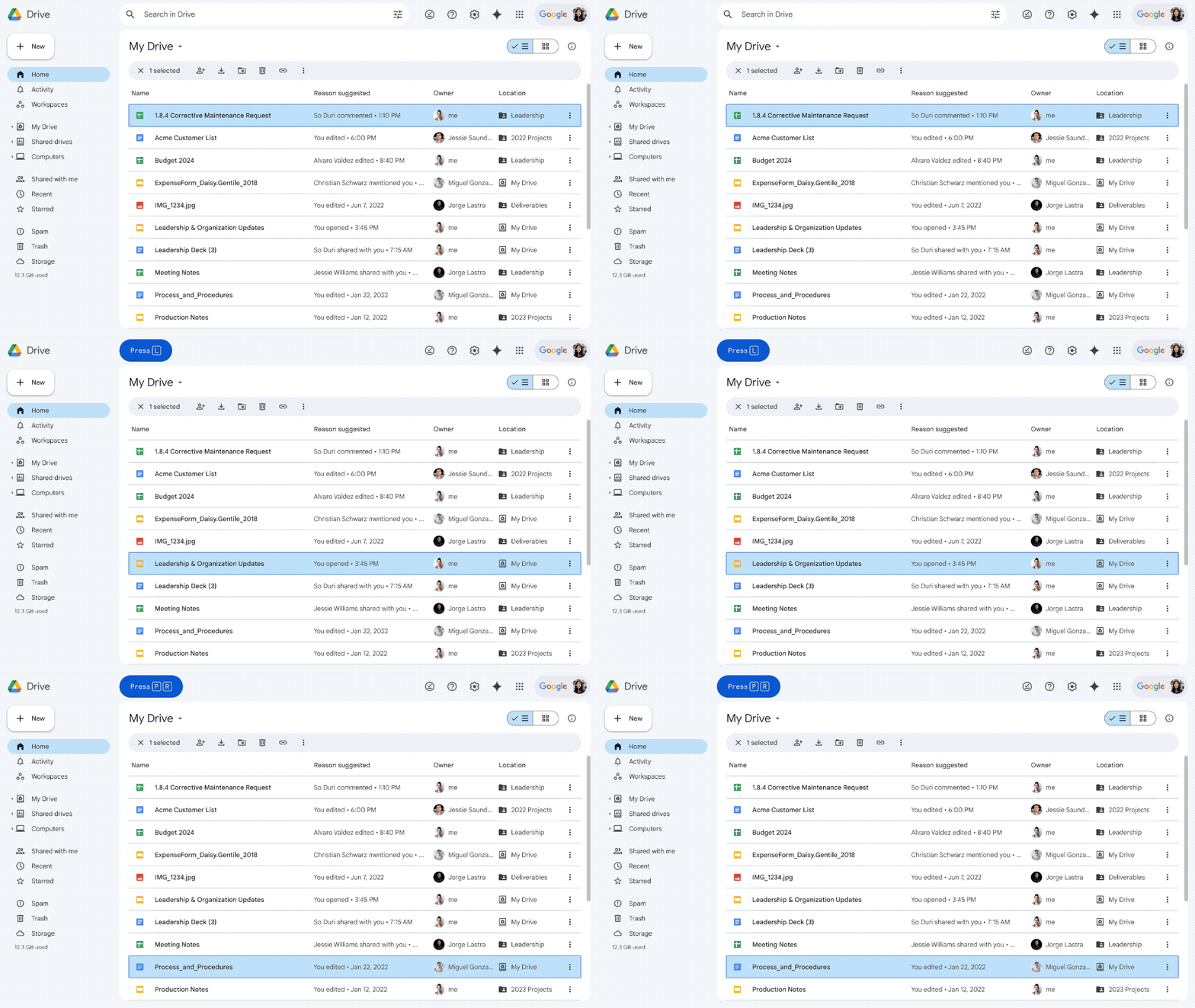
Updated keyboard shortcuts and first-letters navigation in Google Drive

Turn on dark mode to make the background dark with light text, instead of the reverse.
Providing professional development in accessible computer science (CS) education
30 Chicago Public Schools (CPS) teachers of students with diverse learning needs recently participated in an educational pilot program funded by Google. This program provided year-long professional development and a lending library to help teachers integrate robotics and other computer science lessons and activities into their K–12 classrooms.
This work builds on research and curriculum development led by Dr. Maya Israel and Dr. Joanne Barrett at the University of Florida, piloted in Broward County Public Schools with Google’s support last year. The pilot’s success allowed us to scale the effort in Chicago, with the goal of building teacher capacity to make computer science learning fun, engaging and accessible to everyone.
On May 7, Google Chicago held a showcase for parents and the broader community celebrating the success of over 140 diverse learners in learning CS through robotics activities.
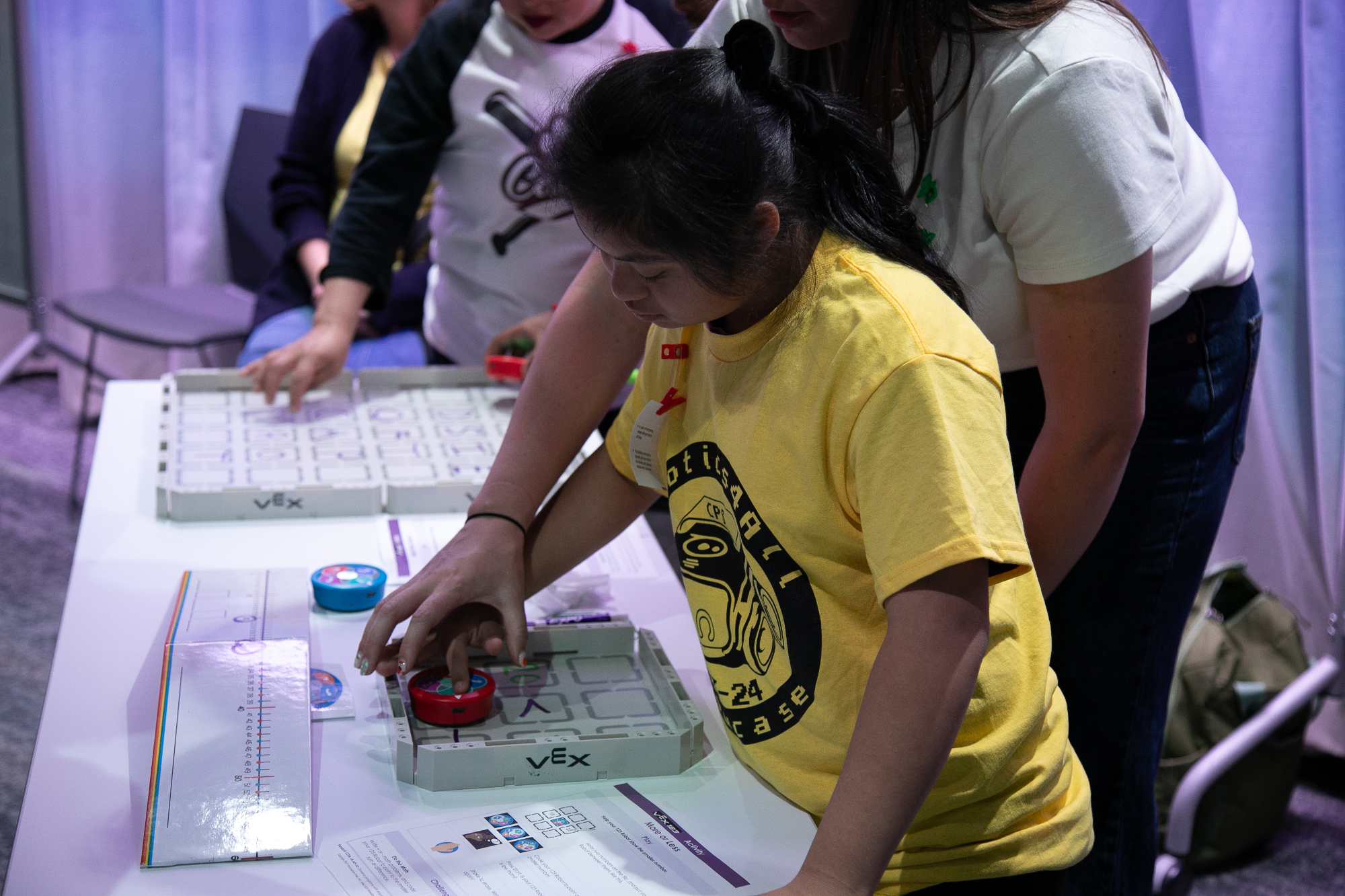
Sugeily is using a VEX Robot, an interactive, programmable robot. Learners can code the robot using touch to control movements and sounds. They learn sequences, logic and problem solving.

The car-shaped Sphero indi learning robot is designed to introduce learners to the fundamentals of computational thinking, STEAM, and computer science principles. While coding the car, Mysabel made a connection between the robot car and herself, noting that they both have eyes.
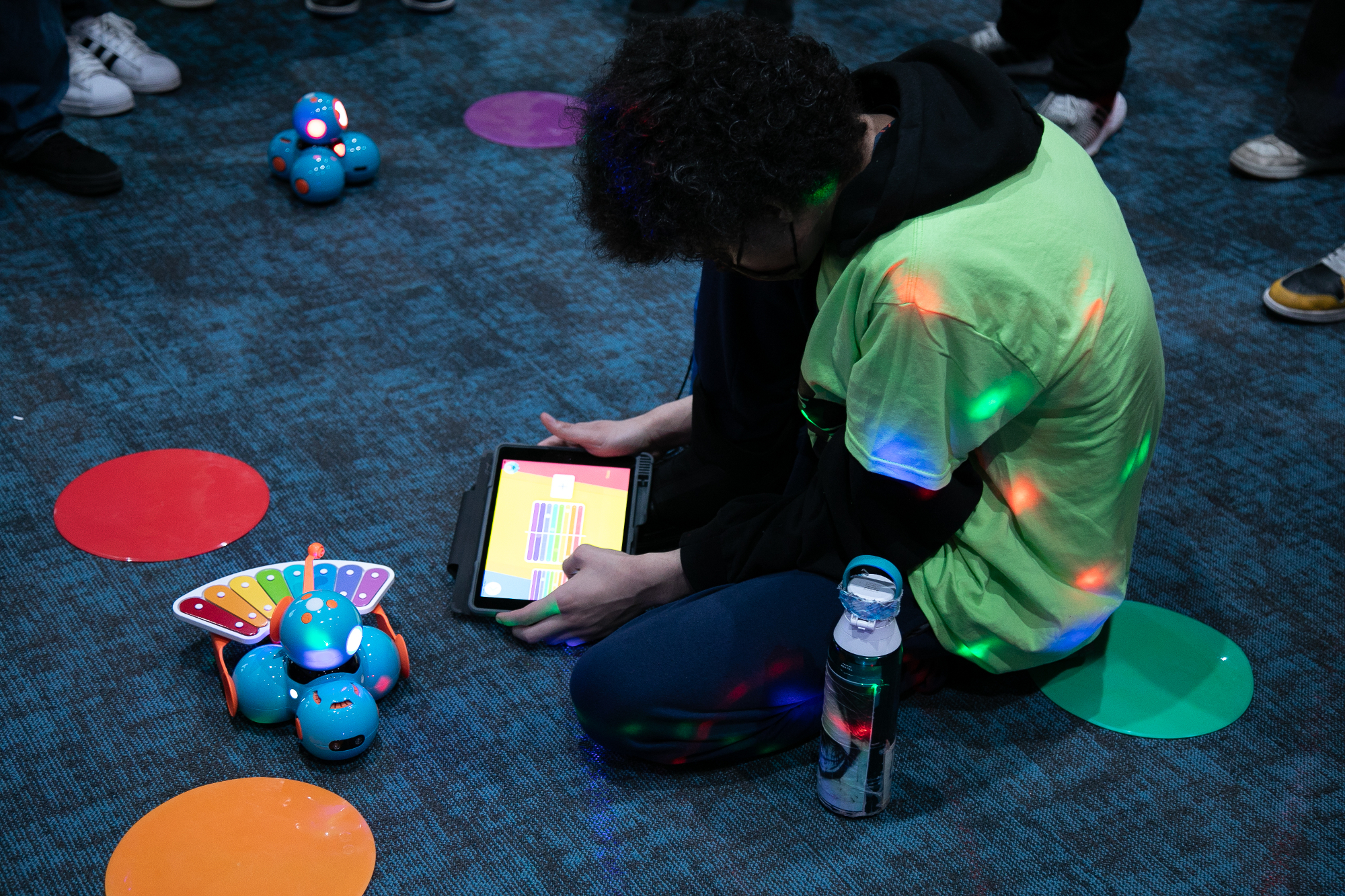
Dash Robot empowers students to explore loops, events, conditions, and sequences in an interactive way. Pictured here, Nick is writing music code to make Dash play the xylophone.
To learn more about what we’re doing with accessibility, check out edu.google.com/accessibility.