[[duration]] minutes
This content is generated by Google AI. Generative AI is experimental
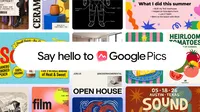
Google Pics — our image creation and editing tool from Google Workspace — is rolling out over the coming weeks to all Google AI Pro and Ultra subscribers and most Workspace business customers.
Built on our Nano Banana image generation and editing model, Pics gives you the control you need to create whatever you're imagining, whether you're designing a poster, producing social media posts, or editing digital illustrations. Google Pics will be both a standalone product and integrated into Workspace apps, starting with Slides, Docs, and Drive, so you’ll be able to edit images where you’re already working.
Google Pics includes a suite of fine-tuned editing capabilities that let you generate images and make precise edits rather than starting from scratch. Here are some of the features you can look forward to:
Watch how to instantly create and refine custom graphics using the powerful editing controls in Google Pics.
Easily design and fine-tune eye-catching social media content and digital announcements using Google Pics.
Millions of users interact with billions of images across Workspace products every month. To make this experience even more seamless, we’re bringing Google Pics directly into the tools you already use. You shouldn’t have to jump between applications to create and share visuals. Now, you can harness powerful AI image generation and editing right where you are — no copying, pasting, or switching tabs required.
Discover how to seamlessly edit images and product mockups right inside your Workspace apps, like Slides, Docs, and soon Drive, without switching tabs.
Speed up your workflow by dropping files directly from Google Drive into Google Pics to design brand concepts.

Create anything you can imagine with Google Pics.
This integration starts today with Docs and Slides, and will roll out to Drive in the coming weeks.
We can’t wait to see what you create. Try it at pics.new.