5 Workspace announcements from Google Cloud Next '24
This week at Cloud Next, we’re sharing a number of Google Workspace updates to help teams get more out of the tools they rely on every day. Here are five to check out, from existing feature improvements to brand new tools.
1. Create and share videos at work with Google Vids
Vids, our newest Workspace app, is an AI-powered video creation app for work. It can generate a storyboard that you can easily edit, and after choosing a style, it pieces together your first draft with suggested scenes from stock videos, images and background music. Vids can also help you land your message with the right voice over — either choose one of our pre-set voice overs or use your own. It’s your video, writing, production and editing assistant all in one.
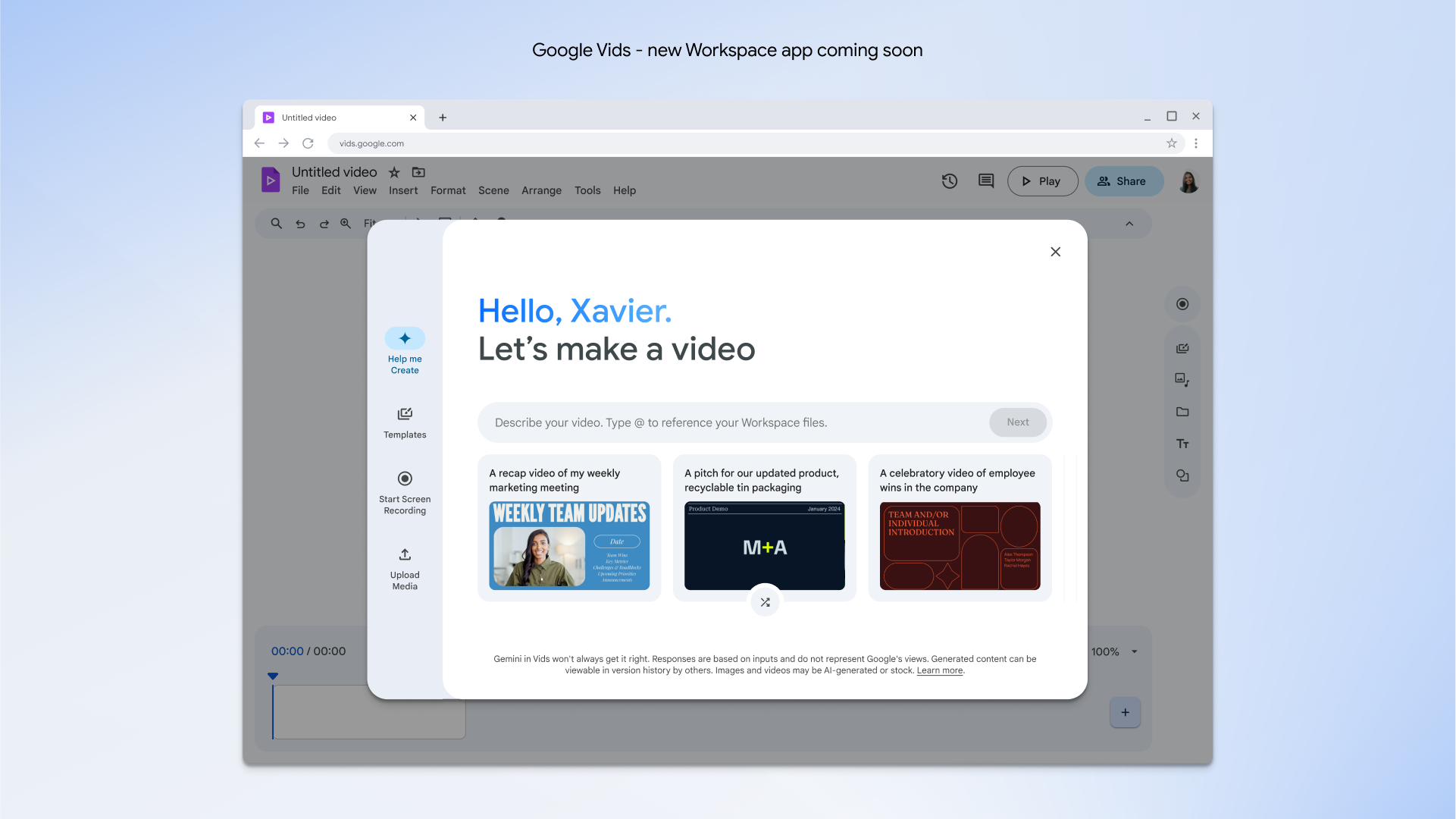
Google Vids is a new AI-powered video creation app for work that sits alongside Google Docs, Sheets and Slides. Users can get started with templates, or with the Help me create feature that helps generate a first draft.
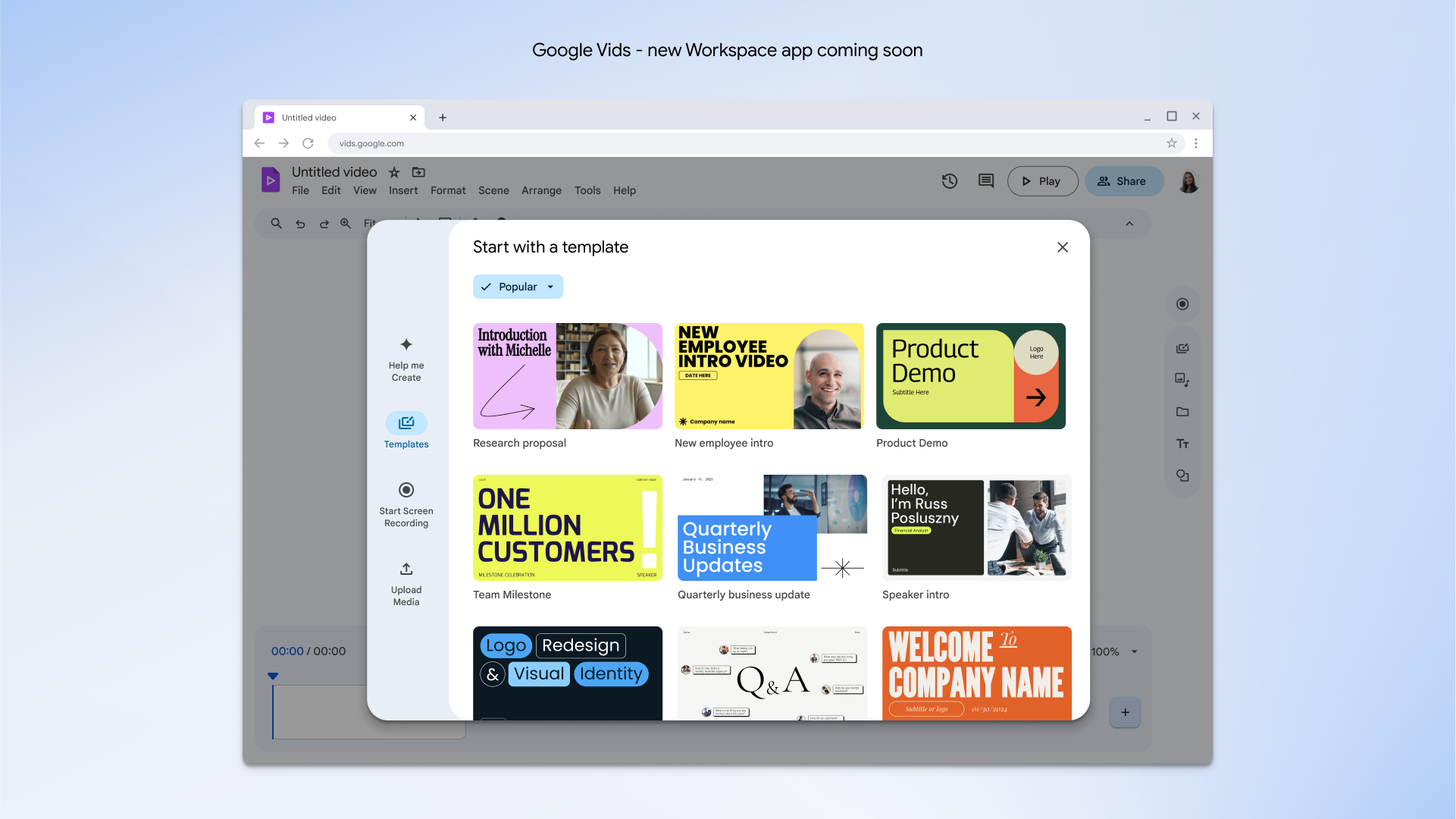
Users can choose from a variety of templates in Google Vids, the new AI-powered video creation app for work that sits alongside Google Docs, Sheets, and Slides.
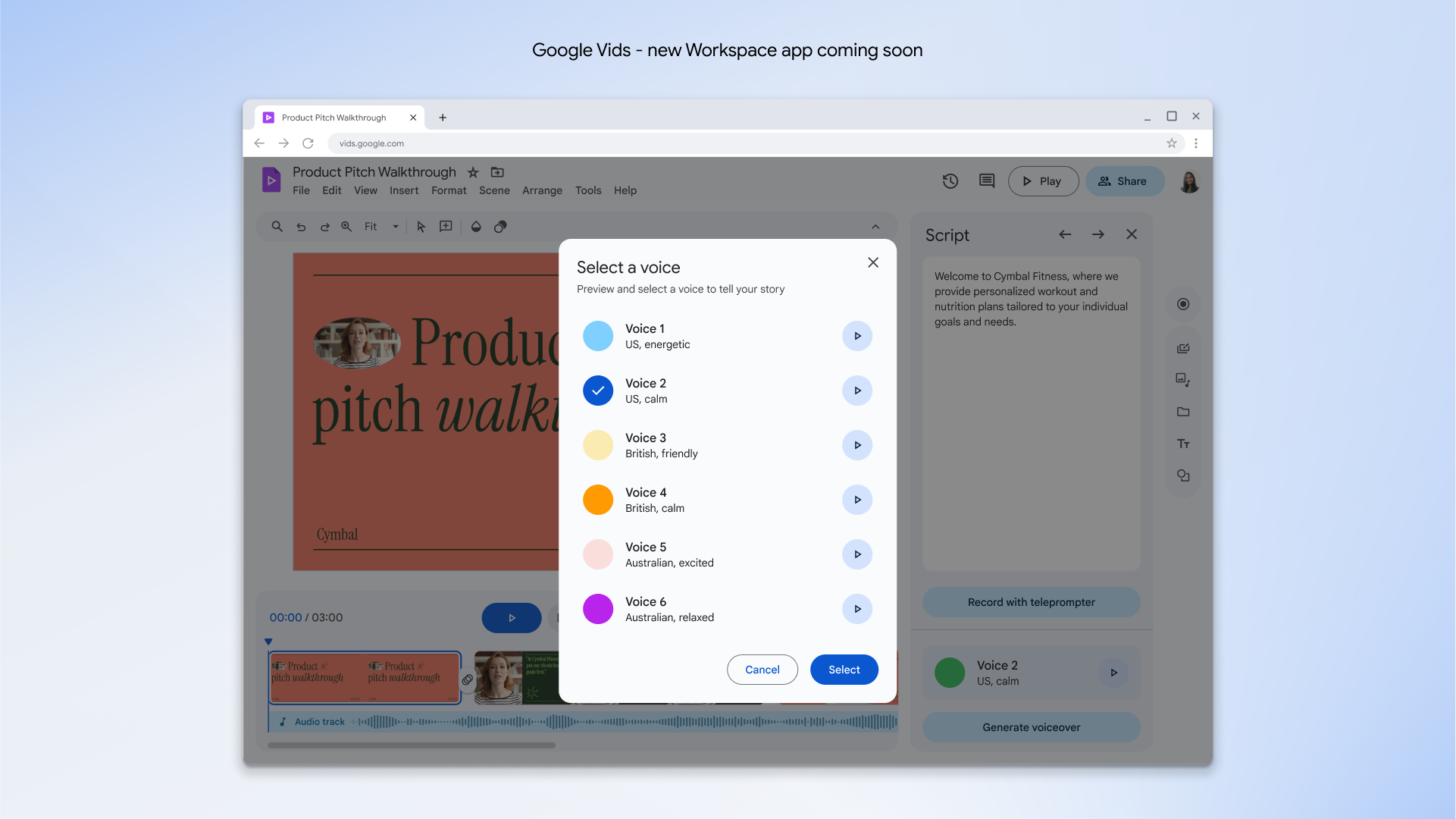
Users can give their videos a voice with Vids features such as generated scripts and preset voiceovers.
Vids includes a simple, easy-to-use interface and the ability to collaborate and share projects securely from your browser. It's an entirely new app that can help anyone become a great storyteller at work.
Vids will be released to Workspace Labs in June.
2. Automatically translate captions in more languages in Meet
Workspace customers can already turn on translated captions during video calls and select their preferred language, helping Meet users around the world easily communicate. Translate for me in Meet, coming later this year,* will automatically detect and translate captions into your preferred language. With translate for me, we’re adding translated caption support for 52 new languages, bringing the total number of supported languages to 69.
This and more Meet and Chat features — like Take notes for me — will be available in a new AI Meetings and Messaging add-on for $10 per user per month. AI Meetings and Messaging can be added onto select Workspace plans.
*Updated on June 7, 2024 with latest availability timing.
3. Protect sensitive files with a new AI Security add-on
There’s another new add-on available today: AI Security. This add-on lets IT teams automatically identify, classify and protect sensitive files company-wide in Google Drive. It uses privacy-preserving AI models that can be trained using data unique to your organization, enabling continuous evaluation, classification and protection of existing and new files in Drive. AI Security is now available for select Workspace plans for $10 per user, per month.
4. Better organize information with new Sheets and Docs features
Sheets is getting a new tables feature that formats and organizes data in a sleek, updated design. Select a template from our new set of building blocks — featuring everything from project management to event planning and inventory management — so you never have to build a spreadsheet from scratch again. This feature will be available for all Workspace plans in the coming weeks.
Personalize documents with full-bleed cover images

Meanwhile, we’re rolling out a new tabs experience in Docs, which can help you organize related information in a single document. We’re also making it easier to personalize documents with full-bleed cover images that extend from one edge of your browser to the other. These features will be available to all Docs users in the coming weeks.
5. Easily send messages with new Gmail features
Trying (and struggling) to send an email on the go? Help me write on Gmail mobile now has voice prompting, so you can use your voice to send emails from your Gmail app. And be sure to check out the new instant polish feature coming to Gemini in Gmail, which helps you transform notes into a more complete email draft in a single click — no prompt needed. These new experiences will be available to Gemini Enterprise and Gemini Business customers, as well as Google One AI Premium subscribers.
Polished draft in Gmail mobile

To learn more about all the new tools and updates coming to Google Workspace, head to the Workspace blog.