5 new video editing tools in Google Photos

General summary
Google Photos now has five new video editing tools. You can use templates to create highlight videos quickly. Also try the redesigned video editor, add music, tell your story with custom text and edit individual video clips.
Summaries were generated by Google AI. Generative AI is experimental.Bullet points
- Google Photos has five new video editing tools to help you create awesome highlight reels.
- Use templates with music and text to quickly create shareable highlight videos on Android.
- The redesigned video editor on Android and iOS is easier to use with a universal timeline.
- Add music from Photos' library and custom text overlays to your videos on Android and iOS.
- Edit individual video clips with music and text using the redesigned editor on Android.
Basic explainer
Google Photos has some cool new tools for making videos. Now, you can use templates to quickly make highlight videos with music and text. The video editor is easier to use, so you can add your own music and words. It's now simpler to make awesome videos right in Google Photos.
Summaries were generated by Google AI. Generative AI is experimental.Explore other styles:
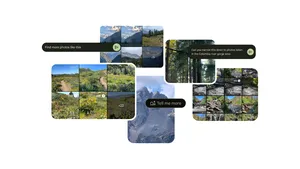
Creating a highlight reel featuring multiple video clips and photos in Google Photos is simple: Just head to the Create tab and select “highlight video,” pick the content you want included and Photos will create a single cohesive video for you.
And now, creating and editing your videos is easier than ever with new features you've been asking for. From using ready-made templates and the redesigned video editor to adding music and custom text, here are five features you can use to create personalized videos right in Google Photos:
1. Create shareable highlight videos quickly with templates
Don’t know where to begin? Rolling out on Android, templates give you pre-set formats with built-in music, text and cuts synced to a soundtrack. Just pick a template, select the photos and videos you want included and sit back while Photos automatically creates a shareable video that matches the beat. Head to the Create tab and select “highlight video” to get started — and stay tuned for new templates.
2. Try the easy-to-use redesigned video editor
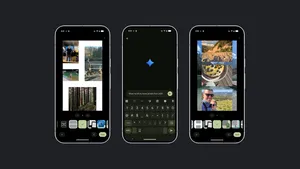
The new video editor on Android and iOS is faster and easier to use, so you can fine-tune your highlight videos and get creative right away. It features a universal timeline that supports multi-clip editing and storytelling, along with an adaptive canvas for easier editing. Everything you need is right where you expect it to be, so you can spend less time figuring out how to edit and more time creating.
3. Add the perfect soundtrack
A great video is even better with great music. Now you can easily browse Photos’ music library and pick the perfect soundtrack to add some emotion or bring out the right vibe to your highlight video on Android and iOS.
4. Tell your story with custom text
Add context or a creative touch with stylish text overlays to your highlight videos on Android. You can add and customize text with new fonts, colors and backgrounds so your message stands out.
5. Edit and customize individual video clips
The redesigned editor is also now the default video editor on Android for quick and easy edits to individual video clips. Just open a video from your gallery and tap edit to get started. And with the new editor you can now add music and text to a single video clip for an even more custom look.
All of these updates are either already available or rolling out now, giving you everything you need to create amazing videos all within Google Photos.