[[duration]] minutes
This content is generated by Google AI. Generative AI is experimental
A few weeks ago, we introduced Nano Banana Pro, our latest Gemini image model, to NotebookLM with Infographics and Slide Decks. Since then, we’ve added both features to the mobile app and expanded access to more people.
NotebookLM collapses the content creation process — from research to design — into a single workflow. It helps produce professional, data-driven content that was previously limited to design teams.
When you create Slide Decks in NotebookLM, you’re drawing on the visual capabilities of Nano Banana Pro, but you’re also using NotebookLM’s own creative agents, the same underlying approach that makes Audio and Video Overviews so engaging. The combination is what gives you this powerful engine for visual storytelling.
Here are a few of our favorite ways people can tell stories through Nano Banana Pro.
Dense research reports often overwhelm visual learners. NotebookLM solves this by converting Deep Research into custom slide decks, uncovering metaphors and connections you might otherwise miss. Simply ask a question, run Deep Research and request a deck in any format.
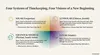
A set of slides on global New Year celebrations, generated from deep research.
Prompt: New Year celebrations around the world. Blend magical, whimsical elements with celebratory festival scenes. Respect local architecture and style.
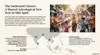
A set of slides on global New Year celebrations, generated from deep research.
Prompt: New Year celebrations around the world. Blend magical, whimsical elements with celebratory festival scenes. Respect local architecture and style.
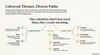
A set of slides on global New Year celebrations, generated from deep research.
Prompt: New Year celebrations around the world. Blend magical, whimsical elements with celebratory festival scenes. Respect local architecture and style.
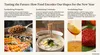
A set of slides on global New Year celebrations, generated from deep research.
Prompt: New Year celebrations around the world. Blend magical, whimsical elements with celebratory festival scenes. Respect local architecture and style.

A set of slides on global New Year celebrations, generated from deep research.
Prompt: New Year celebrations around the world. Blend magical, whimsical elements with celebratory festival scenes. Respect local architecture and style.
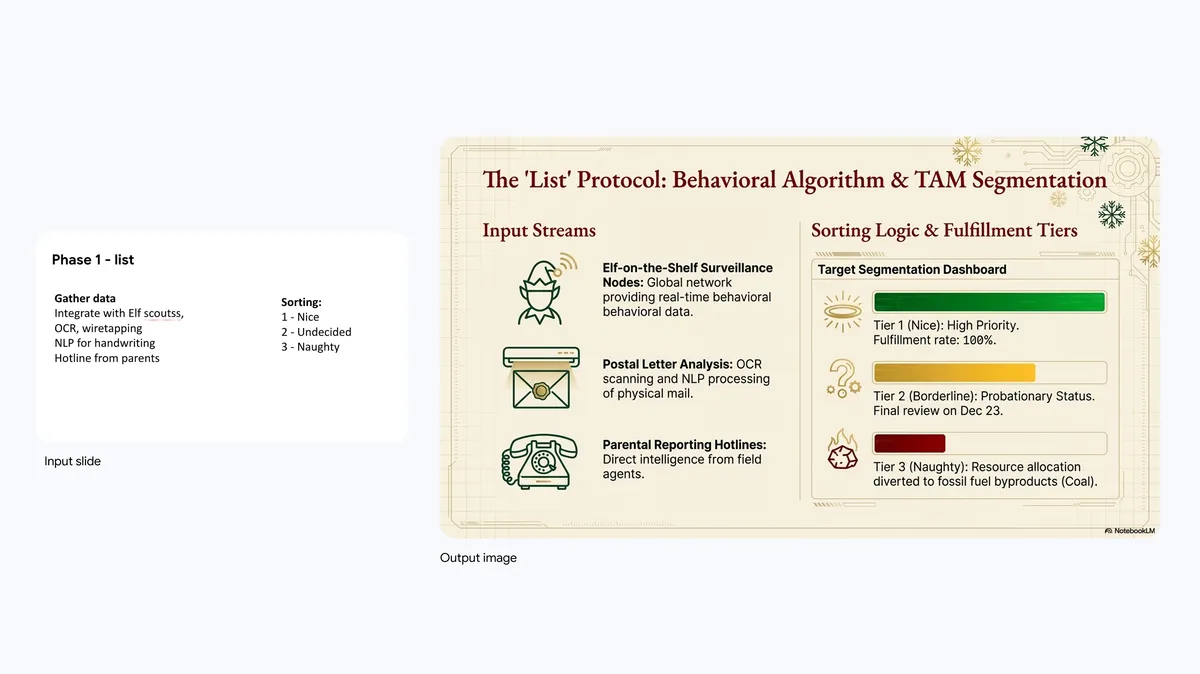
Last-minute presentations create unnecessary stress. Avoid hours of design work: either create a note in NotebookLM and add it as a source, or attach a rough draft from Google Slides. Jot down key points, an outline or a stream-of-consciousness brainstorm. You can even upload handwritten notes. Use this source to instruct NotebookLM to build a full slide deck instantly.
Get your point across better without wasting any time formatting, created from rough slide deck and text document.
Prompt: Make the slides much more pretty and fun, Christmas-themed
You can also use slides to explore new ideas or concepts based on your project’s sources. For example, using our Featured Notebook on Jane Austen, we generated a pitch deck for holiday-themed fan-fiction sequels, complete with jacket covers and plot descriptions.
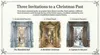
A literary reimagining presenting a visual pitch for holiday-themed Jane Austen fan fiction.
Prompt: Briefly list any Christmas or New Year’s events mentioned in the novels. Provide three novella concepts based on these mentions. For each, outline the plot and its connection to the original book

A literary reimagining presenting a visual pitch for holiday-themed Jane Austen fan fiction.
Prompt: Briefly list any Christmas or New Year’s events mentioned in the novels. Provide three novella concepts based on these mentions. For each, outline the plot and its connection to the original book
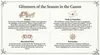
A literary reimagining presenting a visual pitch for holiday-themed Jane Austen fan fiction.
Prompt: Briefly list any Christmas or New Year’s events mentioned in the novels. Provide three novella concepts based on these mentions. For each, outline the plot and its connection to the original book
To polish an existing presentation, upload your slides to NotebookLM. Ask the tool to enhance aesthetics, apply brand colors or incorporate visuals from your sources. NotebookLM applies your style guidelines, ensuring the final product meets your standards.
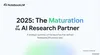
A summary of 2025 NotebookLM news sourced from the internet styled with corporate identity by attaching a brandbook.
Prompt: Create a branded deck summarizing 2025 launches. Use the brandbook for branding and styling references
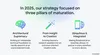
A summary of 2025 NotebookLM news sourced from the internet styled with corporate identity by attaching a brandbook.
Prompt: Create a branded deck summarizing 2025 launches. Use the brandbook for branding and styling references
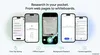
A summary of 2025 NotebookLM news sourced from the internet styled with corporate identity by attaching a brandbook.
Prompt: Create a branded deck summarizing 2025 launches. Use the brandbook for branding and styling references
Using Gemini’s world knowledge, NotebookLM visualizes data through powerful metaphors and visualizations. If you have documents full of numbers but are struggling to communicate your point across, NotebookLM can help. By applying familiar formats to complex concepts, you make difficult content accessible without losing detail.
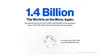
Data storytelling by translating global tourism statistics into impactful infographics
Prompt: Sleek design, white background. Visualise the numbers in the deck in a range of different ways that relate to the real world, use an infographic style with hard hitting and inspirational figures.
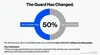
Data storytelling by translating global tourism statistics into impactful infographics
Prompt: Sleek design, white background. Visualise the numbers in the deck in a range of different ways that relate to the real world, use an infographic style with hard hitting and inspirational figures.
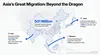
Data storytelling by translating global tourism statistics into impactful infographics
Prompt: Sleek design, white background. Visualise the numbers in the deck in a range of different ways that relate to the real world, use an infographic style with hard hitting and inspirational figures.
NotebookLM handles large documents with ease. Convert your long documents, set of articles or even your entire book into a beautifully visual narrative.
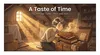
Story on bridging cross-generational flavors by reinterpreting a 19th-century cookbook through modern manga
Prompt: Find similarities between holiday recipes in 19th and 21st century. White background, black text, explained with manga on every page, modern Japanese manga
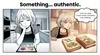
Story on bridging cross-generational flavors by reinterpreting a 19th-century cookbook through modern manga
Prompt: Find similarities between holiday recipes in 19th and 21st century. White background, black text, explained with manga on every page, modern Japanese manga
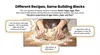
Story on bridging cross-generational flavors by reinterpreting a 19th-century cookbook through modern manga
Prompt: Find similarities between holiday recipes in 19th and 21st century. White background, black text, explained with manga on every page, modern Japanese manga
Simply snap a few pictures of your holiday baking and have NotebookLM convert it into a delightful recipe book. You can just use Gemini’s world understanding to describe the recipes, or upload your notes and NotebookLM will take care of the rest.
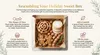
Digital baker approach to transform kitchen photos into a professional holiday recipe guide
Prompt: Holiday themed overview of all the sweets baked from the pictures. Reference the recipe from the note.
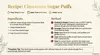
Digital baker approach to transform kitchen photos into a professional holiday recipe guide
Prompt: Holiday themed overview of all the sweets baked from the pictures. Reference the recipe from the note.
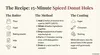
Digital baker approach to transform kitchen photos into a professional holiday recipe guide
Prompt: Holiday themed overview of all the sweets baked from the pictures. Reference the recipe from the note.
Slides in your favorite editing software can be styled in any way and there’s no reason this should be limiting you in NotebookLM. You can define any visual or creative style you want and get to the design you’re after. As long as it helps you get to your goal
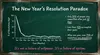
A step-by-step plan to tackle new year's resolutions, delivered as a school lecture.
Prompt: Create a deep green "blackboard" design using white, yellow, and pink handwritten chalk text to help organize New Year’s resolutions.
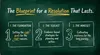
A step-by-step plan to tackle new year's resolutions, delivered as a school lecture.
Prompt: Create a deep green "blackboard" design using white, yellow, and pink handwritten chalk text to help organize New Year’s resolutions.
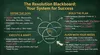
A step-by-step plan to tackle new year's resolutions, delivered as a school lecture.
Prompt: Create a deep green "blackboard" design using white, yellow, and pink handwritten chalk text to help organize New Year’s resolutions.
Slide Decks are available to all NotebookLM users over 18 years old. For now, users have two options for length and format. Since last week, users with the AI Ultra subscription can also generate longer decks with two times higher limits. With these updates, NotebookLM is turning from a research assistant into your partner for communicating knowledge. We can’t wait to see how you put it to use.