[[duration]] minutes
This content is generated by Google AI. Generative AI is experimental
We’re updating the Fitbit app to become the Google Health app, a centralized place for your health and wellness data. This new era debuts a comprehensive, redesigned wellness destination that brings together the best of Fitbit’s pioneering spirit with the helpfulness of Google.

You’ll be able to find your favorite features in Google Health app, many with noticeable upgrades:
For a comprehensive list of what’s changing, visit the Help Center.
The Google Health app will roll out as an app update to existing Fitbit users. You won’t have to download a different app, and your data will transition automatically.
As part of our transition to Google Health, we'll also consolidate our health and fitness offerings. We’ll invite Google Fit users to migrate their data into Google Health app later this year.

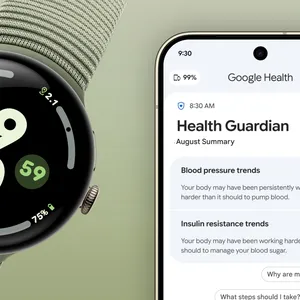
The entire Google Health app is elevated with the Google Health Coach built with Gemini. 2 You’ll get timely insights from the coach on Today. The Fitness tab becomes the home for your “weekly plan,” where you can get workout suggestions and create and save workouts with natural language. On the sleep tab, you can better understand your weekly consistency and progress towards getting better rest. 3 And, on Health, in addition to getting a snapshot of your key health metrics, you can get summaries of your medical records from the Coach.

While the app is getting a new name and look, the best Fitbit features you know and love are its core. And Fitbit continues to be at the heart of our hardware.
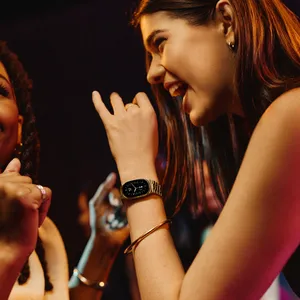
As part of that goal, we’re introducing the Google Fitbit Air, our thinnest and mightiest tracker. With a nearly invisible, lightweight design that packs industry-leading sensors and pairs with the Google Health app, Fitbit Air can be worn 24/7. 4 Combined with a Google Health Premium subscription, it unlocks the power of Google Health Coach for those who want even deeper health insights and personalized coaching. 5
How you use the Google Health app is up to you. You can make decisions about what data you save and you can delete your data, and turn on and off optional features at any time. We also committed to not using Fitbit user health and wellness data for Google Ads. The Fitbit app is now the Google Health app, and we continue to keep this commitment
The Google Health app starts rolling out to all users on May 19, when you can expect to see a new brand icon and app. The app will automatically update, and existing users will not need to take any action. Simply continue to use your existing Pixel Watch or Fitbit device as you keep pushing forward on your personal health and wellness journey.
Google Health can use your personal health records to personalize coaching responses in the Google Health app to help you maintain a healthy lifestyle and to help you make lifestyle improvements. Google Health Coach is an artificial intelligence product. Artificial intelligence answers may be inaccurate or incomplete. Google Health is not intended to use your personal health records to diagnose, treat, cure, prevent, or monitor any disease or condition. Consult your healthcare professional before making changes concerning your health. Personal Health Records stored with Google may not be comprehensive or accurate. Always consult your doctor for medical advice or for an official copy of your health records for clinical or government purposes.
Requires Google Health Premium subscription (sold separately), Google Health app, Wi-Fi, and internet connection. Features subject to change; availability varies. Not intended for medical purposes. Gemini features work independently of Gemini apps. Check responses for accuracy; results may vary.
Not intended for medical purposes. Sleep tracking features are not intended to diagnose or treat any medical conditions and should not be relied on for medical purposes. It is intended to provide information that can help you manage your well-being. Consult your health care professional before making changes regarding your health.
Google Fitbit Air works with most phones running on Android 11 or higher and Apple iOS 16.4 or higher. Requires Google Account and Google Health app. Feature availability varies and some require Google Health Premium membership. See fitbit.com/devices, g.co/health/fitbit-air and g.co/fitbit/compatibility.
Requires Google Health Premium subscription (sold separately), Google Health app, and internet connection. Features and eligibility requirements subject to change; availability varies. Not intended for medical purposes. Gemini features work independently of Gemini apps. Check responses for accuracy; results may vary.