[[duration]] minutes
This content is generated by Google AI. Generative AI is experimental

Summer travel season is right around the corner, and no matter where you’re headed, Google is ready to help each step of the way. Here are some of our latest tools to help you to plan memorable trips, find a great deal and dive into your next destination.
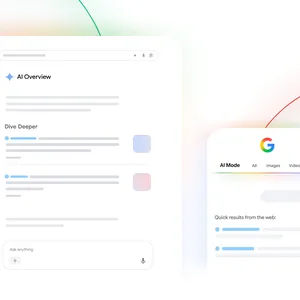
AI Mode in Search can transform your scattered research into a cohesive travel plan. Just head to AI Mode, select the Canvas tool from the plus (+) menu and describe your ideal trip. AI Mode will craft a custom itinerary in the Canvas side panel, including options for flights and hotels, as well as local attractions laid out on a map.
Looking for a different vibe or want to tweak the logistics? Just ask a follow-up question to refine the plan until it has exactly what you need. If you want a break from planning, AI Mode saves your progress automatically — just open your AI Mode history to pick up where you left off.
Travel planning with Canvas in AI Mode is available for everyone in the U.S.
You can already track hotel prices at the city level, and launching today, you can now track prices for individual hotels, too. To get started on desktop, head to Search and look up a specific hotel by name, then tap the new price tracking toggle. On mobile, you’ll find the price tracking option under the Prices tab after you search. Either way, you’ll get an email alert if rates change significantly during your chosen dates, so you can jump on those price drops and snag a great deal.
You can also track individual hotel prices through google.com/hotels. Select one of the listings and look for the price tracking toggle on the Overview or Prices tab. Price tracking for individual hotels is now available globally for signed-in users in English and Spanish.
Trying the local cuisine is always a vacation highlight, but finding a table at the right restaurant can feel like a Herculean challenge. With agentic capabilities in AI Mode and Ask Maps you can focus on the food instead. All you have to do is describe your needs and preferences, like a table for five next Saturday at a place with Cuban food and live music.
No matter what tool you’re using, we’ll search across multiple reservation platforms and websites to find real-time availability for options that meet your criteria. Then, you’ll see a curated list to choose from, with direct links to finalize your booking through partners like OpenTable and Resy.
Agentic booking for restaurants is available on AI Mode in the U.S. and recently expanded to several more countries, including the U.K., India, Canada and Australia. It’s also available in Ask Maps, which is live in the U.S. and India.
Think of something you need for your trip, but don’t have time to order it online? Google can call local stores on your behalf to see who carries the specific thing you’re looking for, including relevant deals. This tool launched directly on Search last November, and it’s rolling out in the coming weeks on AI Mode in the U.S.
Just describe what you need "near me,” like “I forgot to pack my prescription sunglasses, so I'm trying to find a pair of clip-on polarized ones that fit over my current glasses. Where can I get some nearby?” Our Gemini models and Duplex technology will make the calls and send you the details shortly after — giving you one less thing to worry about before takeoff.
With the Google Translate app and our latest update for live translation, your favorite pair of headphones are now your personal pocket translator for 70+ languages. Whether you’re navigating a bustling market or catching a local train announcement, Translate makes it easy to connect with the world around you by providing real-time translations directly through any pair of headphones.
Summertime exploration is easier than ever with Ask Maps, a new conversational experience powered by Gemini models that gives you answers to questions a map could never answer before. Say you want to go camping over the Fourth of July, but still want access to amenities. Tap on Ask Maps and say, “I’m looking for campsites with hiking, wildlife sightings and sunset photography, without compromising on access to clean bathrooms and food."
Ask Maps analyzes Maps’ fresh information to give you all of the details you need, including a list of campsites and the amenities they have on site, like hot showers, parking, EV chargers and bathrooms. You’ll see insider tips from our community of 500 million contributors — letting you know about iconic hiking trails and the best spots to see sunsets and wildlife — details that would have taken hours of research to find. Ask Maps results are personalized, and it’s easy to turn your plans into action. Just add places to a list, make a reservation or navigate to your destination with a quick tap. Ask Maps is available to everyone in the US and India on Android, iOS and desktop.
Save your boarding pass to Google Wallet on Android to get live flight updates — like delays, gate changes and baggage claim info — right on your lock screen. Plus, skip frantically digging through your bags at supported TSA checkpoints by securely creating a digital ID pass with your passport. Your data is encrypted and under your control. Just remember to pack your physical ID, too!