5 ways to make 2025 photo recaps with Google Photos

General summary
Google Photos offers several ways to relive your 2025 memories. Use the Recap feature for personalized year-end summaries or Ask Photos to find specific moments with natural language searches. You can also create photo books, collages, and highlight videos with new editing tools and templates.
Summaries were generated by Google AI. Generative AI is experimental.Bullet points
- "5 Ways to Make 2025 Photo Recaps with Google Photos" helps you relive your year.
- Google Photos Recap lets you personalize memories, hide people/photos, and share on social media.
- Ask Photos uses natural language to find specific moments like "desserts I ate in 2025."
- Turn albums into photo books or create collages with up to six photos each.
- Android users can use video editing tools and templates to create highlight videos with music.
Explore other styles:

While the end of the year comes with making goals for the new one, it’s also the perfect time for reminiscing about the last 365 days! And what better way to do that than with pictures and videos? Here are four ways you can use Google Photos to look back on your year.
1. Get your 2025 Recap from Google Photos
The easiest way to look back on your photos and videos from 2025 is with Google Photos Recap. There are new ways you can personalize and share your Recap this year, too: You can hide specific people and photos from your Recap and get super creative by exporting your Recap to CapCut, where you can choose from exclusive Google Photos templates. Recaps are easy to share on social, too. Find the Recap feature in the Memories carousel and pinned in your Collections Tab this month.
2. Use Ask Photos to find specific moments and more
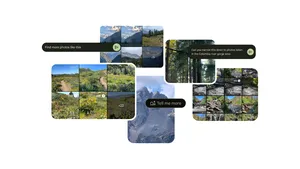
Ask Photos helps you find specific photos and videos across your entire gallery with natural language, and it can be a great way to rediscover the content you captured in 2025. Try asking "show me my landscape photos from 2025" or "when did I visit Croatia?" You can even ask things like "what desserts did I eat in 2025?" or "where did I travel this year?" Whatever made your year special, you can use Ask Photos to find it.

3. Turn an album into a photo book
Consider a photo book the original photo dump! If you want a more tangible way to look back on your year, you can easily turn any album into a photo book. Simply select the three-dot menu in the upper right-hand corner and then “Photo book.” From here, you can customize your book — which is also available on desktop if you’d rather play around with things on a larger screen.
4. Share a mega photo dump with multiple collages
Want to post a yearly photo dump but don’t want to be limited to a certain number of images? Google Photo’s collage feature can help: Just head to the Create tab and select a collage template; you have options for adding up to six photos in one single image. And beyond creating multiple collages to simply squeeze in as many photos as possible, there are fun borders and other visual designs you can opt to add.
5. Create a video with your favorite 2025 memories
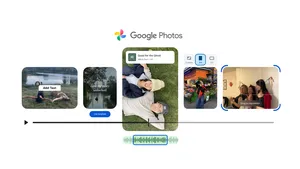
We recently launched a handful of new video editing tools in Google Photos so it’s super easy to get creative. You can add the perfect soundtrack to your video to capture the energy of the year, and Android users can add custom text to clips and even use new ready-made templates to make it even easier to quickly create highlight videos. These templates come with pre-set formats featuring built-in music, text and cuts synced to a soundtrack. It’s a simple way to take a cinematic look at your year and share your memories.
Once you’re done, you can consider your 2025 photos and videos filed — now it’s onto a new year and new photos!