Our latest scams survey sees changing online security habits

Last updated: June 5, 2025
If you have a smartphone, an email address or even just regularly use social media, you’re probably seeing a lot more scams these days. Don’t worry, you’re not paranoid — and you’re not alone. The FBI says online scams raked in a record $16.6 billion last year — up 33% in just one year — and they’re growing more sophisticated. Today we’re releasing our latest survey with Morning Consult, which shows a clear and growing awareness of the threat from scams, particularly across the U.S.:
- Over 60% of U.S. consumers perceive an increase in scams over the past year, with one-third personally experiencing a data breach.
- Most have seen scams through text messages, but 61% said they’ve also been targeted via email.
- As people experience more scams, they report feeling more confident in their ability to spot them — with over 80% saying they can do so by flagging requests for personal information, suspicious links and urgent requests.
Security practices differ by generation
While these results are far from surprising, the data reveals how security practices vary across different age groups.
- Most people — including Generation X, Baby Boomers and many Millennials — still rely on older sign-in methods like passwords and two-factor authentication (2FA). Over 60% of Gen X and Baby Boomers still use passwords as their primary sign-in method. Despite being familiar with newer, more convenient methods such as social sign-ins (like Sign in with Google), only about 30% use them daily, showing a reluctance to move away from legacy methods.
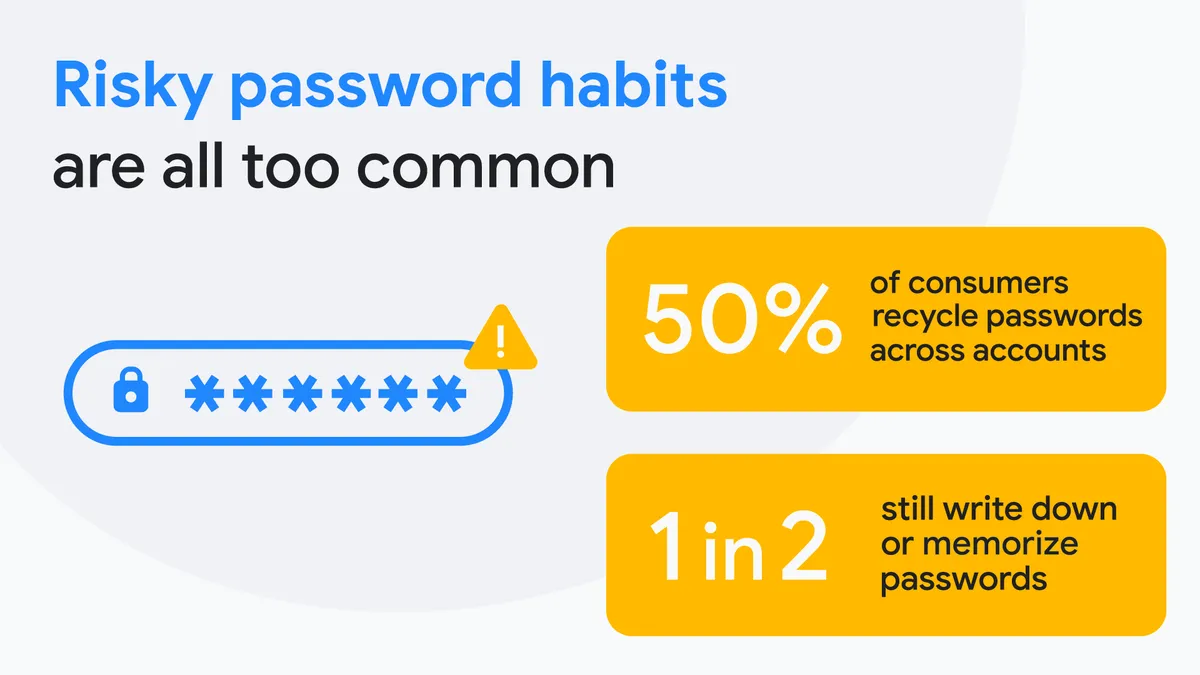
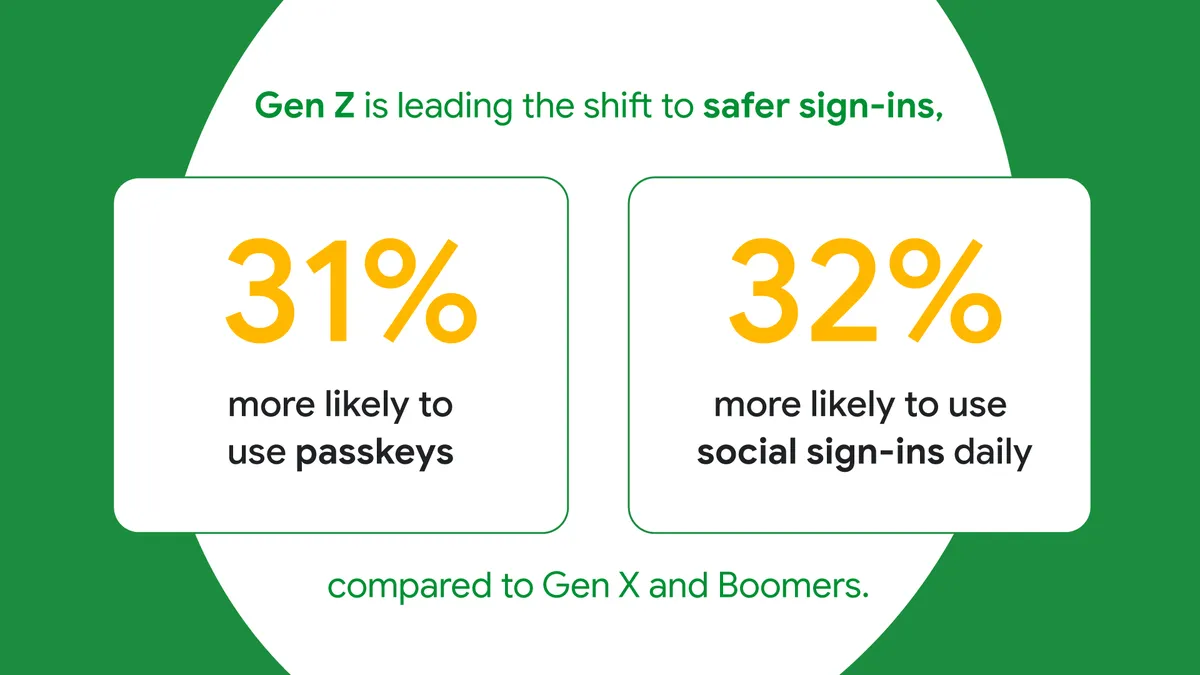
- In contrast, digitally-native Gen Z users are bypassing outdated security norms like passwords, opting for more advanced authentication tools. While many people in the U.S. continue to mostly rely on passwords and tools like 2FA, Gen Z and Millennials are noticeably more reliant on passkeys or social sign-ins. While at first glance not regularly updating passwords seems like poor security hygiene, the willingness to gravitate towards more modern sign-in methods that are both safer and easier to use, is a good thing. Older methods like passwords are not only painful to maintain, but are also more prone to phishing and often leaked through data breaches.
- People report spending more time online, using fewer accounts — especially Gen Z. Half of Americans — and over 60% of Gen Z — spend at least five hours on their phones per day, but most users only report managing 10 or fewer online accounts. This is likely driven by social sign-ins — which allow people to navigate the web easily and safely, removing the need to set up new accounts and sign in separately to each of them.
- Americans value real-time threat detection in products they use. Half of U.S. consumers report being notified about compromised passwords, with Google being the most frequent of those notifications. Google Password Manager not only flags your compromised passwords, but can create strong passwords for you, autofill them so you don’t have to, and even prevent you from entering them into a dangerous website.
These results show a world in which security practices are changing, and why it’s important to use tools that automatically secure your account and protect you from scams. You can read more about Morning Consult’s full international data analysis of the study here.
Protection you don’t have to think about
Scams typically start by criminals trying to gain access to your online accounts, which is why we use the latest AI and secure sign-in technologies to make it really hard for scammers to ever reach you. We block more than 99.9% of spam, phishing and malware from Gmail and new Android features like “Call Screen” means you can simply ignore malicious phone calls. We also expanded AI-powered Scam Detection in Google Messages on Android to flag messages from crypto, financial, toll road, gift card scams and more — to help the 88% of Americans who’ve encountered fake toll fees or package delivery scams. On multiple fronts, regardless of how you prefer to approach online security, we’ve got you covered. Here are some recommendations for everyone.
- We want to move beyond passwords altogether, while keeping sign-ins as easy as possible, so we strongly encourage using modern methods like Sign in with Google and passkeys, which can be stored in and synced across your devices with Google Password Manager. Passkeys are phishing-resistant and can log you in simply with the method you use to unlock your device (like your fingerprint or face ID) — no password required. And when you pair the ease and safety of passkeys with your Google Account, you can then use Sign in with Google to log in to your favorite websites and apps — limiting the number of accounts you have to maintain. Gen Z’s embrace of these tools actually represents a big step forward for collective security.
- For people who still prefer passwords, we have tools like 2-Step Verification (2SV), the Google Authenticator App and Google Password Manager — that provide a second line of defense so that a password alone can’t empower a bad actor.
We build advanced, automatic protections directly into Google's products, so security is something you don’t have to think about. Learn more about ways you’re safer with Google by visiting our Safety Center.