[[duration]] minutes
This content is generated by Google AI. Generative AI is experimental
Android 17 is here, bringing a suite of features designed to enhance your productivity, entertainment, security and safety. It’s rolling out first to Pixel today, followed by other eligible Android devices throughout 2026. Select advanced devices will get Gemini Intelligence later this summer, helping you stay a step ahead and work proactively to get things done throughout your day.
Here are some of the noteworthy features.
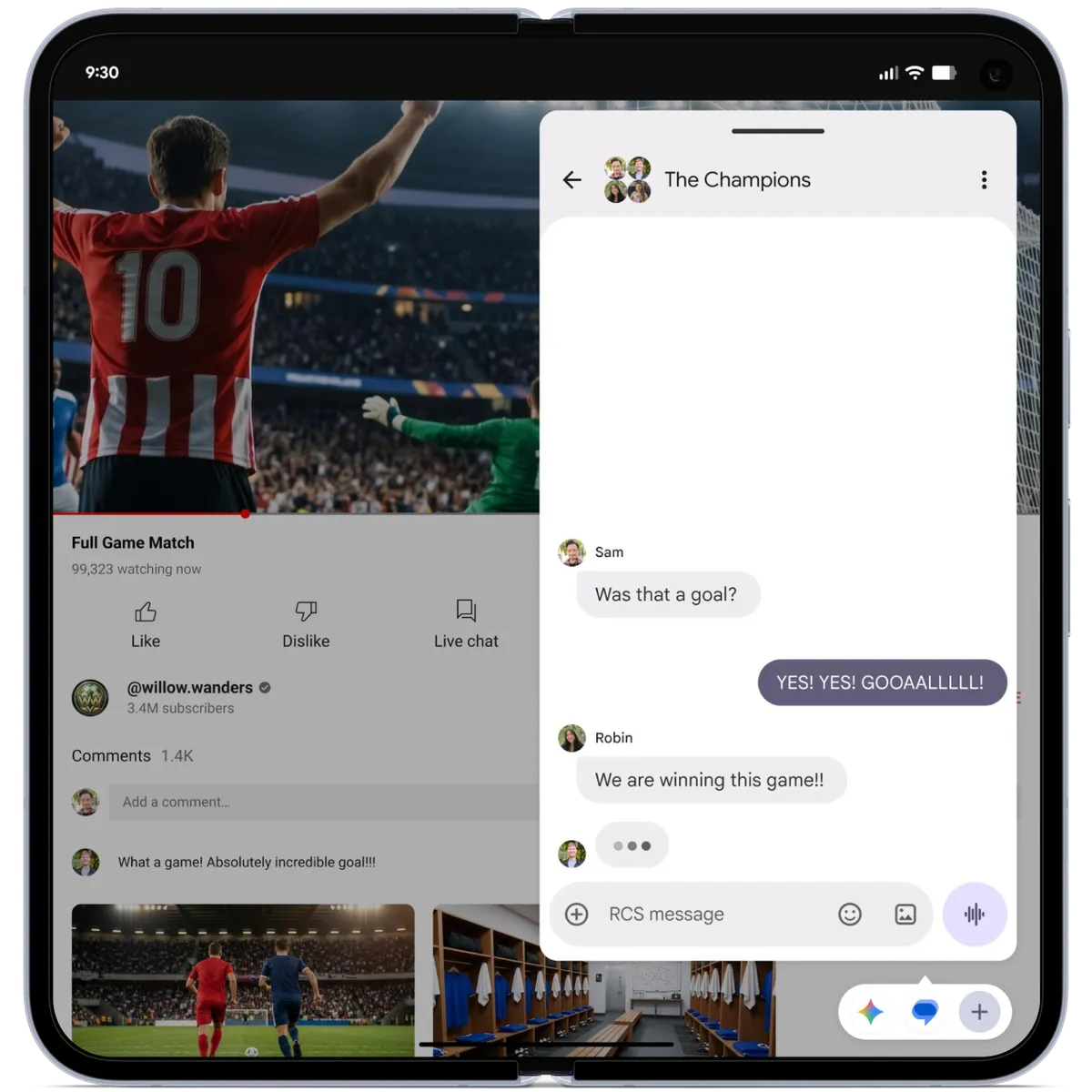
Bubbles allows you to turn any app into a compact, floating window so you can stay in the flow. Long-press any app icon to convert it into a bubble that floats on top of other apps. On large screen devices, bubbles are docked in a dedicated bubble bar at the bottom of your screen so you can switch between apps with one tap and resize or maximize them to full-screen for faster multitasking.
Handy for travel, entertainment and work, Bubbles lets you easily reference notes or maps, watch tutorials and even check sports. It keeps everything you need in reach but out of the way.
We’ve updated screen recording and annotation with a new toolbar and improved flow. You can also share your perspective quickly with Screen Reactions. In just a few taps you can record yourself using your device’s selfie camera and capture your phone screen at the same time.
Add your thoughts and reactions over sites, apps and trending videos without the need for a green screen and switching between apps. It's that easy.
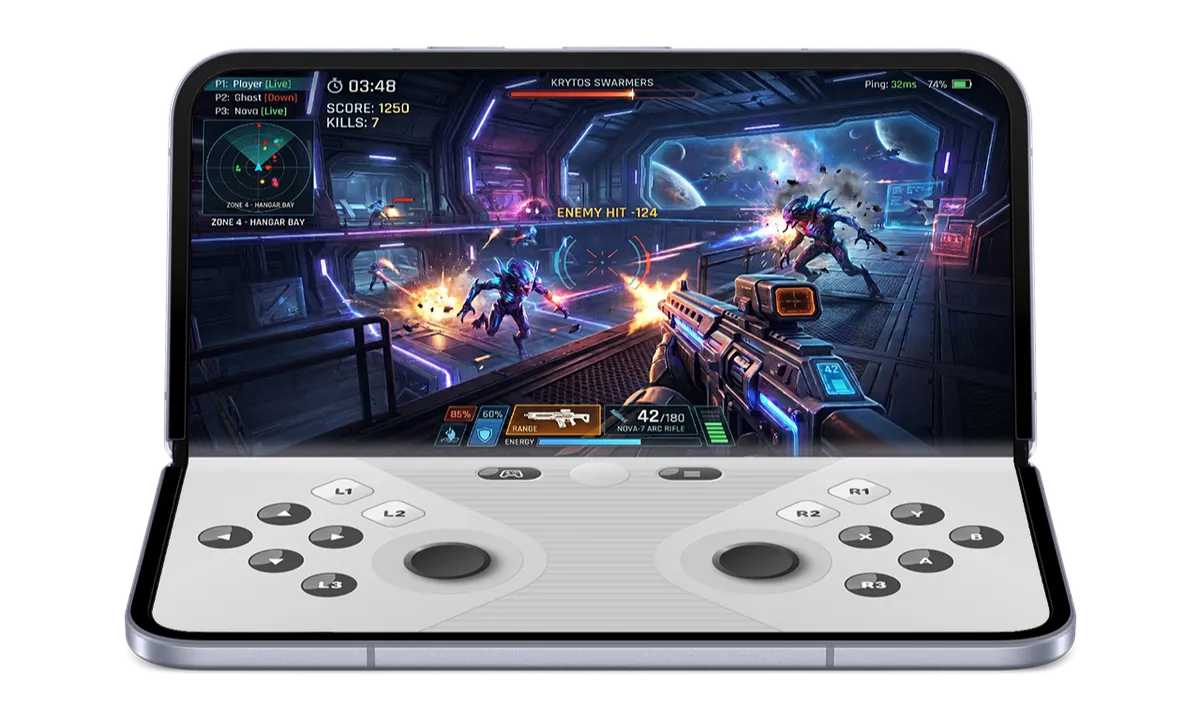
Android 17 helps you level up your gaming with foldable gaming mode, which makes full use of your phone screen real estate while you’re battling, puzzling and winning. Foldable devices now feature an optimized 50/50 layout with a game view on top and a dynamic gamepad below to maximize the view and button-mashing spaces. Foldable gaming mode is enabled in Android 17 and will be available in the coming months. You can further tailor your gaming experience if you use an external controller with native controller remapping.
We’ve also reduced frame drops and stutters by making memory cleanup more efficient for high-def gaming.
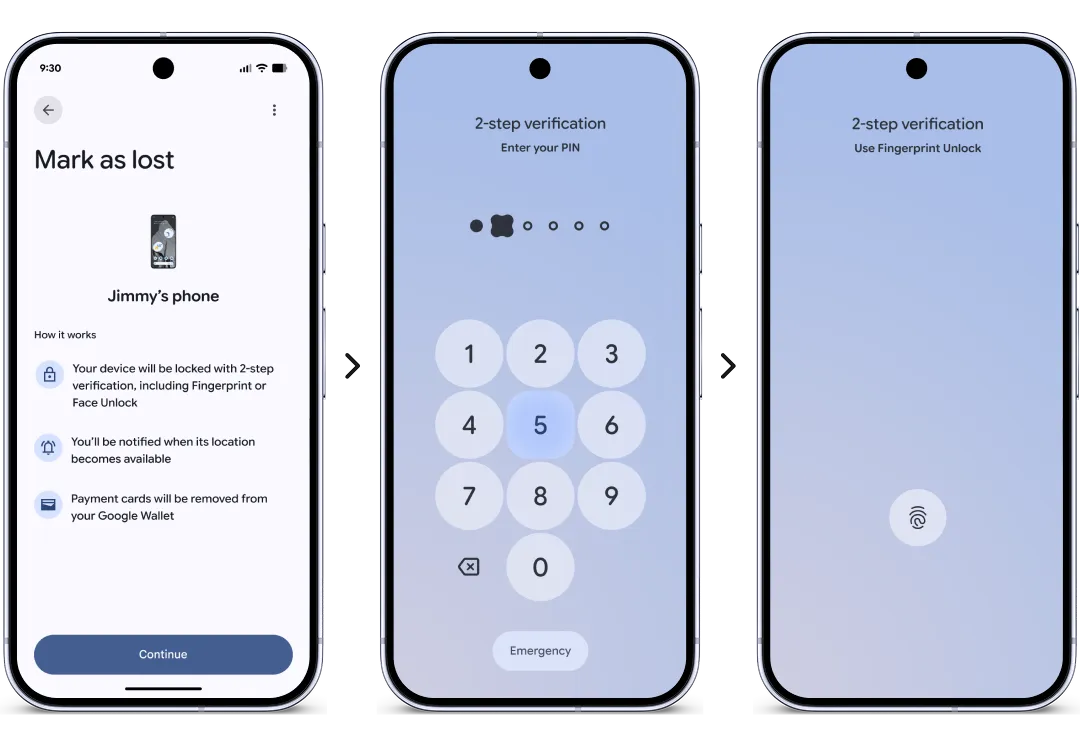
Android 17 also brings new security and safety features. You can now grant an app temporary access to your precise location, and share only specific contacts — instead of your entire address book — for more control. An enhanced “Mark as lost” feature in Find Hub lets you lock a missing phone with your biometrics, so even if a thief has your passcode, they can't access information on your phone or turn off tracking.
This update boosts your security, too. Improvements to Live Threat Detection block more suspicious apps and scams, and enhanced Advanced Protection mode helps keep you safe from sophisticated threats. To stop a thief who's trying to guess their way into your phone, we also reduced the number of times someone can guess your PIN and added longer wait times between failed attempts.
There is a lot more to explore in Android 17 — including a setting to hide app names on your home screen, the expansion of Parental Controls to all Android devices, a dedicated volume control for your assistant and more control over the expanded dark theme — plus, Pixel devices are getting additional updates today.
Under the hood, Android 17 introduces app memory limits to ensure apps never use too much RAM, helping improve your device’s overall performance and battery life.
See all the Android 17 features at android.com/17, and also check out our latest Android Drop to learn what’s new for all Android devices.