A more tailored Google Search that’s uniquely yours

Nov 23, 2026

|

Get more helpful Search responses by securely opting in to connect Google Wallet, Drive, and the Gemini app to Personal Intelligence in AI Mode.


Robby Stein

VP of Product, Google Search


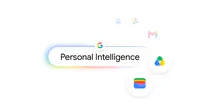
Google Search bar with the text "Personal Intelligence" surrounded by the Google Wallet, Google Drive, GMail, Google Photos, Google Calendar, and Google G logo icons
Listen to article
[[duration]] minutes
This content is generated by Google AI. Generative AI is experimental
The most helpful search experience brings together the richness of the world’s information with insights uniquely relevant to you. Today, Search is getting even more tailored with the ability to connect more of your apps to Personal Intelligence — and we're introducing more personally relevant responses, so it's easier to find just what you need.

Starting to roll out today, you can opt in to securely connect Google Wallet to Personal Intelligence in AI Mode, with support for Drive and the Gemini app following in the coming weeks — bringing context from your spending, documents, and chats directly to Search. These apps join Gmail, Calendar, and Photos in delivering even more tailored responses with your personal context.

  • Get a clearer picture of your spending with Google Wallet: By connecting Google Wallet to Personal Intelligence in both AI Mode and the Gemini app, you can map out your financial milestones and identify actionable ways to trim everyday spending. You can also maximize credit card benefits — like optimizing cash-back categories, travel perks, and reward points — based on your cards linked via Wallet. If you choose to connect your Wallet, AI Mode can only read information from your accounts; it can’t move, manage, or invest your money.
  • Stay in your flow with Google Drive: Sometimes the important information that you need to get started on a project or make a big decision can be scattered across your docs, sheets, or PDFs. With Google Drive connected in Personal Intelligence, you can get uniquely helpful responses that take all of that context into account and help you get started, like a personalized preparation plan ahead of tax season.
  • Connect the dots between the Gemini app and Search: In the coming weeks you can easily share context across the Gemini app and AI Mode in Search. So if you explore an idea in the Gemini app, AI Mode will have that foundation to build on, and vice versa. While you could already opt in to connect your Search history to Personal Intelligence in the Gemini app, soon you can also opt in to securely connect your Gemini app to Personal Intelligence in AI Mode.

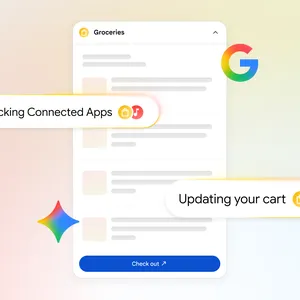
To connect your apps to Personal Intelligence in AI Mode, open Search Personalization, select Connected Apps, and then choose the apps you want to connect. You choose if and when you opt in, and you can turn those connections on or off at any time. You’re always in control of your personalization settings, and soon you’ll also be able to view the context AI Mode uses via the “Personalization” icon below any tailored response. If you want to edit anything simply let AI Mode know what to change, like responding in thread “I’m no longer a vegetarian.”

You’ll also start seeing more personally relevant responses in AI Overviews and AI Mode, tailored to your recent search context. So if you’ve been researching and planning for a trip, you can pick up right where you left off in a new search thread without starting over or repeating yourself. As always, you can adjust or turn off personalization at any time in your Search Settings.

Get the latest news from Google in your inbox

Sign up for our newsletters with product updates, event information, special offers, and more.

Your information will be used in accordance with Google's privacy policy. You may opt out at any time.

About the Author

Robby Stein

Robby Stein

VP of Product, Google Search

Robby Stein is Vice President of Product, Google Search, working on the development of generative AI products and experiences that help people search and access information effortlessly.

Read more from Robby Stein